fill the form


    Who Needs SharePoint Managed Services

    SharePoint managed services are built for organizations with a SharePoint intranet or Microsoft 365 tenant already in production that need a dedicated team to own it going forward. That includes IT teams without deep in-house SharePoint expertise, companies left without support after launch, organizations scaling SharePoint across departments or locations, and businesses that need documented compliance oversight.

    Each agreement is scoped around your environment, whether you run SharePoint Online, on-premises SharePoint, or a hybrid setup. Our team learns how your sites, permissions, and customizations fit together, keeps everything stable as usage grows, and frees your internal staff to focus on projects that move the business forward.

    Who needs SharePoint managed services

    SharePoint Managed Services We Deliver

    Our managed services cover the full lifecycle of support your environment needs after launch. Once your SharePoint environment is live, keeping it healthy takes ongoing attention most internal teams don’t have the time or expertise to provide.

    Proactive monitoring & alerts icon

    Proactive Monitoring & Alerts

    We monitor your SharePoint environment continuously, tracking performance metrics, storage thresholds, load times, and unusual activity across the platform. This includes automated alerts for anything that looks off, whether that’s a spike in failed logins, a page that suddenly stops loading correctly, or storage approaching its limit. Catching these signals early means we can act before your team notices a problem, or someone files a support ticket.

    For organizations running hybrid SharePoint or connecting SharePoint with Teams, we extend this same monitoring across the integration points, so document libraries and permissions stay in sync.

    Patch management & updates icon

    Patch Management & Updates

    Microsoft ships updates to SharePoint, and the wider Microsoft 365 stack on an ongoing basis and letting them pile up eventually breaks something. We test and apply these updates on a controlled schedule, checking for compatibility with your existing customizations before anything goes live in your production environment. That includes security patches, bug fixes, and feature updates.
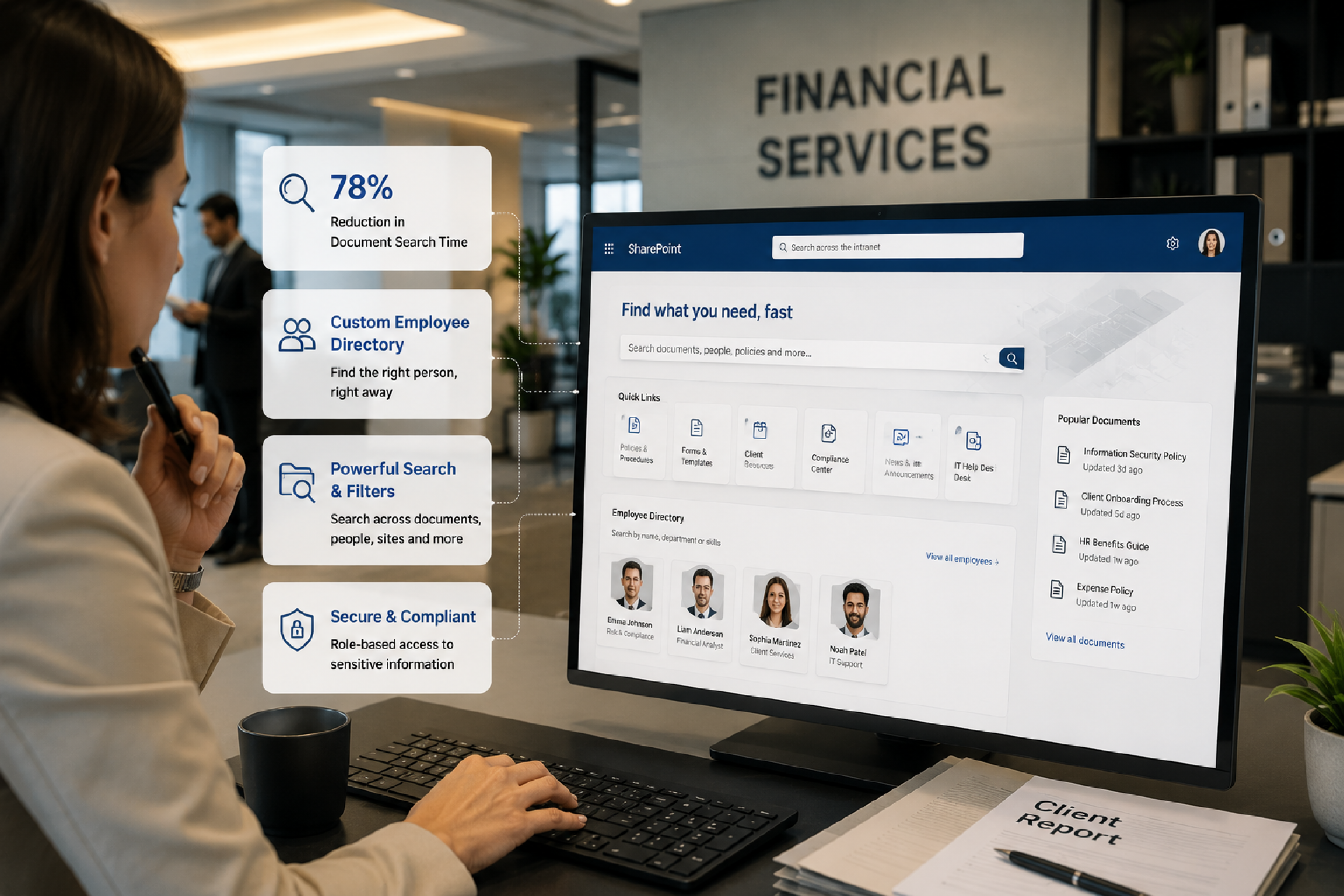
    Because we already know your environment’s custom configurations, we can flag potential conflicts before they cause downtime, instead of discovering them after an update has already gone out to your entire organization.

    Security hardening & access reviews icon

    Security Hardening & Access Reviews

    We run recurring access and permissions reviews across your SharePoint environment, closing off unnecessary sharing links, tightening external access, and applying security configurations aligned to Microsoft’s current best practices. As your organization grows and more people gain access to sites and libraries, permissions naturally sprawl unless someone is actively reviewing them.

    We check authentication settings, security certificates, and configuration drift on a recurring basis, so vulnerabilities get caught and closed instead of sitting unnoticed until an audit or an incident force the issue.

    Help Desk & technical support icon

    Help Desk & Technical Support

    Your team gets dedicated technical support for SharePoint issues, page errors, broken workflows, permission requests, and anything else that comes day to day. Instead of routing tickets through a generic IT help desk that has to relearn your environment every time, you’re working with people who already understand your site structure, your customizations, and your governance model.

    Response times are handled against your agreed SLA, so there’s a clear expectation for how quickly issues get addressed, not just a vague promise of eventual support.

    Document management oversight icon

    Document Management Oversight

    We monitor library structures, metadata usage, and versioning practices, so document management stays organized as content volume grows across departments. This includes checking that libraries follow the structure they were designed around, that metadata is being applied consistently, and that version history isn’t creating unnecessary storage bloat.

    As teams add new content types or start using SharePoint in ways it wasn’t originally scoped for, we flag structural drift early, before it turns into a cleanup project nobody wants to own.

    Compliance & governance maintenance icon

    Compliance & Governance Maintenance

    We maintain the governance model your site was built on, including who can publish, who can edit navigation, and who approves new pages before they go live. As more departments and content owners start contributing, governance is usually the first thing to slip, and the fastest way for a well-designed site to drift back toward clutter.

    We keep this model enforced and documented, and for organizations under compliance requirements, we also perform scheduled checks to confirm the environment still meets the standards it was originally built against.

    Why choose Code Creators for SharePoint managed services

    Why Organizations Choose Us for Managed Services?

    • Microsoft Solutions Partner: We’re a recognized Microsoft Solutions Partner with 15+ years of hands-on SharePoint and Microsoft 365 experience. That means our support team understands the platform’s technical limits, permissions model, and update cycles at a level of generic IT support providers don’t, so issues get resolved correctly the first time instead of escalating back and forth.
    • Fair, Right Sized Pricing: We’ve delivered managed services for 60+ environments, pricing each one based on what the client actually needs, not a flat rate card, which typically lands more affordable than the market price for similar coverage. We also don’t lock you into a fixed SLA. If your priorities change, we adjust the plan together, so it keeps working for you instead of staying stuck at what you signed a year ago.
    • Continuity, Not a Handoff Gap: Some vendors hand off a project and disappear the moment it’s invoiced. We don’t, and it shows: 95% of our managed services clients renew year over year, because the same team that knows your environment’s history stays involved for ongoing support.

    Your Trusted SharePoint Solutions Partner

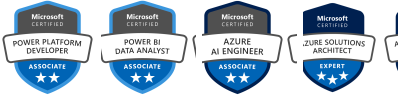
    Microsoft Certification Badges of Code Creators

    Let’s Talk

    We have 100% successful track-record of serving Fortune 500 Companies from 45+ Industries! Connect with us to experience the Power of Innovative Development and Designs

    Request a Quote

    Free No-Obligation Quote

    Who We Work With

    We support SharePoint environments for mid-size and enterprise organizations across financial services, healthcare, manufacturing and logistics, and the public sector, along with multi-location businesses running SharePoint across multiple regions. Our managed services are built to support compliance requirements and distributed IT teams without losing consistency in how the environment is maintained.

    Whether you’re taking over support for a site your team inherited or extending coverage to an environment we built ourselves, we scope the agreement around how your organization operates.

    Who we work with for managed services

    Our Process - How Support Begins When You Sign On

    1

    Environment Health Check

    We start with a comprehensive health check of your SharePoint environment, covering security configuration, performance bottlenecks, custom code review, and user adoption patterns. You receive a written report detailing what we found, including any vulnerabilities or usability issues, along with clear recommendations before your managed services agreement officially begins.

    2

    SLA & Scope Definition

    We define response times, coverage hours, and exactly what’s included in your agreement, so there’s no ambiguity once ongoing support officially begins for your team.

    3

    Onboarding & Baseline Setup

    We document your environment’s current state, set up monitoring tools, and establish a reporting cadence, so ongoing support starts from an accurate baseline, not guesswork.

    4

    Ongoing Support & Monitoring

    Your environment stays actively monitored and supported against the agreed SLA, with our team handling patches, security reviews, and help desk tickets as they arise.

    5

    Monthly/Quarterly Reporting Review

    We walk through your reporting together on a recurring basis, flagging trends, upcoming Microsoft changes, and anything that needs attention before it becomes a problem.

    6

    Continuous Improvement & Renewal Planning

    As your organization grows, we revisit your SLA, scope, and priorities together, adjusting coverage where needed so your managed services agreement keeps pace with your business.

    Our Clients

    AmeriCU Code Creators client logo
    bluemercury Code Creators client logo
    CERIDIAN Code Creators client logo
    The University of CHICAGO Code Creators client logo
    City of Hope. Code Creators client logo
    World Health Organization (WHO) Code Creators client logo
    University of WATERLOO Code Creators client logo
    University of TORONTO Code Creators client logo
    TIN ROOF TACOS Code Creators client logo
    Stoller Code Creators client logo
    SIEMENS Code Creators client logo
    SAFEGUARD Medical Code Creators client logo
    RioCan Code Creators client logo
    Ontario Trillium Foundation Code Creators client logo
    McMaster University Code Creators client logo
    Macys Code Creators client logo
    Little City Code Creators client logo
    KINROSS Code Creators client logo
    Gate Code Creators client logo
    FlexNGate Code Creators client logo
    Fastwyre Broadband Code Creators client logo

    FAQs About SharePoint Managed Services

    Basically, it means handing off the day-to-day management of your SharePoint environment to a dedicated third-party provider. Instead of your team scrambling every time an issue pops up or filing one-off tickets, you’ve got someone already monitoring and supporting the environment continuously, catching problems before they become bigger fires.

    It mainly covers proactive monitoring, so issues get caught early, patch management to keep things current, regular security reviews, help desk support for whatever comes up, and governance maintenance so your rules actually stick. Exact scope varies by provider, but you’ll see all of this spelled out clearly in your SLA.

    Net-new development, custom application builds, and major platform migrations generally sit outside standard managed services; they need a different kind of planning, timeline, and budget entirely. We scope those separate projects instead of folding them into your monthly agreement, which keeps pricing predictable and your SLA focused on upkeep.

    The provider’s job is keeping your environment secure, patched, monitored, and supported against the response times you’ve agreed to. Ownership of business decisions and the actual content stay fully with your organization; we’re just the ones making sure the platform underneath keeps running the way it should.

    Mostly consistency. Microsoft pushes out updates across the 365 stack constantly, and without someone actively managing that, updates either pile up unapplied or go live untested. Managed services mean those updates get tested and applied on a schedule, so your environment stays current without surprises catching your team off guard.

    Not directly. Microsoft builds and maintains the platform itself, but they’re not the ones fixing your specific permissions setup or troubleshooting your environment day to day. That kind of hands-on support usually comes from a Solution Partner like Code Creators, someone who specializes in actually running SharePoint for organizations like yours.

    Shared services are typically an internal team covering a function, like IT or HR, across several departments within the same company. Managed services work differently, it’s an external partner taking full ongoing responsibility for one specific system, in this case your SharePoint environment, rather than an internal team splitting attention.

    Let’s Keep Your SharePoint Environment Running at Its Best!

    A SharePoint environment that nobody actively maintains doesn’t stay steady. It slowly drifts toward broken permissions, outdated patches, and a support experience nobody trusts. With the right partner, your team gets proactive monitoring, clear reporting, and a defined SLA instead of guessing who’s responsible when something goes wrong.

    At Code Creators Inc., we support SharePoint environments for USA and Canadian organizations long after the initial project wraps.

    Request your free Environment Health Check today and talk directly with a SharePoint support specialist about what’s actually happening in your environment.


    Get Your Free Health Check

    SharePoint Case Studies

    Explore Related SharePoint Services