fill the form


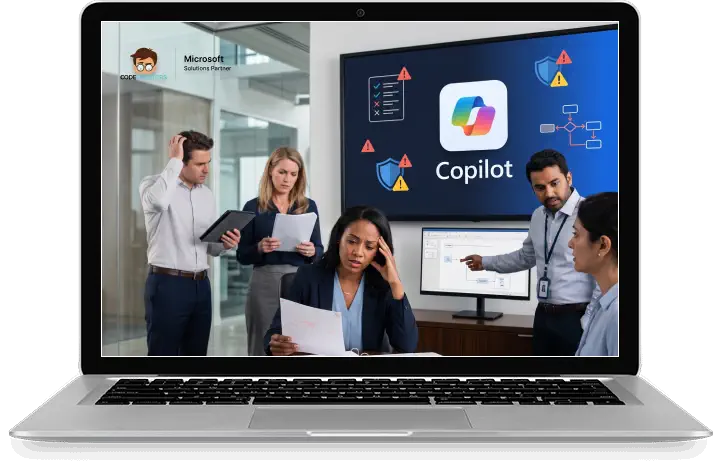
    The Risk of Rolling Out Copilot Without an Assessment

    Microsoft 365 Copilot grounds its responses in organizational content that the signed-in user is already authorized to access. It doesn’t ignore permissions or expose data a user couldn’t otherwise reach. The risk is what’s already misconfigured underneath: oversharing, stale access, and governance policy that predates Copilot.
    • Overshared Permissions: Years of loosely managed SharePoint and Teams sharing settings mean some users already have broader access than their role requires, and Copilot will draw on all of it.
    • Licensing Readiness Gaps: Licensing decisions made without usage data behind them tend to either overspend or under-license the people who’d get the most value, on top of the identity, Exchange Online mailbox, supported platform, and network prerequisites Microsoft requires for Copilot to function.
    • Undefined Use Cases: Without a defined set of priority workflows, adoption often stalls at basic drafting tasks well short of solving real problems.
    • Governance Blind Spots: Responsible AI and data governance policies written before Copilot existed usually don’t account for what it can now retrieve and summarize.
    The risk of rolling out Copilot without an assessment

    What Our Copilot Readiness Assessment Covers

    A readiness assessment isn’t a Copilot demo or a licensing quote. Here’s what our team actually reviews during a Microsoft Copilot readiness assessment.

    Data sharing & access review icon

    Data Sharing & Access Review

    Before Copilot goes live, we need to know exactly what it would be able to draw on for each user. We review your tenant to:

    • Review permissions and sharing settings across SharePoint, OneDrive, and Teams
    • Flag files and folders shared more broadly than intended
    • Identify sensitive data sitting in unexpected or unmonitored locations
    • Document overall data exposure findings at the tenant level

    Fixing oversharing before rollout is far easier than cleaning it up after Copilot surfaces it.

    Licensing readiness icon

    Licensing Readiness

    We check licensing fit and the technical prerequisites Microsoft requires, not just seat counts. This includes:

    • Current Microsoft 365 licensing against actual usage patterns
    • Which departments and roles show the clearest fit for a license
    • Identity, Exchange Online mailbox, and supported operating system, browser, and network requirements relevant to Copilot deployment
    • Opportunities to right-size seat counts before rollout

    A licensing plan grounded in usage data and confirmed prerequisites avoids surprises after purchase.

    Governance & responsible AI alignment icon

    Governance & Responsible AI Alignment

    Governance policies written before Copilot existed rarely account for what it can now retrieve and generate. We check:

    • Existing data governance policies against Copilot’s access and output
    • Responsible AI guidelines for gaps specific to generative AI tools
    • Data retention and compliance requirements relevant to your industry
    • Where policies need to be updated before rollout

    Closing these gaps early keeps governance ahead of adoption.

    Use-case and value alignment icon

    Use-Case and Value Alignment

    Rolling out without a defined set of use cases usually means adoption stalls at basic drafting tasks. We work with your team to identify:

    • Priority workflows most likely to save measurable time
    • Target user groups and departments best suited to an early rollout
    • Success measures to track after go-live, such as adoption rate or time saved on specific tasks
    • A recommended approach for evaluating results over the following one to two quarters

    This doesn’t promise a specific return. It gives you a defined basis for measuring one once Copilot is live.

    Tenant-level readiness summary icon

    Tenant-Level Readiness Summary

    Everything above comes together in one report, organized by dimension rather than a single score. We deliver:

    • A readiness summary covering data exposure, licensing fit, governance alignment, and use-case readiness
    • A prioritized remediation plan ranked by risk and effort
    • A recommended sequence for addressing findings before rollout
    • Reporting broken out by tenant if you manage more than one

    The summary gives you a clear starting point organized around the same areas the assessment reviewed.

    Industries We Work With

    Our Copilot readiness reviews are built to flex around how different industries handle data, licensing, and risk:
    • Financial services and insurance organizations rely on the assessment to catch overshared permissions across client and account data before rollout.
    • Healthcare and public sector organizations use the governance review to confirm alignment with existing compliance and responsible AI policies before rollout begins.
    • Professional services firms lean on the licensing and use-case review to target early rollout at the teams and workflows most likely to benefit.
    • Manufacturing and distribution businesses use the data review to surface years of accumulated sharing permissions across departments before a company-wide rollout.
    Industries we work with for copilot readiness
    Why work with Code Creators for Copilot?

    Why Work with Code Creators?

    • Microsoft Solutions Partner with verified Modern Work and AI designations – We hold Microsoft Solutions Partner status in Modern Work and AI, and have spent years working inside the permissions, licensing, and governance layers of Microsoft 365, the level of detail a readiness assessment requires to evaluate properly.
    • Assessment approach shaped by 50+ Microsoft AI and automation projects – Patterns we’ve seen across 50+ Microsoft AI and automation engagements inform how we scope each review, giving you an accurate picture of your tenant, including clear reasons to slow down a rollout when the data supports it.
    • Remediation support backed by a 98% Client Return Rate – A readiness assessment needs to lead somewhere useful. We hand over a prioritized remediation plan and can support fixing what we find, the same hands-on follow-through that keeps 98% of our clients returning for their next Microsoft project.
    • Delivered for 700+ Clients across the USA & Canada – Our team has run Microsoft 365 and Copilot assessments for organizations of different industries and tenant sizes, adapting scope to each organization’s complexity.

    Your Trusted Copilot Assessment Partner

    Microsoft Certification Badges of Code Creators

    Let’s Talk

    We have 100% successful track-record of serving Fortune 500 Companies from 45+ Industries! Connect with us to experience the Power of Innovative Development and Designs

    Request a Quote

    Free No-Obligation Quote

    Our Readiness Assessment Process

    1

    Discovery Call

    Your assessment begins with a 30-45 minutes discovery call. We walk through your rollout timeline, current Microsoft 365 licensing, and any governance concerns already on your radar. You’ll need to bring current license counts and any existing governance or compliance documentation. Deliverable: a documented discovery summary that scopes the review.

    2

    Tenant & Data Review

    It typically takes 1-2 weeks, depending on tenant size. We review permissions, sharing settings, and data exposure across SharePoint, OneDrive, and Teams using read-only admin access you provide. Deliverable: data exposure findings log.

    3

    Licensing & Governance Review

    We compare current licensing against usage data pulled from your tenant and review the governance and responsible AI policy documents you provide. Deliverable: a licensing fit summary and governance gap list. This usually takes 3-5 business days.

    4

    Readiness Report

    You receive a tenant-level readiness summary covering data exposure, licensing fit, governance alignment, and use-case readiness, along with a prioritized remediation plan ranked by risk and effort.

    5

    Roadmap Walkthrough

    In a 60-minute session, we walk through the report together, answer questions, and outline next steps. If remediation is needed first, we can scope that support before you move toward rollout.

    Our Clients

    AmeriCU Code Creators client logo
    bluemercury Code Creators client logo
    CERIDIAN Code Creators client logo
    The University of CHICAGO Code Creators client logo
    City of Hope. Code Creators client logo
    World Health Organization (WHO) Code Creators client logo
    University of WATERLOO Code Creators client logo
    University of TORONTO Code Creators client logo
    TIN ROOF TACOS Code Creators client logo
    Stoller Code Creators client logo
    SIEMENS Code Creators client logo
    SAFEGUARD Medical Code Creators client logo
    RioCan Code Creators client logo
    Ontario Trillium Foundation Code Creators client logo
    McMaster University Code Creators client logo
    Macys Code Creators client logo
    Little City Code Creators client logo
    KINROSS Code Creators client logo
    Gate Code Creators client logo
    FlexNGate Code Creators client logo
    Fastwyre Broadband Code Creators client logo

    Frequently Asked Questions

    A Copilot readiness assessment is a structured review of your Microsoft 365 tenant’s data access, licensing, and governance posture before rollout. It identifies permission risks, prerequisite gaps, and priority use cases so your team knows what to address before licenses are assigned.

    It checks how broadly access and sharing permissions are currently configured across SharePoint, OneDrive, and Teams. Copilot only surfaces what a signed-in user is already authorized to access, so the real risk is overshared permissions already in place, not Copilot bypassing controls. The assessment flags that oversharing before it becomes visible through Copilot’s answers.

    The assessment covers data sharing and access review, licensing fit against actual usage and Microsoft’s technical prerequisites, governance and responsible AI policy alignment, and use-case and value alignment, rolled into a single tenant-level readiness summary.

    We work alongside your IT or security team rather than around them. You’ll typically provide read-only admin access to Microsoft 365 admin center reports, current licensing details, and any existing governance documentation. Your team stays involved throughout, and the final report is written so they can act on it directly, whether that means implementing fixes themselves or having us support remediation.

    Most engagements run 2-4 weeks from kickoff to the final readiness report, depending on tenant size and how many systems are in scope. Smaller, single-tenant reviews can sometimes complete in as little as 10 business days.

    Yes. The readiness report includes a prioritized remediation plan, and our team can help implement those fixes, whether that’s tightening permissions, adjusting licensing, or updating governance policy, before you move forward with rollout.

    Ready to Know Where Your Tenant Stands Before Copilot Rolls Out?

    A Copilot readiness assessment tells you what’s actually in your tenant before your team finds out through Copilot itself. Code Creators works with organizations across the USA and Canada to run Microsoft 365 Copilot readiness assessments that cover data risk, licensing, and governance, with a clear roadmap at the end of it.

    Copilot Case Studies

    Explore Related Services