fill the form


    What Silently Breaks When No One Owns Fabric

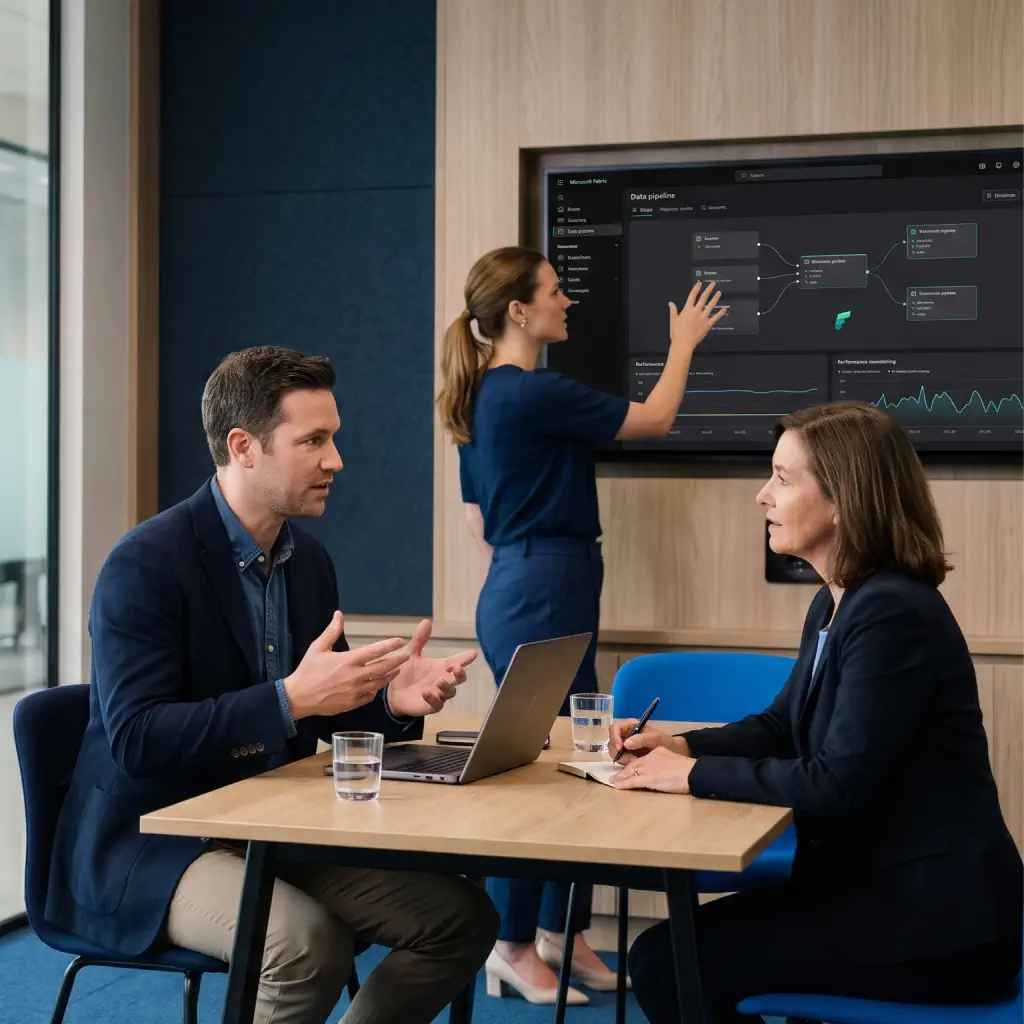
    A source system renames a column on a Friday afternoon. The nightly pipeline fails without anyone noticing, the semantic model refreshes on stale data, and finance opens Monday’s report with last week’s numbers. Your engineers then lose a day tracing the failure back to the source change. Nobody was alerted, because nobody owned the alerts. With managed monitoring, the failed run is caught that night and we start on the fix before the morning refresh.

    What happens when no one owns Fabric

    What Our Fabric Managed Services Cover

    Six services cover the work most organizations need once Microsoft Fabric is live, from proactive monitoring to data governance.

    Proactive monitoring icon

    Proactive Monitoring

    Failures caught and triaged before your users report them.

    • Track pipeline runs and semantic model refreshes in the Fabric Monitoring hub
    • Watch capacity health and throttling in the Capacity Metrics app
    • Route alerts to our on-call team, available 24/7
    Incident response icon

    Incident Response

    A first response within the times set in your SLA, and a written record of every Priority-1 incident.

    • Diagnose the root cause and restore service
    • Write a summary for every Priority-1 incident
    • Recommend fixes that prevent repeat issues
    Fabric administration icon

    Fabric Administration

    Tenant settings, workspaces, and gateways handled for you, without pulling your engineers off project work.

    • Manage tenant settings, workspace creation, capacity assignments, gateways, and connections
    • Follow change rules agreed with your IT team
    Capacity management and cost optimization icon

    Capacity Management and Cost Optimization

    A monthly capacity report with cost trends and the changes we made.

    • Find the workloads behind usage spikes and tune or reschedule them
    • Pause pay-as-you-go capacity outside working hours
    • Recommend resizing or reservations for steady workloads
    Performance tuning and maintenance icon

    Performance Tuning and Maintenance

    Faster Power BI reports and fewer surprises from Microsoft’s monthly Fabric updates.

    • Tune slow semantic models, queries, and data pipelines
    • Clear out unused items and keep your OneLake workspace structure tidy
    • Review each monthly Fabric update for changes that affect your workloads
    Data governance and security icon

    Data Governance and Security

    Access reviews on record and a governance model that holds up as usage grows.

    • Review access roles, workspace ownership, and sensitivity labels on an agreed schedule
    • Keep tenant governance in line with the policies your security and compliance teams approve

    Who We Work With

    Our managed services are built for:
    • Healthcare Organizations: Reporting platforms that clinical and operational teams rely on every morning.
    • Financial Services Firms: Month-end and regulatory reporting, with change control and access reviews on record.
    • Manufacturing and Distribution: Pipelines that feed production and supply chain dashboards throughout the day.
    • Retail Organizations: Sales and inventory reporting that has to hold up during peak trading periods.
    • Professional Services Firms: Firm-wide reporting without a dedicated data operations team.
    Why choose Code Creators for managing Fabric

    Why Choose Code Creators for Managing Fabric

    • Microsoft Solutions Partner with 700+ Clients – 15+ years of enterprise Microsoft data and Power BI work sits behind every runbook we write.
    • Service Levels in Writing – 24/7 monitoring and support, with Priority-1 requests handled around the clock and service performance measured and reported monthly.
    • One Team Across Build and Run – The same engineers who deliver our Fabric consulting and migration work run your Microsoft Fabric managed service, so they already know how your platform was built.
    • Certified Fabric Engineers – Our team includes certified Microsoft Fabric professionals with expertise in data engineering, analytics, and Microsoft Fabric solutions.

    Your Trusted Fabric Management Partner

    Microsoft Certification Badges of Code Creators

    Let’s Talk

    We have 100% successful track-record of serving Fortune 500 Companies from 45+ Industries! Connect with us to experience the Power of Innovative Development and Designs

    Request a Quote

    Free No-Obligation Quote

    How We Work with Your In-House Team

    Fabric managed services and support work best when roles are clear from day one.
    • Your team owns business logic, report design, and priorities.
    • We own monitoring, incident response, administration, and platform upkeep.
    • Shared work goes through one request channel, with response times set in your SLA.

    Scope can be adjusted at each quarterly review as your team’s bandwidth changes.
    How we work with your in-house team

    How a Managed Fabric Engagement Runs

    1

    Discovery Call

    A 45-to-60-minutes call covers your Fabric environment, the people who run it today, and the service levels you need. You receive a proposed scope and SLA.

    2

    Onboarding and Baseline

    Onboarding takes 2 to 3 weeks for most environments. Early on, we set up access, document your tenant, capacities, pipelines, and owners, and switch on monitoring and alerting. The deliverable is a baseline report covering current capacity use, open risks, and quick fixes.
    3

    Operations Runbook and Go-Live

    Towards the end of onboarding, we agree the runbook with your in-house team: who handles what, escalation paths, maintenance windows, and how requests reach us. Once you sign off the runbook, we go live.

    4

    Steady-State Operations

    From go-live, we run monitoring, incident response, administration, and tuning every day, and your team raises requests through the agreed channel.

    5

    Monthly and Quarterly Reviews

    Each month brings a service report on incidents, SLA performance, capacity use, and costs. Each quarter, we review governance and recommend capacity or architecture changes. If you later bring operations fully in-house, we hand the runbook and documentation over to your team.

    Our Clients

    AmeriCU Code Creators client logo
    bluemercury Code Creators client logo
    CERIDIAN Code Creators client logo
    The University of CHICAGO Code Creators client logo
    City of Hope. Code Creators client logo
    World Health Organization (WHO) Code Creators client logo
    University of WATERLOO Code Creators client logo
    University of TORONTO Code Creators client logo
    TIN ROOF TACOS Code Creators client logo
    Stoller Code Creators client logo
    SIEMENS Code Creators client logo
    SAFEGUARD Medical Code Creators client logo
    RioCan Code Creators client logo
    Ontario Trillium Foundation Code Creators client logo
    McMaster University Code Creators client logo
    Macys Code Creators client logo
    Little City Code Creators client logo
    KINROSS Code Creators client logo
    Gate Code Creators client logo
    FlexNGate Code Creators client logo
    Fastwyre Broadband Code Creators client logo

    Microsoft Fabric Managed Services FAQs

    They cover the day-to-day running of your Fabric environment: monitoring pipelines, refreshes, and capacity; responding to incidents; administering tenant settings, workspaces, and gateways; managing capacity and cost; tuning performance; and keeping governance and access reviews current. Your team stays focused on building reports and models while we keep the platform healthy.

    We work inside your tenant with named accounts and the least access each task needs, following the runbook agreed with your IT team. Routine work runs on a schedule, changes go through agreed maintenance windows, and anything that affects users is announced before it happens. Every action is logged, and the monthly service report shows what we did and why.

    We track capacity use in the Capacity Metrics app, find the workloads behind spikes, and tune or reschedule them. We then recommend pausing pay-as-you-go capacity outside working hours, moving to a smaller F-SKU, or buying a reservation for steady workloads, depending on your usage pattern. Each monthly report shows cost trends and the effect of the changes we made.

    Priority-1 issues, such as a failed production pipeline or capacity throttling that blocks reports, get a first response within the time set in your SLA, around the clock. Response times for Priority-2 and Priority-3 issues depend on your support plan and are set in your service agreement. During platform-wide Microsoft outages, we track Microsoft’s status updates and keep your team informed until service returns.

    We maintain workspace ownership, access roles, and sensitivity labels, run access reviews on an agreed schedule, and track changes to tenant settings. Fabric’s built-in lineage and Microsoft Purview support audit and data classification. Controls are configured to the policies your security and compliance teams approve, and compliance decisions stay with your organization.

    Many teams rely on one or two people who know the platform, and when they’re on leave or move on, problems wait. We spread that knowledge across a documented runbook and a 24/7 team with clear escalation paths. Changes go through agreed maintenance windows, and every Priority-1 incident gets a written summary, so the history stays on record when staff change roles.

    You’ll see the first results during onboarding, which takes 2 to 3 weeks for most environments. The baseline report flags quick fixes such as failing refreshes, unowned workspaces, or oversized capacity, and we fix the urgent ones straight away. Monitoring switches on during onboarding, full service starts at go-live, and the first monthly report shows incident and cost trends against that baseline.

    Talk to Us About Fabric Management

    Book a 45-to-60-minutes call to review your environment, the support you have today, and the service levels you need. We’ll outline onboarding, scope, and next steps on the call.

    Explore Related Services