fill the form


    Types of Portals We Build

    Four portal types make up most Power Pages builds.
    • Customer Self-Service Portals: Case submission, order tracking, and account updates, with each customer limited to their own records.
    • Partner Portals: For the distributors and resellers who sell your products, with orders, deal registration, and warranty claims.
    • Supplier and Vendor Portals: For the companies you buy from, with onboarding, compliance documents, invoices, and purchase order status.
    • Application and Registration Portals: Permits, grants, admissions, and event sign-ups, with multistep forms and status tracking.
    Types of portals we build

    Our Power Pages Development Capabilities

    Our Microsoft Power Pages development covers six areas of build work like take a portal from its data model to a site that’s ready for production.

    Dataverse Data Model and Security icon

    Dataverse Data Model and Security

    • Build Dataverse tables, relationships, and views for the records external users work with
    • Configure web roles and table permissions for each user group, set to the narrowest access that works, such as contact or account level
    • Set up the identity providers that suit your users, such as Microsoft Entra ID or Microsoft Entra External ID
    Pages, Forms, and Liquid Templates icon

    Pages, Forms, and Liquid Templates

    • Build pages, basic forms, and multistep forms in the design studio
    • Write Liquid templates for dynamic lists, record views, and personalized content
    • Embed Power BI reports and SharePoint document lists where users need them
    Custom Code and Web API icon

    Custom Code and Web API

    • Add JavaScript, custom components, and single-page application front ends where the design studio stops
    • Use the Power Pages Web API to create, read, update, and delete records, with access governed by the web roles and table permissions on each table
    Dynamics 365 and Power Automate Integration icon

    Dynamics 365 and Power Automate Integration

    • Expose selected Dynamics 365 tables, such as cases or orders, through table permissions for each role
    • Build Power Automate flows for approvals and notifications
    • Reach ERP, payment, and other systems through flows and their connectors, with setup and licensing confirmed first
    Copilot Studio Agents icon

    Copilot Studio Agents

    • Enable the built-in site agent for questions about your site content
    • Build custom Copilot Studio agents, then check their data sources, authentication, and access with real user accounts
    Legacy Portal Migration icon

    Legacy Portal Migration

    • Move older Power Apps portals to the enhanced data model and Bootstrap 5
    • Rework custom code that depends on deprecated features
    • Move sign-in from local accounts or older providers to a current provider such as Microsoft Entra External ID

    Copilot features vary by region and licensing, which we confirm before the build starts.

    Who We Work With

    As a Power Pages development company, we build for:
    • Manufacturing and Distribution: Partner portals for dealers and distributors, linked to order and warranty data in Dynamics 365.
    • Professional and Financial Services: Client self-service portals for documents, requests, and account updates.
    • Government and Public Sector: Permit and license application portals with status tracking.
    • Education and Nonprofits: Admissions, grant, and member registration portals.
    Who we work with for Power Pages development
    Why choose Code Creators for Power Pages development

    Why Choose Code Creators for Power Pages Development

    • Microsoft Solutions Partner – Code Creators has delivered Microsoft projects for 700+ clients over 15+ years, as we build portals that fit the Power Platform and Dynamics 365 setup you already run.
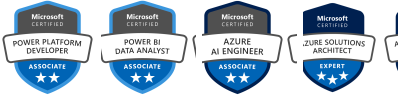
    • Certified Power Platform Developers – Builds are led by developers certified as Power Platform Developers (PL-400), the Microsoft certification for custom code, integrations, and Dataverse development.
    • Access Checked Before Launch – We sign in as every web role and compare what it can reach against the design, so each user sees only the records intended for them.
    • Built for Handover – Solutions move through Power Platform pipelines with documentation at each stage, so your team can maintain and extend the portal after go-live.

    Your Trusted Power Pages Development Partner

    Microsoft Certification Badges of Code Creators

    Let’s Talk

    We have 100% successful track-record of serving Fortune 500 Companies from 45+ Industries! Connect with us to experience the Power of Innovative Development and Designs

    Request a Quote

    Free No-Obligation Quote

    How a Power Pages Engagement Runs

    1

    Discovery Call

    A 45-to-60-minutes call covers the portal’s users, the records they need, and the systems it connects to. You receive a summary and a proposed build scope.
    2

    Build Plan

    Over 1 to 2 weeks, we confirm user groups, data, integrations, and pages. If you’ve already completed scoping through our Power Pages consulting, this step builds on that document. The deliverable is a build plan with a backlog and a fixed-scope estimate, and the assumptions behind it.
    3

    Data and Security Setup

    Next, we spend 1 to 2 weeks building the Dataverse tables, web roles, table permissions, and sign-in. Each role’s access is checked with test accounts before any pages go on top.

    4

    Sprint Build

    Development runs for 4 to 8 weeks in two-week sprints, covering pages, forms, Liquid templates, custom code, and integrations. Each sprint ends with a demo, and changes move between environments through Power Platform pipelines. Features added after the build plan go through change control.

    5

    Testing, Launch and Handover

    In the final 1 to 2 weeks, we run Microsoft’s Deep Scan on anonymous pages and, with test credentials, on signed-in pages. Separately, we sign in as each web role to confirm it reaches only the records it should. After go-live, we hand over solution files, documentation, and admin training, with support available under a separate agreement.

    Your IT team works alongside the Power Pages developer leading your build throughout, with access
    to the development environment and every sprint demo.

    Timeframes are indicative and depend on the number of user groups, pages, and integrations.

    Our Clients

    AmeriCU Code Creators client logo
    bluemercury Code Creators client logo
    CERIDIAN Code Creators client logo
    The University of CHICAGO Code Creators client logo
    City of Hope. Code Creators client logo
    World Health Organization (WHO) Code Creators client logo
    University of WATERLOO Code Creators client logo
    University of TORONTO Code Creators client logo
    TIN ROOF TACOS Code Creators client logo
    Stoller Code Creators client logo
    SIEMENS Code Creators client logo
    SAFEGUARD Medical Code Creators client logo
    RioCan Code Creators client logo
    Ontario Trillium Foundation Code Creators client logo
    McMaster University Code Creators client logo
    Macys Code Creators client logo
    Little City Code Creators client logo
    KINROSS Code Creators client logo
    Gate Code Creators client logo
    FlexNGate Code Creators client logo
    Fastwyre Broadband Code Creators client logo

    FAQs About Power Pages Development

    There are two costs: Microsoft licensing and the build. At Microsoft’s US list prices, licensing runs US$200 per 100 authenticated users and US$75 per 500 anonymous users per site per month, billed yearly; local rates differ. Build cost moves with user groups, permission rules, custom code, and integrations, so a one-role portal with a few forms costs far less than one connected to Dynamics 365 and an ERP. We quote a fixed price once the build plan is agreed.

    A typical build takes 7 to 14 weeks from build plan to launch. A portal with one user group and standard forms sits near the shorter end, while one with several user groups, custom code, and Dynamics 365 or ERP integrations sits near the longer end. If scoping is already done, the build plan step runs shorter.

    Power Pages is built for business websites, with external sign-in, anonymous browsing, and public-facing pages. Power Apps is for custom business apps, usually used by people inside an organization. Because both can run on Dataverse, a common pattern is a portal for customers and a Power Apps app for the staff who process their submissions, both working from the same tables.

    SharePoint manages documents and intranet content for your organization. Power Pages runs portals where outside users sign in, submit forms, and work with Dataverse records. In a build, the two often work together: files uploaded through the portal are stored in SharePoint document libraries. Access comes from a table permission on the parent table, such as cases, with a child permission on the Document Location table, so users see files only for records they can already open.

    Yes, within limits we check early. Multistep forms, record-level security, Liquid templates, JavaScript, and the Web API handle a wide range of portal logic, and single-page application front ends support richer interfaces. Power Automate flows are one option for background processing, but heavier or higher-volume work needs an integration approach chosen for the workload, such as Azure services the portal calls.

    Yes. The portal can use selected Dataverse tables, including Dynamics 365 tables such as cases or orders, once each is configured for the portal with table permissions for the roles that need it. Other systems, such as ERP, payment, or document platforms, connect through Power Automate flows or another integration approach, each with its own setup and licensing requirements. SharePoint files and Power BI reports can also appear on portal pages after configuration.

    The platform provides the tools: Microsoft Entra ID and Entra External ID sign-in, web roles, table permissions, a web application firewall you can configure for production, and built-in scanning. How secure a portal is depends on how the build uses them. We keep business logic out of client-side code where it can be bypassed, scope Web API access to what each role needs, and verify each role’s access before launch.

    Power Pages is the newer name for Power Apps portals. Microsoft renamed the product in 2022 and launched the design studio at the same time; Copilot features and other updates came later. Older sites may still run on the standard data model or Bootstrap 3, and our legacy portal migration moves them to the enhanced data model and Bootstrap 5.

    Book a Power Pages Discovery Call

    Bring a list of the people who’ll use your portal and the systems it needs to reach. We’ll show you how we’d structure the build, what it would take, and what we’d need from your team to get started.


    Request a Discovery Call

    Explore Related Services