fill the form


    Why Organizations Migrate to Fabric

    A Microsoft Fabric migration brings ingestion, warehousing, data engineering, and reporting onto one platform, with data stored once in OneLake and managed through one governance layer. Fewer separate services also means fewer integrations to maintain and one capacity to budget for.

    Why organizations migrate to Fabric

    Microsoft Fabric Migration by Source Platform

    Each source platform has its own conversion path. Here’s how we handle each one.

    Synapse to Fabric migration icon

    Synapse to Fabric Migration

    For dedicated SQL pools, Spark, and Synapse pipelines.

    • Move dedicated SQL pool schemas and data with the Fabric Migration Assistant
    • Review converted T-SQL where data types or constructs change
    • Convert Spark notebooks and point them at OneLake
    Azure data factory to Fabric data factory icon

    Azure Data Factory to Fabric Data Factory

    For pipelines, linked services, and schedules.

    • Assess pipeline readiness with Microsoft’s built-in migration experience
    • Convert linked services to Fabric connections
    • Rebuild Mapping Data Flows and other unsupported activities
    Databricks to Fabric migration icon

    Databricks to Fabric Migration

    For Unity Catalog tables, notebooks, and jobs.

    • Mirror Unity Catalog tables into OneLake when Databricks stays in use
    • Move Delta tables and notebooks into Fabric lakehouses when it doesn’t
    • Repoint Power BI semantic models to the new Fabric tables
    Power BI Premium P-SKU to F-SKU icon

    Power BI Premium P-SKU to F-SKU

    For capacity that ends with its agreement term.

    • Size the starting F-SKU from current capacity usage
    • Purchase F-SKU capacity and reassign workspaces before the term ends
    • Check refresh schedules, gateways, and embedded content after the move
    SQL server and On-premises warehouses icon

    SQL Server and On-Premises Warehouses

    For warehouses running on SQL Server or other T-SQL platforms.

    • Migrate schemas and history into Fabric Data Warehouse
    • Rebuild SSIS packages as Fabric Data Factory pipelines or Dataflow Gen2
    • Connect on-premises sources through the on-premises data gateway
    Snowflake and other cloud warehouses icon

    Snowflake and Other Cloud Warehouses

    For estates outside the Microsoft stack.

    • Mirror Snowflake databases into OneLake for coexistence
    • Assess Teradata, Oracle, and Redshift workloads for conversion effort
    • Decide which workloads move and which stay connected

    Microsoft’s migration tools automate part of each move, and some are still in preview.
    Coverage for your estate is confirmed during the assessment.

    Who We Work With

    Code Creators runs Fabric migrations for:
    • Healthcare: Clinical and operational warehouses moved with access controls set to your compliance team’s requirements.
    • Financial Services: Finance and risk reporting migrated with reconciliation evidence for every wave.
    • Manufacturing and Distribution: Synapse and Data Factory estates that feed production and supply chain reporting.
    • Retail: Sales and inventory pipelines moved on a schedule that protects daily reporting.
    • Professional Services: Project and financial data consolidated from several warehouses into one platform.
    Who we work with for Fabric migration
    Why choose Code Creators for Fabric migration

    Why Choose Code Creators for Fabric Migration

    • Microsoft Solutions Partner with 700+ Clients – 15+ years of enterprise Microsoft data and Power BI work sits behind every migration plan.
    • Results Proven Before Cutover – Every Microsoft Fabric migration service we deliver includes a 2 to 4 week parallel run, so cutover happens on reconciled numbers.
    • Skilled In-House Specialists – Our 100+ person in-house team includes Fabric architects, data engineers, and Power BI specialists with hands-on migration experience. The same experienced people handle assessment, conversion, validation, and support, so knowledge of your estate stays with the team that moved it.

    Your Trusted Fabric Migration Partner

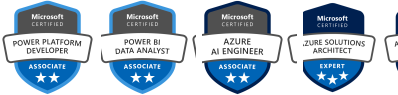
    Microsoft Certification Badges of Code Creators

    Let’s Talk

    We have 100% successful track-record of serving Fortune 500 Companies from 45+ Industries! Connect with us to experience the Power of Innovative Development and Designs

    Request a Quote

    Free No-Obligation Quote

    How Our Fabric Migrations Run

    1

    Inventory and Assessment

    After a 45 to 60 minutes discovery call, we spend 1 to 2 weeks inventorying pipelines, warehouses, notebooks, reports, and the dependencies between them. You receive a dependency map, a migration plan in waves, and a fixed-scope estimate.

    2

    Target Design

    Design takes another 1 to 2 weeks. We choose warehouse or lakehouse for each workload, lay out OneLake and workspaces, and set the governance model, all captured in a target architecture document you approve.

    3

    Build and Convert

    Conversion runs for 3 to 8 weeks, depending on volume. Microsoft’s migration tools handle what they support, our engineers rebuild the rest, and every change is recorded in a conversion log.

    4

    Parallel Run Validation

    For 2 to 4 weeks, the old and new platforms run side by side on the same inputs. Reconciliation reports compare row counts, totals, and report outputs until the results match.

    5

    Cutover with a Rollback Path

    Cutover follows a runbook agreed in advance, usually within 1 week, with clear rollback criteria. The source stays available until you sign off, as set in the cutover plan.

    6

    Post-Migration Tuning and Handover

    In the final 1 to 2 weeks, we tune queries and capacity with the Capacity Metrics app, then hand over runbooks and administrator documentation. Your team runs the platform from there, or moves to a scoped support agreement.

    Timeframes are indicative and depend on data volume, the number of pipelines and objects, and stakeholder access.

    Our Clients

    AmeriCU Code Creators client logo
    bluemercury Code Creators client logo
    CERIDIAN Code Creators client logo
    The University of CHICAGO Code Creators client logo
    City of Hope. Code Creators client logo
    World Health Organization (WHO) Code Creators client logo
    University of WATERLOO Code Creators client logo
    University of TORONTO Code Creators client logo
    TIN ROOF TACOS Code Creators client logo
    Stoller Code Creators client logo
    SIEMENS Code Creators client logo
    SAFEGUARD Medical Code Creators client logo
    RioCan Code Creators client logo
    Ontario Trillium Foundation Code Creators client logo
    McMaster University Code Creators client logo
    Macys Code Creators client logo
    Little City Code Creators client logo
    KINROSS Code Creators client logo
    Gate Code Creators client logo
    FlexNGate Code Creators client logo
    Fastwyre Broadband Code Creators client logo

    Microsoft Fabric Migration FAQs

    Fabric runs on Azure, so the real choice is between one Fabric platform and several separate Azure services. Fabric brings pipelines, warehousing, Spark, and Power BI under one capacity, one storage layer, and one governance model. Separate Azure services still suit some workloads, and the assessment shows which.

    A single workload, such as one warehouse and its pipelines, typically takes 9 to 12 weeks from assessment to handover. Larger estates move in waves over several months. The assessment sets the schedule for your estate.

    Cost depends on the number of pipelines, warehouse objects, notebooks, and reports, and how much of the conversion is automated. We quote the assessment after the discovery call, and the assessment produces a fixed-scope estimate for the migration. F-SKU capacity is billed separately by Microsoft.

    No. Most organizations migrate to Microsoft Fabric in waves, starting with one workload. Mirroring and OneLake shortcuts let Fabric read data that hasn’t moved yet, so reporting keeps working across both platforms during the transition.

    Yes. Historical tables are copied with the Migration Assistant or a Copy job, then reconciled against the source by row counts and totals. Data in ADLS Gen2 or Databricks Delta tables can often stay in place and be reached through shortcuts or mirroring.

    Yes. Source pipelines keep running throughout, and the new ones run in parallel until the results match. The switch happens in an agreed cutover window, with a rollback path if checks fail.
    Usually not. Reports keep their visuals while their semantic models are repointed to the new Fabric tables, and moving workspaces to new capacity doesn’t change the reports themselves. Some models benefit from conversion to Direct Lake, which we flag during design.

    It depends on how each workload is built. T-SQL-heavy warehouses with stored procedures fit Fabric Data Warehouse, and Spark-based engineering fits a lakehouse. Both store Delta tables in OneLake, so many estates use both, decided workload by workload in the target design.

    No. Microsoft’s Migration Assistant and Data Factory migration experience automate parts of the move, but some data types, T-SQL constructs, Mapping Data Flows, and connections still need manual conversion and testing.

    Talk to Our Team

    A 45 to 60 minutes call is enough to review your current platforms, flag the workloads to move first, and scope the assessment. Schedule a call, and we’ll outline the migration waves, timeline, and next steps for your estate.

    Explore Related Services