fill the form


    Why You Need Copilot Training

    A Copilot license doesn’t teach anyone how to use it well. Training closes that gap in a few specific ways:
    • New Users Default to Basic Prompts: Without guidance on effective prompting, first attempts often produce generic, unhelpful results.
    • Casual Use Misses Deeper Capability: Self-taught use rarely covers Copilot agents or department-specific use cases.
    • Rollouts Without Shared Training Vary by Team: A shared training baseline gives departments the same starting point while leaving room for team-specific workflows.
    Why you need Copilot training

    What Our Microsoft Copilot Training Covers

    A typical one-day Microsoft 365 Copilot workshop can cover all modules below. For a half-day session or a larger rollout, we select and sequence the modules during preparation.

    Copilot foundations & effective prompting icon

    Copilot Foundations & Effective Prompting

    This session covers how Copilot works and how to get useful results from it. It includes:

    • How Copilot works across Microsoft 365
    • Where Copilot draws its information from
    • How to write prompts that get useful, specific results

    This session sets the foundation the rest of the training builds on.

    Prerequisites & hands-on data icon

    Prerequisites & Hands-On Data

    What’s required to attend and how hands-on exercises handle your data. This includes:

    • An active Microsoft 365 Copilot license for anyone attending the hands-on labs
    • No prior AI experience or technical background required
    • Sanitized example files used by default for every exercise
    • Approved, non-sensitive files from your own environment available on request
    • No use of a live production tenant during training

    This keeps the training accessible to teams with different experience levels while keeping the exercises safe.

    Agenda & module selection icon

    Agenda & Module Selection

    How the session length and content are scoped for your team. This includes:

    • A full-day format covering every module listed above
    • A half-day option for teams who only need specific modules
    • A multi-day format for a full department or organization-wide rollout
    • Custom module selection during preparation, before the session is scheduled

    We confirm the right length and module mix based on what your team actually needs.

    Copilot across Word, Excel, PowerPoint, Outlook & Teams icon

    Copilot Across Word, Excel, PowerPoint, Outlook & Teams

    Document, data, presentation, email, and meeting work with Copilot. This includes:

    • Drafting and restructuring documents in Word
    • Analyzing data and building formulas in Excel
    • Building first-draft presentations in PowerPoint
    • Drafting and summarizing email threads in Outlook
    • Using Copilot Chat and Teams to prep for meetings and track follow-ups

    This session covers the Microsoft 365 tools teams use most often.

    Copilot enablement & ongoing adoption icon

    Copilot Enablement & Ongoing Adoption

    This closing session focuses on making the training stick after the workshop ends. It includes:

    • Building daily habits around Copilot instead of treating it as an occasional tool
    • Simple ways to track adoption and usage across the team
    • Where to get help after the session, including access to our Copilot readiness and integration teams for follow-up questions

    This session is what turns a one-day workshop into lasting Copilot enablement across the organization.

    Copilot agents & responsible use icon

    Copilot Agents & Responsible Use

    This session introduces more advanced and governance-related topics. It includes:

    • An introduction to Copilot agents for repeatable tasks
    • Practical guidance on responsible AI use and data handling
    • What Copilot should and shouldn’t be relied on for

    This session gives your team the judgment to use Copilot responsibly as they take on more advanced tasks

    Our Training Delivery Types

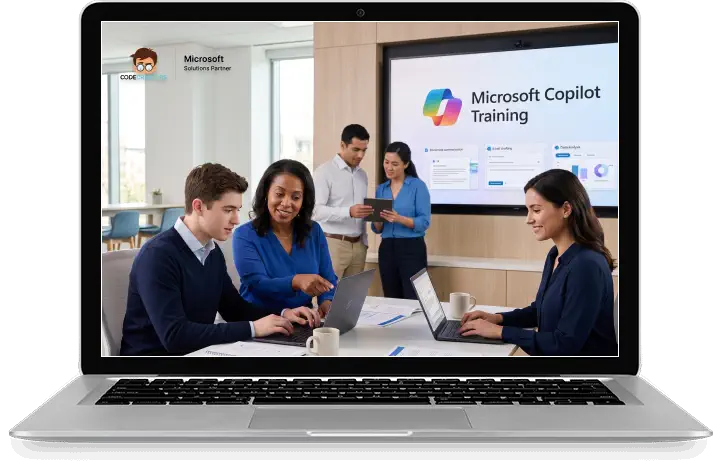
    Our Microsoft Copilot training adapts to how your team works and learns:
    • Private Team Sessions: Scoped entirely to your organization’s Microsoft 365 environment, so every example reflects your own files and workflows.
    • One-on-One Coaching: Best for executives, specialists, or anyone who wants focused time to build habits around their own day-to-day tasks.
    • Department-Specific Workshops: Tailored to how a single team works, such as finance building formulas in Excel or sales drafting follow-ups in Outlook.
    • In-Person or Live Online: Delivered on-site for teams that want dedicated, in-room support, or remotely for distributed teams, with the same instructor-led format either way.
    Every format includes structured hands-on practice, so participants leave with skills they can apply immediately rather than just a recorded demonstration.
    Our training delivery types
    Why Code Creators for Copilot training

    Why Code Creators?
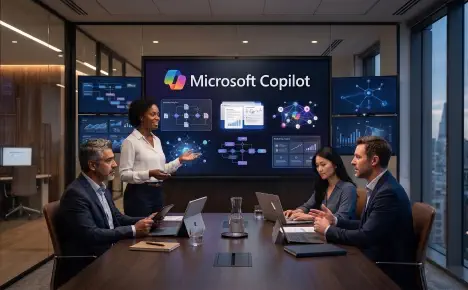
    • Microsoft-certified consultants – Sessions are led by consultants who work inside Microsoft 365 and Copilot deployments daily, bringing current, practical expertise to every session.
    • Training scoped to your environment – We build examples around your organization’s actual files, workflows, and Microsoft 365 setup wherever possible, so training reflects how your team actually works.
    • Part of a larger Copilot practice – Code Creators also runs Copilot readiness assessments and Copilot integration projects, so training can connect directly to a broader rollout if you’re planning one.
    Well-delivered training is what turns a Copilot license into daily, productive use across your organization, and closes the gap between adoption on paper and adoption in practice.

    Your Trusted Copilot Training Partner

    Microsoft Certification Badges of Code Creators

    Let’s Talk

    We have 100% successful track-record of serving Fortune 500 Companies from 45+ Industries! Connect with us to experience the Power of Innovative Development and Designs

    Request a Quote

    Free No-Obligation Quote

    How Copilot Training Works

    1

    Preparation

    We confirm your priority modules, gather any approved example files, and prepare sanitized materials for the hands-on labs. Deliverable: a finalized agenda and session plan.

    2

    Delivery

    The session runs live, in-person or online, with a Microsoft-certified consultant walking through each module in sequence and demonstrating the workflows as they go.

    3

    Hands-On Practice

    Participants work directly inside Copilot using the session example files, applying each module to the kind of work they actually do.

    4

    Handover

    We provide a short reference guide covering the prompts and workflows from the session, so the team has something to return to afterward.

    5

    Follow-Up

    We check in after the session to answer any questions that come up once your team starts using Copilot on their own and connect training to a readiness assessment or integration project if a broader rollout is planned.

    Private training is priced by group size, format, and number of modules. Live online sessions can typically be scheduled within 2 to 3 weeks of booking; in-person sessions
    may need additional lead time. Request a quote and we’ll confirm pricing and available dates for your team.

    Our Clients

    AmeriCU Code Creators client logo
    bluemercury Code Creators client logo
    CERIDIAN Code Creators client logo
    The University of CHICAGO Code Creators client logo
    City of Hope. Code Creators client logo
    World Health Organization (WHO) Code Creators client logo
    University of WATERLOO Code Creators client logo
    University of TORONTO Code Creators client logo
    TIN ROOF TACOS Code Creators client logo
    Stoller Code Creators client logo
    SIEMENS Code Creators client logo
    SAFEGUARD Medical Code Creators client logo
    RioCan Code Creators client logo
    Ontario Trillium Foundation Code Creators client logo
    McMaster University Code Creators client logo
    Macys Code Creators client logo
    Little City Code Creators client logo
    KINROSS Code Creators client logo
    Gate Code Creators client logo
    FlexNGate Code Creators client logo
    Fastwyre Broadband Code Creators client logo

    Frequently Asked Questions

    This training works well for a wide range of people, from someone who’s never touched Copilot to a power user looking to get more out of it. We usually see a mix in the room: individual contributors who want to speed up everyday tasks, department leads planning a wider rollout, and teams that already have Copilot licensed but haven’t had formal guidance on using it effectively yet.

    It’s designed with non-technical teams in mind, so you won’t need any coding or development background to keep up. We focus on practical prompting and everyday Microsoft 365 workflows people already recognize, like drafting a document or summarizing an email thread. When we introduce something more advanced, like Copilot agents, we walk through it in plain language with a hands-on example.

    Prompting is really the backbone of the whole session. We dedicate the first module specifically to writing prompts that produce useful, specific answers instead of generic ones, then reinforce that same technique across every other module. We revisit prompting in each module so participants can apply the technique to documents, email, meetings, and data instead of learning it in isolation.

    We scope every private session around your organization’s actual Microsoft 365 environment rather than a generic template. That usually means working with the file types and workflows your team deals with day to day, whether that’s a finance team building formulas in Excel or a client-facing team drafting proposals in Word. If there are specific processes you want covered, tell us during preparation and we’ll build them in.

    A standard private session runs as a single one-day workshop, though we can shorten that to a half-day if you only need a few specific modules. For larger organization-wide rollouts, where training is paired with a readiness assessment or integration project, the overall engagement typically stretches across two to four weeks to accommodate multiple sessions across departments.

    Pricing depends on a handful of factors: group size, delivery format, and how many modules you want covered. A focused half-day session for a small team costs less than a full-day, company-wide workshop. The best way to get an accurate number is to tell us your team size and preferred format on a quick call, and we’ll follow up with exact pricing and available dates.

    Every session is led by a Microsoft-certified consultant, someone who works on Copilot and Microsoft 365 projects as part of their regular day-to-day work. The consultant can connect the standard curriculum to practical Microsoft 365 and Copilot implementation questions. That means the person in the room can answer questions that go beyond the standard curriculum, since they’re actively doing this kind of work with other clients.

    It works either way. Plenty of teams book a standalone session because they already have Copilot licensed and just want to use it better. Other times, training is one piece of a larger plan, sitting alongside a readiness assessment to fix permission or licensing issues first, or an integration project that connects Copilot to other business systems before the team gets hands-on with it.

    Ready to Turn Copilot Licenses into Everyday Productivity?

    Book a Microsoft Copilot training session with Code Creators and equip your team to use Copilot confidently and consistently across the Microsoft 365 apps they already rely on, turning your Copilot investment into measurable time savings.


    Schedule a Copilot Training Session

    Copilot Case Studies

    Explore Related Services