fill the form


    Why Choose Microsoft Power Automate Development?

    • Built on the Power Platform: Power Automate is part of the Power Platform, so anything we build sits alongside Power Apps, Power BI, Dataverse, and Copilot Studio instead of running in isolation.

    • Native Microsoft 365 Integration: Flows connect to Outlook, SharePoint, and Teams without extra setup, since Microsoft 365 integration is built into the platform from day one.
    • Scales With Your Business: Start with a single flow and grow into governed, organization-wide automation as needs expand.
    • Flexible Licensing: Coverage ranges from flows included in Microsoft 365 to premium connectors and AI Builder as your requirements grow.
    Why choose Microsoft Power Automate development?

    Our Power Automate Development Services

    Every flow starts as an idea and ends as something your team relies on daily. Here’s the complete range of services our development team handles across every engagement.

    Power Automate design icon

    Power Automate Design

    A flow built without a plan behind it works fine in testing and falls apart the moment real usage hits it. We design every solution before a single flow gets built, covering:

    • Which licensing tier actually fits the process at hand
    • Whether Dataverse should sit behind the underlying data model
    • Cloud flows or desktop flows for RPA, chosen deliberately
    • Governance and permissions structured correctly from day one

    Design done right up front prevents costly rework when real usage patterns emerge.

    Integration development using power automate icon

    Integration Development

    Your systems finally talk to each other, no more exporting data from your CRM and re-importing it into Power Automate by hand. That’s only possible if the integration is built right, not bolted on as an afterthought. We build integrations that:

    • Connect Power Automate to CRMs, ERPs, and internal databases
    • Use Microsoft’s prebuilt connectors wherever they already exist
    • Develop custom connectors when required
    • Move data automatically between systems instead of by hand

    A workflow that talks to everything you use means nobody is re-entering data twice.

    Legacy workflow migration with power automate icon

    Legacy Workflow Migration

    Manual processes and workflows built on outdated platforms don’t have to stay stuck there forever, carrying old limitations into every process that touches them daily. We migrate them in a process that:

    • Maps the existing logic thoroughly
    • Rebuilds it as a modern Power Automate flow
    • Avoids a like-for-like copy of old platform limitations
    • Runs on infrastructure Microsoft still fully supports

    Migrated right, the workflow finally works the way it should have all along.

    Managed & support services in power automate development services

    Managed & Support Services

    A live flow isn’t a finished flow. Licensing needs reviewing as usage grows, connected systems change, and something eventually breaks without much warning. We provide ongoing managed support that:

    • Reviews licensing tiers as usage grows over time
    • Checks for data loss prevention compliance across every flow
    • Fixes what breaks quickly, before it affects your team
    • Updates flows whenever a connected system changes shape

    Support isn’t a separate afterthought billed later, it’s part of the build from the start.

    Our Development Standards

    Our Power Automate Development (formerly Microsoft Flow) standards include:
    • We hold every project to the same bar, whether it’s a single flow or a multi-system build.
    • Custom connectors get built for systems with no ready-made option.
    • Error handling and retry logic prevent failure from failing silently.
    • Conditional branching matches your actual approval rules, not a simplified version.
    • Every flow is tested in a sandbox before it reaches production.
    • Documentation and walkthrough come standard with every handover.
    Our development standards for power automate
    Why work with Code Creators for power automate development

    Why Work with Code Creators?

    • Microsoft Solutions Partner – As a recognized Microsoft Partner, our team has spent 15+ years focused specifically on Microsoft 365 and Power Automate development (formerly Microsoft Flow). We understand connectors, licensing models, security, governance, and integration best practices before a single workflow is built, which is why the solutions we deliver continue running reliably as your business grows, instead of failing when processes evolve.
    • 100+ Automation Solutions Delivered at Fair Prices – Every organization has unique processes, which is why we don’t rely on templates or one-size-fits-all workflows. We’ve successfully delivered 100+ custom Power Automate development projects for businesses across the USA and Canada, creating tailored automation solutions that integrate with Microsoft 365, SharePoint, Dynamics 365, Teams, third-party platforms, and legacy business systems – all at transparent, project-based pricing.
    • Long-Term Development & Optimization Support – Automation requirements change as businesses grow, and your workflows should evolve with them. Our team continues supporting every solution after launch through performance optimization, workflow enhancements, connector updates, troubleshooting, governance reviews, and new feature development, ensuring your Power Automate environment keeps delivering measurable business value year after year.
    Whether you’re expanding automation across multiple departments, modernizing legacy processes, or building an enterprise-wide automation strategy, we become your long-term Microsoft automation partner – which is why 98% of our clients return to us for additional Microsoft development projects.

    Your Trusted Power Automate Development Partner

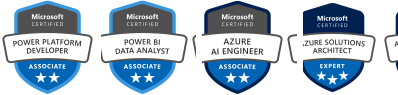
    Microsoft Certification Badges of Code Creators

    Let’s Talk

    We have 100% successful track-record of serving Fortune 500 Companies from 45+ Industries! Connect with us to experience the Power of Innovative Development and Designs

    Request a Quote

    Free No-Obligation Quote

    How We Turn Requirements into Working Automation

    1

    Requirements & Scoping

    We turn your process requirements into a technical spec: which systems are involved, what triggers each step, where custom development is actually needed versus a standard connector, and roughly how long the full build should take from start to finish.

    2

    Design

    We map the flow logic, error handling, licensing tier, and any custom connectors needed before writing a single step, so the actual build matches the spec instead of drifting during development and needing rework once real requirements surface halfway through.

    3

    Development

    We build the flow, connector, or RPA automation inside a sandbox environment, following the design spec and testing each component as it’s built, rather than assembling the whole thing first and troubleshooting everything at once right at the very end.

    4

    Testing & QA

    Every flow runs through a structured test pass covering expected inputs, edge cases, and failure conditions before it’s approved for deployment, so problems surface early in a sandbox environment instead of in front of the people using it every day.

    5

    Deployment

    We deploy in stages with a rollback plan defined up front, so a new flow doesn’t take down a process your team already depends on if something unexpected comes up during the rollout to your actual live environment and systems.

    6

    Handover & Documentation

    You get documentation your team can use to maintain the flow going forward, plus a walkthrough of exactly how it works, so ownership doesn’t stay locked with us, and small changes don’t require calling us every single time something shifts.

    Our Clients

    AmeriCU Code Creators client logo
    bluemercury Code Creators client logo
    CERIDIAN Code Creators client logo
    The University of CHICAGO Code Creators client logo
    City of Hope. Code Creators client logo
    World Health Organization (WHO) Code Creators client logo
    University of WATERLOO Code Creators client logo
    University of TORONTO Code Creators client logo
    TIN ROOF TACOS Code Creators client logo
    Stoller Code Creators client logo
    SIEMENS Code Creators client logo
    SAFEGUARD Medical Code Creators client logo
    RioCan Code Creators client logo
    Ontario Trillium Foundation Code Creators client logo
    McMaster University Code Creators client logo
    Macys Code Creators client logo
    Little City Code Creators client logo
    KINROSS Code Creators client logo
    Gate Code Creators client logo
    FlexNGate Code Creators client logo
    Fastwyre Broadband Code Creators client logo

    FAQs About Power Automate Development

    It depends on the complexity: a single flow with standard connectors costs far less than a multi-system build with custom connectors and RPA components. We scope your requirements first and provide a fixed quote before development starts.

    Power Automate runs on Microsoft’s cloud infrastructure and inherits your organization’s existing Microsoft 365 security and compliance settings, including data loss prevention policies. We also build connectors and flows to follow your organization’s access and governance rules.

    Teams that have a process mapped out but lack the in-house development time or Power Automate expertise to build it, especially where custom connectors, complex conditional logic, or RPA-style automation are involved.

    A development company should cover the full lifecycle, not just configuration. That includes custom flow development, custom connector development for systems without a prebuilt option, RPA and desktop flow builds for legacy applications, integration with non-Microsoft systems like CRMs and ERPs, and testing, deployment, and ongoing support for automations already running. If a vendor only configures existing templates, that’s a narrower, different service.

    Microsoft Flow was renamed Power Automate in 2019, with expanded capabilities added since, including RPA, AI Builder, and process mining. Functionally, they’re the same product under a different name.

    Yes. Power Automate connects to hundreds of non-Microsoft apps through built-in connectors, covering CRMs, accounting platforms, and most tools with a public API. Where there’s no existing connector for a system you rely on, we develop a custom one, so the integration works like a native connector instead of relying on a manual export-and-import workaround.

    A Microsoft 365 or Power Automate license covering the connectors you plan to use, and a scoped-out process to automate. We handle the rest, from design through deployment.

    Yes, including workflows built on older platforms like SharePoint Designer. We map your current logic first, then rebuild it as a modern flow rather than a direct copy of the old process.

    A single flow typically takes one to two weeks from spec to deployment. Multi-system builds with custom connectors or RPA components usually run four to six weeks, depending on testing requirements.

    Ready to Turn Your Process into a Working Flow?

    Code Creators develops Power Automate solutions that are documented, tested, and built to last, for organizations across the USA and Canada. Whether it’s a single flow or a multi-system build, our development team handles it end-to-end. Request your free development scope today and start connecting your systems.


    Schedule a Development Strategy Call

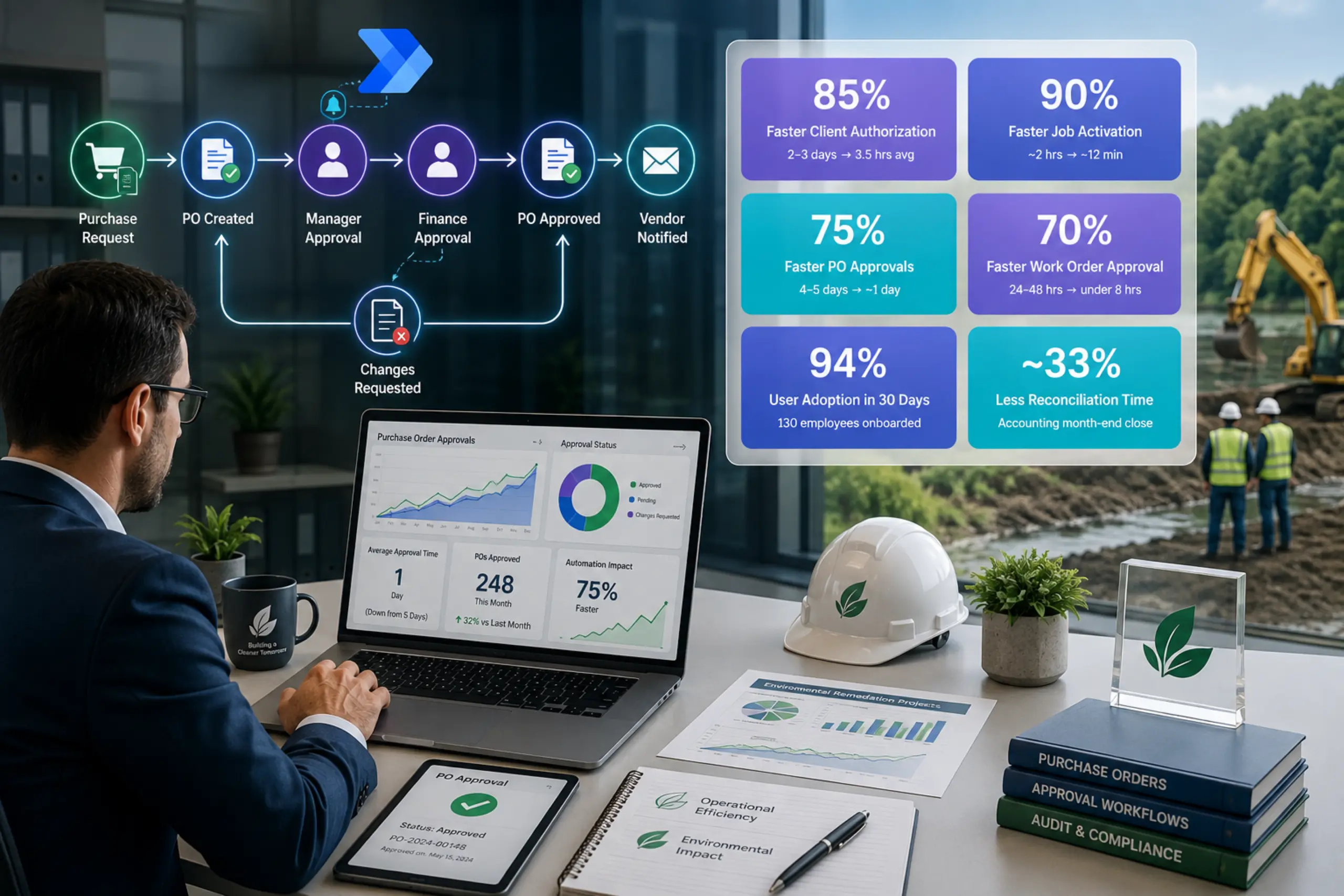
    Power Automate Case Studies

    Explore Related Services