fill the form


    Why Businesses Invest in SharePoint Integration

    Built For Teams Already Running Multiple Systems

    Our SharePoint integration consulting is built for organizations already running SharePoint alongside other core systems, ERP, CRM, ITSM platforms, or custom line of business apps, where manual data entry and disconnected workflows are slowing teams down.

    That includes companies wanting to connect SharePoint with Salesforce or another CRM, IT teams syncing SharePoint with ticketing tools, finance and operations teams tired of entering the same data twice, and organizations that need SharePoint working cleanly with Microsoft Teams and the wider Power Platform. If disconnected systems are costing your team time every day, this is where it starts.

    Why businesses invest in SharePoint integration

    SharePoint Integration Services We Deliver

    Every SharePoint integration we build starts with the same question: what should happen automatically that your team is currently doing by hand? From there, we work across eight core categories depending on what your organization runs.

    ERP integration icon

    ERP Integration

    We connect SharePoint with ERP platforms so financial records, purchase orders, and operational data sync automatically instead of living in two disconnected systems. Finance and operations teams get a reliable audit trail, and SharePoint reflects ERP changes in real time, no more exporting spreadsheets just to keep both systems aligned.

    CRM integration icon

    CRM Integration

    Whether you run Salesforce, Dynamics, or another CRM, we sync customer records, deal documents, and account activity directly with SharePoint. Sales teams find contracts without switching tools, and every account stays current automatically, cutting down on duplicate entries and mismatched customer data across systems.


    ECM & document management integration icon

    ECM & Document Management Integration

    Many organizations run a separate content or document management system alongside SharePoint due to legacy contracts or compliance needs. We keep both platforms in sync, so your team works from one consistent set of permissions, versions, and search results, instead of two competing sources of truth.

    ITSM integration icon

    ITSM Integration

    We connect SharePoint with ITSM platforms, so tickets, knowledge articles, and service requests flow between systems without manual copy pasting. Your IT team stays inside the tools they already use daily, while SharePoint stays the source of truth for documentation support teams reference constantly.

    BI & reporting integration icon

    BI & Reporting Integration

    SharePoint data becomes far more useful once it’s visible inside your BI tools. We build integrations that pull list and library data directly into dashboards, giving leadership real time visibility into content activity and workflow status, so decisions are based on current numbers, not last month’s export.

    Microsoft Teams & Power Platform integration icon

    Microsoft Teams & Power Platform Integration

    Since SharePoint, Teams, and the Power Platform share the same Microsoft 365 foundation, we build Power Automate workflows triggered from SharePoint events, custom Power Apps on top of SharePoint lists, and Teams channels that surface documents directly, so your team get one connected Microsoft 365 experience instead of disconnected handful apps.

    Legacy & custom system integration icon

    Legacy & Custom System Integration

    Not every system has a modern connector available, and that shouldn’t leave SharePoint disconnected from the rest of your operations. We build custom API integrations for legacy systems and homegrown applications, so even a decade old platform can talk to SharePoint without a manual workaround.

    Authentication & identity integration icon

    Authentication & Identity Integration

    We configure authentication between SharePoint and your identity provider, including single sign on and permission mapping, so every connected system respects the same access rules SharePoint already enforces. That means no former employee retains access somewhere, and no permission ends up looser than intended.

    Integration support beyond standard connectors icon

    Integration Support Beyond Standard Connectors

    Not every connection can rely on an out of the box connector, so our work extends into custom development when needed. We build custom APIs and middleware for systems without an existing SharePoint connector, and provide ongoing monitoring for the integrations we build, so a failed sync gets caught and resolved instead of silently breaking a workflow your team depends on.

    Integration testing & reporting icon

    Integration Testing & Reporting

    You shouldn’t have to guess whether a connection is actually working. Every integration includes a testing and validation report before go live, confirming data flows correctly. After launch, we provide visibility into sync activity and flag any failed transactions, so nothing routes silently into a dead end.

    What Every Integration Project Includes

    Every organization runs a different mix of systems, so we scope integration to work around what you actually use instead of selling a fixed package. There’s no standard bundle here, just the connections your environment actually needs to run smoothly.
    Here’s What We Can Integrate for You:
    • ERP Integration for finance and operational business data
    • CRM Integration for sales and customer account records
    • CM & Document Management Integration across both platforms
    • ITSM Integration for support tickets and service requests
    • BI & Reporting Integration for dashboards and visibility
    • Teams and Power Platform Integration for daily collaboration
    • Legacy and Custom System Integration for older applications
    • Authentication and Identity Integration for secure, consistent access
    These connections are all interconnected. CRM integration feeds account data into SharePoint, document management keeps that content organized, and authentication makes sure only the right people can see it; each piece depends on the last one working correctly.
    A sync built without proper authentication doesn’t just fail quietly; it opens a security gap or sends the wrong data downstream. That’s why we build and maintain every connection as part of one system, not a set of isolated fixes.
    What every integration project includes
    Why organizations choose Code Creators for SharePoint integration

    Why Organizations Choose Code Creators?

    • Deep Microsoft 365 & SharePoint Expertise – As a Microsoft Solutions Partner, we understand SharePoint’s APIs, permissions model, and Power Platform ecosystem at a technical level most generalist developers don’t. That means integrations that work correctly the first time, instead of workarounds that break the next time Microsoft ships an update.
    • Security Built into Every Connection – We’ve successfully delivered 100+ SharePoint integrations without introducing a new access gap, because every connection inherits your existing authentication and permissions structure instead of creating its own rules. Security isn’t an added step; it’s tested as part of the integration itself before anything goes live.
    • A Trusted Microsoft SharePoint Integration Partner for Enterprises -We’ve connected SharePoint to core systems for organizations across financial services, healthcare, manufacturing, and the public sector, including one healthcare client whose ERP to SharePoint sync went from a two-day manual reconciliation process down to same-day automated updates. That’s the kind of result enterprise teams come back for.

    Your Trusted SharePoint Integration Partner

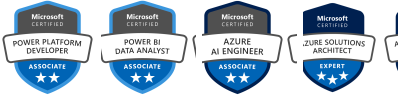
    Microsoft Certification Badges of Code Creators

    Let’s Talk

    We have 100% successful track-record of serving Fortune 500 Companies from 45+ Industries! Connect with us to experience the Power of Innovative Development and Designs

    Request a Quote

    Free No-Obligation Quote

    Who We Work With

    • Financial services firms managing compliance-heavy data across systems.
    • Healthcare organizations connecting SharePoint with EHR and ITSM platforms.
    • Manufacturing and logistics companies syncing ERP and operational data.
    • Public sector agencies requiring audit-ready, compliant system connections.
    • Multi-location businesses running SharePoint across multiple departments or regions.
    Who we work with for integration

    How We Approach Integration Projects

    1

    Discovery & Systems Audit

    We map every system that needs to connect to SharePoint, documenting current workflows, data formats, and pain points, so we understand exactly what’s broken before proposing a fix.

    2

    Integration Architecture & Scoping

    We design the technical approach for each connection, define what data flows where, and scope the project timeline, so there are no surprises once development starts.

    3

    Build & Configuration

    Our team builds the integration using APIs, connectors, or custom development depending on your systems, testing each connection point as we go rather than all at once.

    4

    Testing & Validation

    Before launch, we thoroughly test workflows, permissions, document management systems, integrations, navigation, and platform performance to ensure everything operates reliably and securely.

    5

    Deployment & Rollout

    We deploy the integration into production, monitor closely during the first weeks, and train your team on how the connected systems now work together day to day.

    6

    Ongoing Optimization & Support

    As your systems or workflows evolve, we adjust the integration to match, to keep the connections reliable as your technology stack changes over time.

    Our Clients

    AmeriCU Code Creators client: AmeriCU logo
    bluemercury Code Creators client: bluemercury logo
    CERIDIAN Code Creators client: CERIDIAN logo
    The University of CHICAGO Code Creators client: The University of CHICAGO logo
    City of Hope. Code Creators client: City of Hope. logo
    World Health Organization (WHO) Code Creators client: WHO logo
    University of WATERLOO Code Creators client: University of WATERLOO logo
    University of TORONTO Code Creators client: University of TORONTO logo
    TIN ROOF TACOS Code Creators client: TIN ROOF TACOS logo
    Stoller Code Creators client: Stroller logo
    SIEMENS Code Creators client: SIEMENS logo
    SAFEGUARD Medical Code Creators client: SAFEGUARD Medical logo
    RioCan Code Creators client: RioCan logo
    Ontario Trillium Foundation Code Creators client: Ontario Trillium Foundation logo
    McMaster University Code Creators client: McMaster University logo
    Macys Code Creators client: Macys logo
    Little City Code Creators client: Little City logo
    KINROSS Code Creators client: KINROSS logo
    Gate Code Creators client: Gate logo
    FlexNGate Code Creators client: FlexNGate logo
    Fastwyre Broadband Code Creators client: Fastwyre Broadband logo

    FAQs About Integrating SharePoint with Other Systems

    Pretty much anything your business runs day to day, ERP, CRM, ITSM, BI tools, and document management platforms, plus Microsoft Teams and the wider Power Platform. If there’s no ready-made connector, we build a custom API integration to bridge the gap instead.

    Most projects run 4 to 10 weeks, though it really depends on how many systems are involved. A single CRM connection using an existing connector moves faster than a custom build linking several legacy systems together, so we’ll give you a realistic timeline after the discovery phase.

    Yes, and honestly, this is where a lot of our work happens. When there’s no off the shelf connector available, we build a custom API integration from scratch, so even older, homegrown applications can talk to SharePoint without a manual workaround.

    We build with Microsoft’s update cycle in mind and keep monitoring connected systems afterward. When an update lands, we test it against your integrations first, so conflicts get caught before they reach production.

    Every integration we build works within your existing authentication and permissions setup rather than creating a separate set of rules. We treat security as part of the build itself, not something bolted afterward, so connecting new systems doesn’t quietly open new access gaps.

    We build monitoring and error handling directly into every integration, so if something fails, it gets flagged right away instead of silently breaking a workflow your team relies on. Someone’s actively watching for that, not waiting for a user to notice something is missing.

    Yes, we’ve built integrations for SharePoint Online, fully on-premise setups, and everything in between. The approach shifts depending on where your systems and data actually live, so we scope it around your specific environment rather than a one size fits all methods.

    We connect your SharePoint document libraries and lists directly into Teams channels, and build Power Automate workflows that trigger off SharePoint activity. That way your team can access and act on SharePoint content without ever having to leave the Teams conversation.

    It starts with identifying which systems need to connect and what data should flow between them. From there, we handle the setup ourselves, whether that means configuring an existing connector or building a custom API, so you don’t have to piece it together on your own.

    Let’s Connect Your Systems the Right Way

    Disconnected systems cost your team time every day, one manual update, one duplicate entry, one email asking which version is correct. With the right integration partner, SharePoint becomes the connective layer between the tools your organization already relies on, instead of one more system running on its own.

    At Code Creators Inc., we build SharePoint integrations for USA and Canadian organizations that need their systems to be well integrated, not just co-existent.

    Request your free Systems Audit today and talk directly with a SharePoint integration specialist about what’s actually happening across your environment.


    Schedule Your Free Systems Audit

    SharePoint Case Studies

    Explore Related SharePoint Services