fill the form


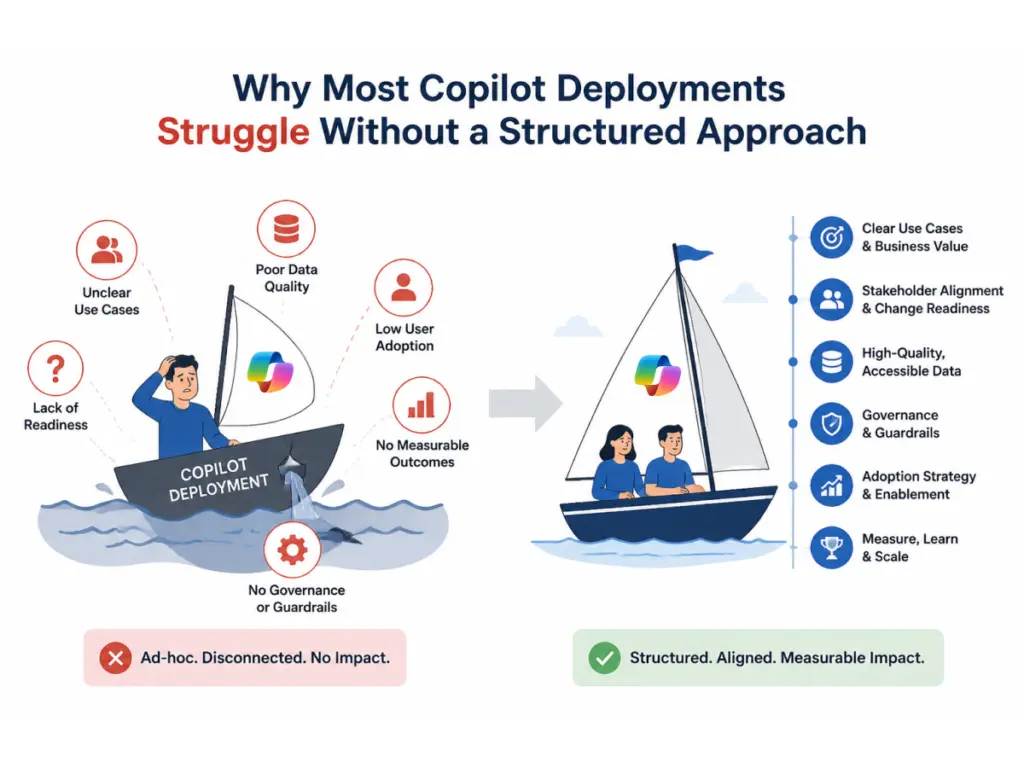
    Why Most Copilot Deployments Struggle Without a Structured Approach

    Microsoft Copilot can produce impressive results when it is introduced thoughtfully. Unfortunately, many organizations treat deployment as a licensing exercise rather than a business transformation initiative. Licenses are assigned, users receive a short announcement, and leadership expects productivity gains to appear automatically.

    Without a structured rollout, employees frequently revert to familiar processes because they are unsure where Copilot fits into their daily work. Teams may receive access before governance policies are established. Security and compliance concerns can emerge when permissions are not reviewed beforehand. Licensing costs increase when organizations purchase access without identifying the right users or business scenarios first.

    Why Most Copilot Infographic of Deployments Struggle Without a Structured Approach

    Another common issue is the lack of a clear success framework. If nobody defines what adoption should look like or how ROI will be measured, it becomes difficult to determine whether the investment is delivering value.

    This is where a Copilot readiness assessment becomes critical. Before deployment begins, organizations need a clear understanding of their Microsoft environment, content structure, permissions model, governance requirements, and business priorities. Consulting is not an extra layer added to the project. It is what turns a Copilot deployment into measurable productivity gains and confident adoption across your teams.

    Discussion on Technology for Business

    Our Microsoft Copilot Consulting Services

    Copilot Readiness Assessment

    Before deployment begins, you receive a complete review of your Microsoft 365 environment, including permissions, governance, data accessibility, licensing, security controls, and content structure. Early visibility helps create a stronger foundation for adoption and long-term success.

    Copilot Strategy and Roadmap

    You need a deployment plan that aligns with real business priorities. We help identify the teams, workflows, and use cases where Copilot can deliver the greatest value, then build a practical roadmap that supports steady adoption and measurable outcomes.

    Microsoft 365 Copilot Implementation

    Your implementation includes environment preparation, licensing validation, permissions management, governance alignment, and deployment across Microsoft 365 applications. The goal is a secure rollout that fits naturally into the way your teams already work.

    Copilot Studio and Custom Agents

    When standard Copilot capabilities are not enough, custom Copilot agents can support department-specific processes, internal knowledge access, and workflow guidance. These solutions help employees find answers faster and work more efficiently.

    Training and User Adoption

    Practical training helps employees understand how Copilot supports their daily responsibilities. Instead of generic demonstrations, users learn real business scenarios that build confidence and encourage ongoing adoption.

    Ongoing Optimization and Support

    After deployment, we review adoption trends, gather feedback, and identify opportunities for improvement. Continuous optimization helps your organization gain more value from Copilot as business needs evolve.

    Let’s Talk

    We have 100% successful track-record of serving Fortune 500 Companies from 45+ Industries! Connect with Us to Experience the Power of Innovative Development and Designs

    Request a Quote

    Free No-Obligation Quote

    Our Microsoft 365 Copilot Implementation Process

    Step 1: Discovery and Readiness Assessment

    We review your Microsoft environment, permissions, governance practices, content structure, and business goals. This gives you a clear understanding of readiness, opportunities, and priorities before deployment begins.

    Step 2: Deployment Roadmap and Licensing Review

    You receive a rollout plan aligned with business objectives, user groups, licensing requirements, and success measures. This creates a practical path for adoption and measurable results.

    Step 3: Secure Configuration and Rollout

    Copilot is configured with governance, permissions, compliance, and security considerations built into the deployment process. This helps create a controlled and predictable rollout experience.

    Our Microsoft 365 Copilot Implementation Process

    Step 4: Training and Internal Champion Development

    Alongside user training, we help establish internal champions who can answer questions, share best practices, and encourage adoption across departments.
    Step 5: Adoption Monitoring and Continuous Improvement

    After launch, we monitor adoption, gather feedback, and identify opportunities for improvement. Regular optimization helps ensure Copilot continues supporting productivity and business goals.
    TestimonialsSome Talk of Our Honorable Clients

    Microsoft Copilot Products and AI Solutions We Support

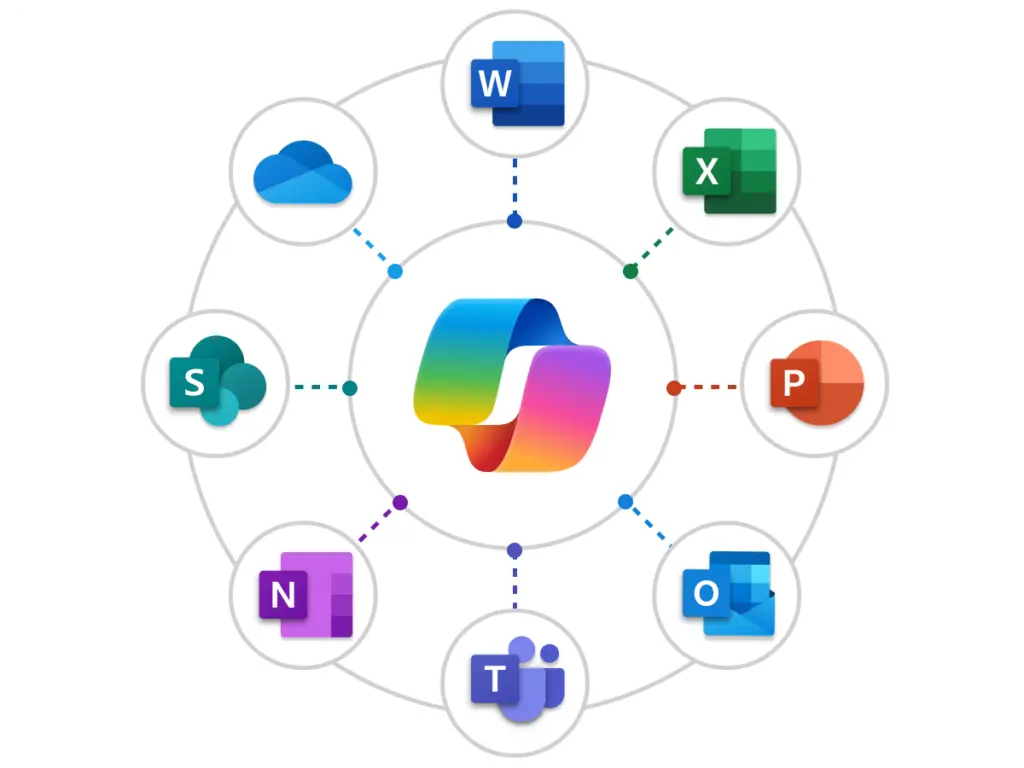
    • Microsoft 365 Copilot – Supports productivity across Teams, Outlook, Word, Excel, PowerPoint, and other Microsoft 365 applications.
    • Copilot Studio – Allows organizations to create customized AI experiences connected to business processes and Microsoft systems.
    • Copilot Agents – Provides department-specific guidance, answers, and workflow support using approved organizational knowledge.
    • Microsoft Dynamics 365 Copilot – Helps sales, service, finance, and operations teams reduce manual work and access information faster.
    • GitHub Copilot – Supports software development teams with coding assistance, testing support, and documentation generation.
    • Microsoft Security Copilot – Helps security teams investigate threats, strengthen response capabilities, and improve operational efficiency.
    Microsoft Copilot Products and AI Solutions We Support
    Copilot Performs Better When Your Microsoft Environment Is Ready

    Copilot Performs Better When Your Microsoft Environment Is Ready

    Copilot works with the information, documents, conversations, and business data already stored across your Microsoft ecosystem. That means the quality of Copilot’s output is directly influenced by the quality of the environment supporting it.

    For example, if SharePoint permissions are inconsistent, content is outdated, or document structures are poorly maintained, Copilot may surface incomplete or unreliable information. This is one reason many organizations benefit from reviewing their SharePoint consulting services strategy before beginning a major Copilot rollout.

    The same principle applies to analytics. If business data lacks structure or reporting environments are inconsistent, Power BI Copilot may struggle to provide meaningful insights. Organizations that invest in strong data foundations through Power BI services are often better positioned to gain value from AI-powered analysis and reporting.

    Because Code Creators works across SharePoint, Teams, Power BI, Microsoft 365, workflow automation, and business collaboration solutions, we understand how each part of the environment shapes Copilot’s output. That broader perspective helps organizations prepare for responsible AI adoption rather than treating Copilot as a standalone project.

    Let’s Build a Successful Microsoft Copilot Rollout

    Still evaluating Microsoft Copilot or planning a broader rollout? Let’s create a strategy that helps your teams adopt Copilot confidently and achieve measurable productivity improvements.

    Talk to a Copilot consultant today.

    Schedule a Consultation Call

    Why Businesses Choose Code Creators for Copilot

    • Code Creators is a Microsoft Solutions Partner with designations across:
    • Modern Work
    • Data & AI
    • Digital & App Innovation
    • Business Applications

    These designations reflect the work we deliver every day across Microsoft 365, SharePoint, Power BI, Teams, and the Power Platform. When you bring us in for a Copilot deployment, you get a team that already understands the environment Copilot lives in.

    • Unlike larger consulting firms that divide attention across countless technologies and platforms, our focus remains firmly rooted in the Microsoft ecosystem. We understand how permissions, governance, data quality, collaboration processes, reporting environments, and content structures influence Copilot outcomes.
    • Clients also work directly with specialists who understand both the technical and business aspects of deployment. Instead of navigating multiple layers of account managers and delivery teams, you engage with professionals involved in strategy, configuration, governance, training, and optimization.
    Whether you are evaluating Microsoft Copilot consulting services, planning enterprise AI deployment, or looking for ongoing Copilot deployment services, our team provides the expertise required to support long-term success.
    Why Businesses Choose Code Creators for Copilot
    What Organizations Can Expect From a Well-Planned Copilot Rollout

    What Organizations Can Expect From a Well-Planned Copilot Rollout

    Organizations that align Copilot with business processes, governance standards, and user adoption strategies often see meaningful improvements in productivity and collaboration.

    According to Microsoft’s Copilot Early Access Program findings, 68% of users reported higher-quality work, while 71% said Copilot helped reduce time spent on repetitive tasks. Many participants also reported saving more than 10 hours per month through faster information access and more efficient workflows.

    These results become more achievable when users receive practical training, leadership establishes clear success measures, and adoption is continuously refined after deployment. With a structured approach, Copilot becomes part of the way your teams plan, write, analyze, and collaborate every day, delivering productivity gains you can see and measure.

    Our Clients

    AmeriCU
    bluemercury
    CERIDIAN
    The University of CHICAGO
    City of Hope.
    World Health Organization (WHO)
    University of WATERLOO
    University of TORONTO
    TIN ROOF TACOS
    Stoller
    SIEMENS
    SAFEGUARD Medical
    RioCan
    Ontario Trillium Foundation
    McMaster University
    Macys
    Little City
    KINROSS
    Gate
    FlexNGate
    Fastwyre Broadband

    FAQs About Microsoft Copilot Implementation

    A Microsoft Copilot consultant helps assess readiness, review licensing requirements, evaluate security considerations, plan deployment strategies, configure environments, establish governance standards, and support user adoption. The role combines technical expertise, business process understanding, and change management guidance.

    Implementation timelines vary depending on the size of your organization, licensing requirements, governance needs, and Microsoft 365 environment. Smaller deployments may take a few weeks, while larger enterprise rollouts often require additional planning, training, and optimization phases.

    Yes, Microsoft 365 Copilot is designed to operate within your existing Microsoft security and permission framework. Proper deployment still requires governance reviews, permission validation, content management assessments, and compliance planning to ensure information is surfaced appropriately.

    You can, but many organizations discover challenges after deployment begins. Common issues include low adoption, licensing waste, governance gaps, unclear ROI, and inconsistent user experiences. Working with an experienced Microsoft Copilot consulting company helps reduce these risks and provides a more structured path to long-term value.

    Yes. Using Copilot Studio and custom Copilot agents, organizations can create experiences tailored to specific departments, business processes, and operational requirements. This allows Copilot to support workflows that extend beyond standard out-of-the-box functionality.

    Which Microsoft 365 apps does Copilot work with?

    Ready to see whether your organization is prepared for Microsoft Copilot? Schedule a consultation to review your Microsoft environment, discuss readiness, evaluate licensing requirements, and build a practical deployment roadmap tailored to your goals.

    Microsoft Solutions Partner. No obligation. Just a focused conversation about what is right for your environment.


    Schedule Your Copilot Implementation Call

    Explore Our Related Services