Your team submits a request through one tool, copies the details into a spreadsheet, sends an email for approval, and then updates another system when the request is complete. The process works, but every extra handoff creates more manual work and another opportunity for information to get missed or entered twice. Building an app seems like the obvious fix, but turning all those steps, data sources, permissions, and approvals into one working application is where the real development work begins.
In the Power Platform development work we handle at Code Creators, this is often where a Power App developer’s role becomes clear. The job is not simply to place forms and buttons on a screen. It involves understanding how the existing process works, where its data comes from, what different users need to do, and which steps should connect or run automatically. That experience also shows why a simple-looking business app can require careful decisions about data, security, integrations, and application structure.
Microsoft Power Apps supports this work by combining low-code development with options for professional developers to extend apps through code, integrations, custom connectors, and reusable components.
In this article, you will learn what a Power App developer is, what they do, the Power Platform developer skills they need, and examples of Power Apps you can build for different business processes.
What Is a Power App Developer?
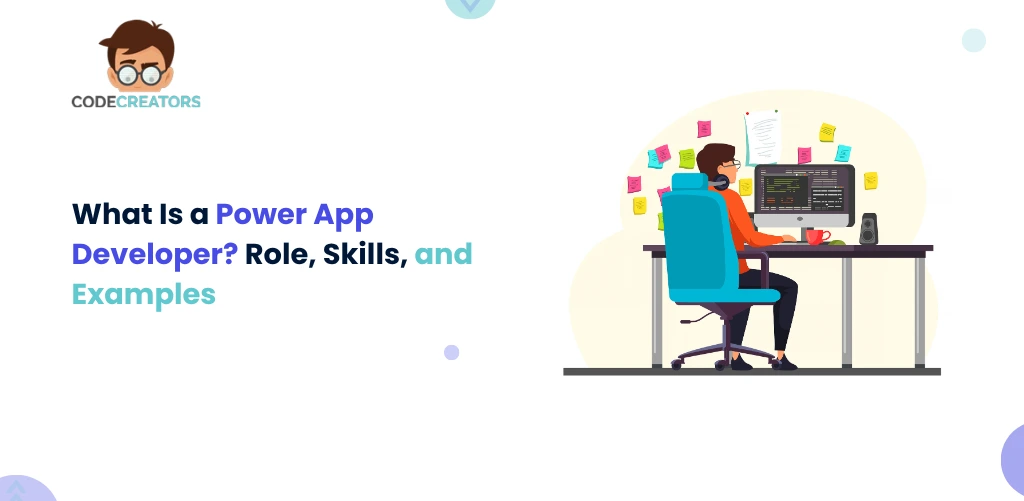
A Power App developer builds and extends business applications using Microsoft Power Apps and related Power Platform services. Their job is to turn your business requirements into an application that gives users the right data, actions, and workflows in one place.
Power Apps uses a low-code approach, so developers do not have to build every feature from scratch. However, low-code does not mean that development requires no technical knowledge.
A developer can work with data and metadata, add business logic, use JavaScript where needed, create custom connectors, connect external systems, and extend applications with custom functionality.
How much technical development you need depends on the complexity of your solution. If you need a straightforward internal app, Power Fx, standard connectors, and Power Automate may cover most requirements. A more advanced application may require Dataverse, APIs, custom components, JavaScript, or Azure services.
So, if you are wondering what a Power Apps developer does in practice, the role involves a mix of low-code configuration, process design, data management, integration, and custom development when the project requires it.
What Does a Power App Developer Do?
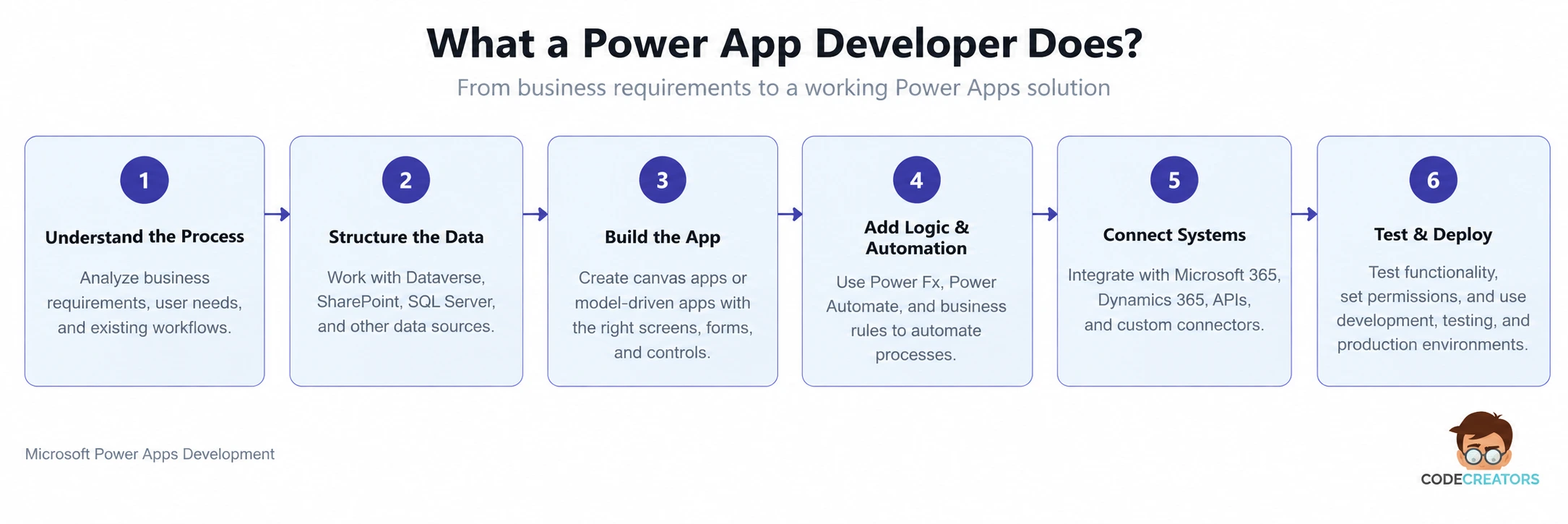
A Power App developer starts by understanding what your users actually need to accomplish. Who will use the app? What information do they need? Where does that information come from? What should happen after someone submits a form, updates a record, or approves a request?
Answering these questions helps the developer turn a business process into a clear application structure.
From there, the developer can design screens and forms, configure data connections, create formulas with Power Fx, set up business rules, and connect the application with automated workflows.
Data architecture also plays an important role. Your information might come from Microsoft Dataverse, SharePoint, SQL Server, Microsoft 365, or other connected services. Instead of making your team manually move information between systems, the app can give users one place to work with the data they need.
A developer also tests permissions, formulas, integrations, navigation, and application behavior before deployment. If you are building a larger solution, development may also involve separate development, testing, and production environments so changes can move through a controlled release process.
 What Is Microsoft Power Apps for a Developer?
If you are wondering what Microsoft Power Apps developers offer, it goes beyond a visual drag-and-drop app builder. Power Apps gives developers a low-code foundation while still allowing them to extend an application when standard features cannot meet your requirements.
Power Apps mainly gives you two approaches for building business applications: canvas apps and model-driven apps.
Canvas Apps
Canvas apps give you more control over how the application looks and how users move through it. Developers can arrange screens, forms, galleries, buttons, and other controls around the way your team needs to complete a task.
They can also connect the app to sources such as Dataverse, SharePoint, and other supported services. This makes canvas apps useful when you need a tailored interface or want users to work with information from different systems through one application.
In the Power Apps projects we work on, canvas apps are often a practical fit when users need a task-specific interface rather than a standard record-based layout. Field inspections are one example, where the screens can follow the actual sequence of the inspection and keep the required information together as users move through the task.
Model-Driven Apps
Model-driven apps take a different approach. Instead of starting with the screen design, you start with structured data in Microsoft Dataverse.
Developers define tables, relationships, forms, views, charts, and other components around that data. This makes model-driven apps useful when your users spend most of their time managing records and following structured business processes.
In practice, we see model-driven apps work particularly well for processes built around connected records, such as cases, customers, and service requests. Their structured forms, views, and relationships give users a consistent way to work with those records as they move through the process.
Your choice between canvas and model-driven apps therefore depends on how your team needs to use the application, not on which option sounds more advanced.
What Power Platform Developer Skills Are Important?
The right Power Platform developer skills combine an understanding of business processes with technical development knowledge.
A developer should understand Power Apps, Power Fx, Dataverse, data relationships, connectors, security, and Power Automate. More importantly, they should know when built-in Power Platform features can solve your requirement and when custom development makes more sense.
For more advanced projects, traditional development skills become important too. Developers can work with technologies such as JavaScript, APIs, Azure Functions, plug-ins, webhooks, custom connectors, and Power Apps Component Framework components.
Integration skills matter because your business app rarely operates completely on its own. You may need it to retrieve customer information, update another system, trigger an approval, send information to a service, or bring data from several sources into one workflow.
Testing and troubleshooting skills matter as well. An app that works with a few test records may behave differently when your team starts working with larger datasets, different user permissions, and multiple integrations.
A capable developer therefore needs to think beyond whether an individual screen works. They need to understand what happens across the complete process.
What Are Some Examples of Power Apps?
The best Power Apps use cases usually start with a process that creates unnecessary work for your team. You may rely on spreadsheets, email chains, paper forms, or repeated data entry simply because users do not have one application for completing the task.
Inspection apps are one of the practical Power Apps use cases we come across when teams need to move checks away from paper forms or disconnected records. These apps bring inspection details into a structured digital process, where users can record findings from a phone or tablet and connect identified issues with the required follow-up steps.
Asset management apps are another use case we see when equipment information has become difficult to manage across separate spreadsheets or records. Bringing asset details, assignments, status updates, and maintenance information into one application gives users a more consistent way to work with that information.
Request and approval apps commonly address processes that still move through forms, emails, and manual follow-ups. We see these apps used to bring structured requests into one place, while Power Automate handles the required approval steps and Power Apps gives users a clear interface for submitting and reviewing information.
Case and service management apps are another use case we see for processes that involve larger numbers of connected records. Dataverse keeps those records structured, while a model-driven app gives users forms, views, dashboards, and defined processes for managing each case.
Power Apps can also support inventory tracking, field data collection, employee onboarding tasks, project updates, and internal data-entry processes.
However, you should not build an app simply because Power Apps makes development faster. Start with the process. If an application can remove unnecessary steps, reduce repeated data entry, or give your team a clearer way to work with business data, you have a stronger reason to build it.
When Does Your Power Apps Project Need a Developer?
Not every Power Apps project requires the same level of development expertise.
If you need a small departmental app with a simple data source and only a few screens, standard low-code features may be enough. However, the need for a developer becomes stronger when your requirements include complex data models, multiple integrations, custom APIs, advanced security, reusable components, or business logic that standard controls cannot handle.
You may also need a developer when your app has to connect with existing business systems or when standard Power Platform capabilities stop covering the process.
That does not mean custom code should become the default solution. In fact, a good developer should avoid adding unnecessary complexity. The goal is to use standard Power Platform capabilities where they work and extend the platform only where your requirements call for it.
How Does a Power App Developer Turn Your Process Into an App?
Development should start with your process, not with the app interface.
First, you need to identify who will use the app, what tasks they perform, what data they need, and which decisions or approvals happen along the way. This gives the developer a clearer picture of what the application actually needs to support.
Next comes the data structure and application type. If your process needs a highly tailored mobile interface, a canvas app may make sense. If users mainly work with structured Dataverse records and defined processes, a model-driven app may provide a better fit.
The developer can then build the interface and business logic, connect the required systems, add automation where it helps, and test the complete process.
Following this sequence helps you avoid a common mistake: building an app that looks polished but does not match the way your team actually works.
How Code Creators Supports Your Power Apps Development
Building a useful Power App starts with understanding what your team is trying to improve. At Code Creators, our Power Platform work involves looking at the existing process, the data behind it, the people who use it, and the manual steps that make everyday tasks slower or harder to manage.
Our Power Apps development services focus on turning those requirements into applications that fit the way your team works. Depending on the process, that can involve canvas or model-driven apps, Dataverse, Power Automate, system integrations, or custom development. We use standard Power Platform capabilities where they meet the requirement and extend them when the application needs more control or functionality.
The result is a solution built around a clear business need rather than a collection of features that your team does not need.
Have a process that is difficult to manage through spreadsheets, emails, or disconnected tools? Talk to Code Creators about turning it into a Power Apps solution that gives your team a clearer way to get the work done.
Conclusion
A Power App developer helps you move from a business requirement to an application that connects users, data, business logic, and workflows. While Power Apps gives you low-code tools for building applications, professional development becomes more important as your requirements grow more complex.
The way you build the app matters too. Canvas apps give you greater control over the interface and work well when the user experience needs to follow a specific task. Model-driven apps start with structured Dataverse data and suit processes where users need to manage connected records consistently.
The examples also show where Power Apps can make a practical difference. Inspection apps can move field checks away from paper forms. Asset apps can replace disconnected spreadsheets. Request and approval apps can give employees one place to submit information and follow a process. Case management apps can organize records and activities around a structured workflow.
So, before you start development, look at the process you want to improve. Identify where users lose time, where information becomes disconnected, and which steps create repeated manual work. Those details will tell you what the app needs to solve and how much development the solution actually requires.
The right development support can make the difference between an app that simply works and one that fits naturally into your team’s daily operations. Book a consultation with us today to discuss how we can support your Power Apps development.