Yes, Microsoft Copilot is secure for business use, but only if your tenant is configured correctly first. Microsoft built Copilot on its existing enterprise security framework, encrypting data and isolating it within your tenant. The real risk isn’t the platform itself. In our tenant security reviews at Code Creators, the actual exposure almost always traces back to permissions nobody has audited in years, not the AI engine. This guide delivers an analytical evaluation of the platform’s security architecture, the primary vulnerabilities to watch out for, and the operational steps required to protect your data.
How Microsoft Copilot Handles Your Data: Encryption, Isolation and Compliance
Microsoft doesn’t run Copilot as a public, consumer-grade tool, it isolates your automation tasks inside your secure cloud tenant. Every prompt moves through three stages: Microsoft Graph checks that you’re already entitled to see the content, an isolated, tenant-dedicated instance of Azure OpenAI processes the request, and the result returns to you without ever leaving your tenant boundary.
Here’s a simple view of that flow:
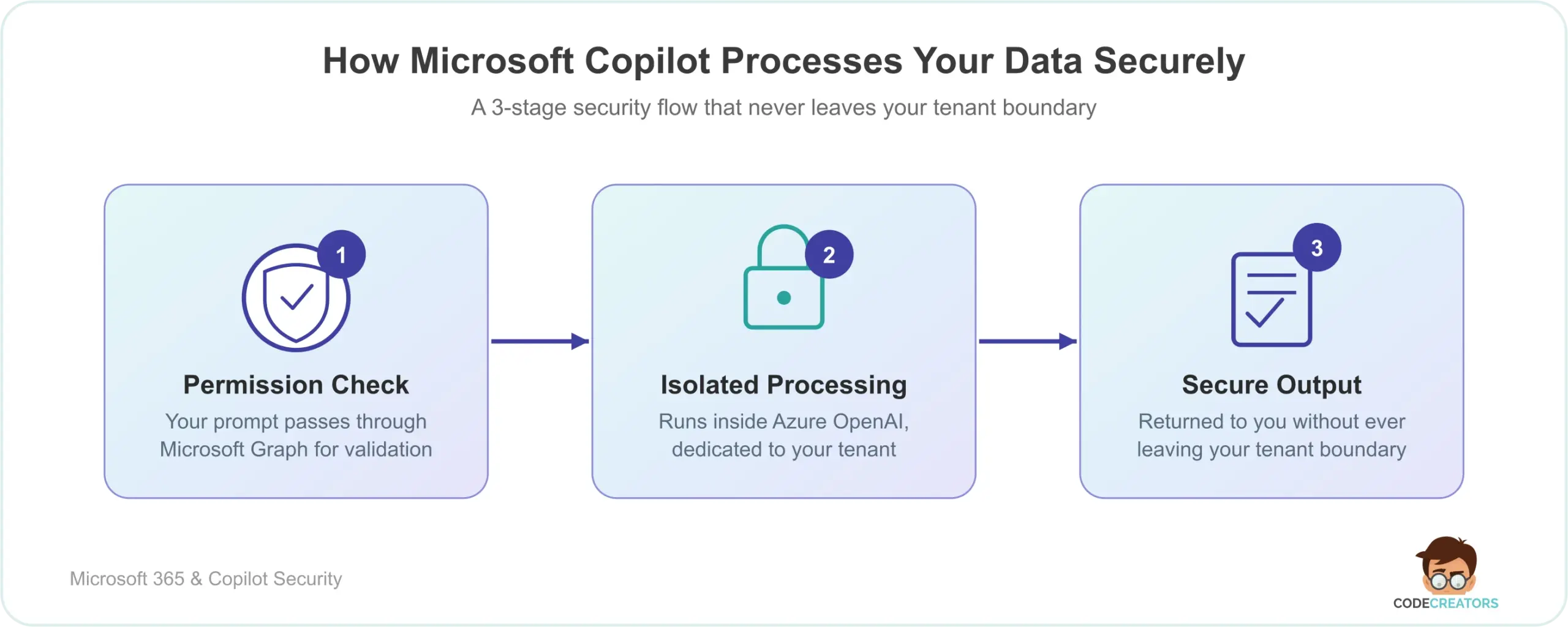
Three things make this safe by design:
- No public model training. Prompts and Graph data aren’t used to train Microsoft’s foundation LLMs, and your data never surfaces in another company’s query.
- Encryption everywhere. Data is encrypted in transit and at rest, under the same Enterprise Data Protection commitments covering Exchange and SharePoint.
- Existing compliance coverage. Copilot carries the same commitments as standard Microsoft 365 apps, including GDPR (the EU’s data protection law) and HIPAA (the U.S. health data privacy law). One caveat for EU tenants: the default “flex routing” setting can route data outside the EU Data Boundary during peak demand, so confirm it matches your compliance team’s expectations rather than assuming the default is safe.
Is Microsoft Copilot a Security Risk? Only If Your Permissions Are Already Messy
While the underlying architecture of the tool is highly secure, deploying it can still introduce significant operational vulnerabilities. So, is Copilot a security risk to your business? The short answer: only if your existing file permissions are messy. The tool doesn’t bypass your security settings. It uses delegated permissions, meaning it can only see and retrieve files that the active user already has permission to read. The true risk stems from a common enterprise issue known as permission sprawl, and it’s the single most common finding in the tenant audits we run.
How Over-Shared SharePoint Files Make Copilot a Confidential Data Exposure Risk
In almost every large company, employees share documents broadly to collaborate quickly. Users frequently click “Share with Everyone” or “Everyone except external users” inside SharePoint to bypass access hurdles. Over time, this leaves sensitive executive files, payroll spreadsheets, and private HR records accessible to the entire company. Before you activate AI, these over-shared files sit quietly in obscure cloud folders where standard employees rarely find them. But once you introduce an intelligent assistant, any employee can type a simple prompt like “What did the company spend on executive bonuses last quarter?” The tool scans all accessible files, locates the over-shared spreadsheet, and immediately displays the restricted details. The tool doesn’t create new access points, it makes existing bad permissions incredibly easy to exploit. We’ve seen this surface within minutes of a Copilot pilot going live, on files that had been sitting exposed for years without anyone noticing.
Can You Trust Copilot Default Settings? Why Least-Privilege Configuration Is Essential
To keep your business running safely, you can’t rely solely on the system’s default settings. You need to actively configure your global tenant environment to manage how the assistant reads and processes information.
How to Apply Least-Privilege Access Control Before Activating Microsoft Copilot
Your IT team needs to transition your entire document storage model to a strict “least-privilege” framework. Employees should only have access to the specific folders and databases required to complete their daily job responsibilities. If you need to restructure your files and clean up unmanaged sharing links, our team can help you build a secure, properly segmented repository through our specialized SharePoint Consulting Services.
Common Mistakes Companies Make During Copilot Rollouts
Even organizations with strong security intentions tend to trip over the same handful of issues when they roll out Copilot. Watching for these upfront saves a lot of cleanup later:
- Skipping the permissions audit entirely. Teams assume “we’ll fix sharing issues if something comes up” and enable Copilot tenant-wide before ever reviewing SharePoint and OneDrive sharing links. This is the single biggest driver of the exposure incidents we get called in to fix.
- Treating a pilot group as low-risk. A small pilot still has full delegated access to whatever those pilot users can already see, so a “safe” test group can just as easily surface over-shared executive or HR files.
- Assuming default settings equal secure settings. Defaults like flex routing (discussed above) or standard push-notification MFA are convenient, not necessarily aligned with your compliance posture, and get left unreviewed.
- Applying sensitivity labels inconsistently. If only some departments label files as Confidential or Highly Confidential, Copilot will happily surface the unlabeled sensitive files that fall through the cracks.
- No DLP rules before go-live. Without Data Loss Prevention policies in place first, employees can paste sensitive data like customer PII or payment details directly into a Copilot prompt with nothing stopping them.
- Rolling out without a usage or logging review process. Companies enable Copilot but never assign anyone to actually check the admin usage dashboards or audit logs, so risky prompt patterns go unnoticed for months.
Microsoft Copilot vs ChatGPT vs API Integrations: Enterprise Security Compared
To understand how Microsoft’s security measures compare to other leading AI solutions, review this operational breakdown:
| Security Parameter | Microsoft Copilot for Business | Consumer ChatGPT | Standard API Integrations |
| Model Training Protection | Guaranteed, customer data is never used to train foundation models | None, inputs are used to improve the public model by default | Dependent on the custom API developer’s contract terms |
| Data Isolation | Isolated within your Microsoft 365 tenant boundary | Stored on external third-party servers | Processed through external cloud endpoints |
| Access Controls | Fully integrated with Microsoft Entra ID permissions and MFA (multi-factor authentication, which requires a second verification step beyond a password) | Basic login credentials with no internal file access mapping | Requires custom code to map user security roles |
| Compliance Alignment | Supports GDPR, HIPAA, and the EU Data Boundary | Minimal enterprise-grade compliance certifications | Requires independent auditing and manual configuration |
How to Secure Microsoft Copilot: 4-Step Enterprise Action Plan
To safely deploy the platform without risking data exposure, your IT department should follow this practical security roadmap. This is close to the sequence we walk clients through on every Copilot rollout:
- Conduct a full permissions audit. Use toolsets like Microsoft Purview to find and disable outdated, wide-open sharing links across SharePoint and OneDrive.
- Deploy sensitivity labels. Set up clear data classification levels (such as Public, Internal, and Highly Confidential). Copilot automatically respects Purview’s encryption labels and blocks unauthorized users from viewing restricted content.
- Establish Data Loss Prevention (DLP). Configure DLP rules to prevent employees from entering highly sensitive data, like customer credit card details, into the AI prompt window.
- Enforce Multi-Factor Authentication (MFA). Microsoft’s own Entra ID guidance specifically recommends requiring phishing-resistant MFA, such as FIDO2 keys or passkeys, for users of generative AI services like Copilot, since standard push-notification MFA remains vulnerable to social engineering and MFA fatigue attacks.
Setting up these guardrails while managing day-to-day operations can overwhelm busy IT departments. If your business wants to establish secure sharing practices, apply sensitivity labels and DLP policies correctly, and prevent data leaks before your Copilot rollout, our consulting group can guide you through the process via our targeted Data Security & Compliance Consulting Services.
Partner With Microsoft Copilot Security Experts to Protect Your Enterprise Tenant
Ready to secure your cloud permissions, protect your intellectual property, and deploy Microsoft Copilot safely across your entire company? Schedule a consultation with our Microsoft 365 Security team today to build an automated workspace designed with enterprise-grade protection!