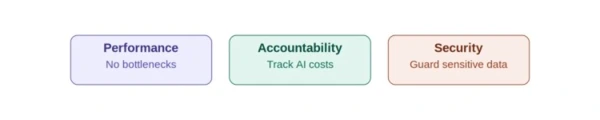
A Copilot readiness assessment is a technical review of your Microsoft 365 tenant, licensing, data permissions, and network setup, done before you roll Copilot out to employees. Skip it, and you risk the three most common failure points we see: confidential data surfacing in answers, inaccurate results, or a pilot that stalls entirely.
In our Copilot rollout engagements at Code Creators, the technical blocker is almost never the AI itself. It’s months-old SharePoint permission sprawl that nobody flagged before licenses went out. This guide walks you through the Microsoft Copilot readiness assessment steps we run with clients, plus a checklist you can use on your own tenant.
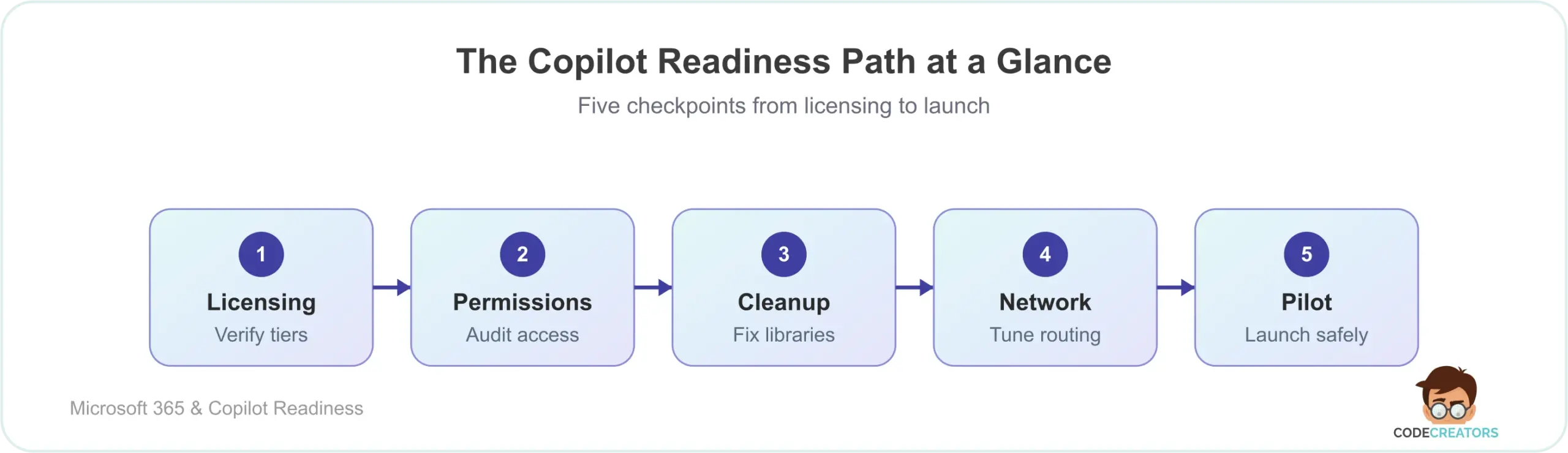
What Is a Copilot Readiness Assessment?
A Copilot readiness assessment is the technical evaluation that catches licensing gaps, permission risks, and network bottlenecks before your employees ever open the tool. Microsoft has built conversational AI directly into Word, Excel, Teams, and Outlook, pulling real-time data from your emails, chats, and files instead of making employees jump between disconnected apps.
That depth is exactly why deployment takes more than flipping a switch. Many IT leaders assume they can buy licenses and activate Copilot immediately. We’ve seen this assumption cause real damage: unprepared data structures lead to security risks, data sprawl, and automations that quietly break.
If you want expert help scoping this before you commit budget, our team runs Microsoft Copilot Consulting Services that start with exactly this kind of assessment.
What Does an AI Infrastructure Audit Actually Check?
An AI infrastructure audit verifies that your software versions, network architecture, and cloud configuration meet Microsoft’s engineering baseline for Copilot. It’s not a casual glance at user accounts, rather it’s a strict pass/fail check against specific technical requirements.
First, your organization must migrate all user mailboxes from local, on-premises Exchange servers to Exchange Online. The AI system can’t parse or summarize emails trapped on local physical hardware. Similarly, you need to move all legacy file shares and personal storage drives into SharePoint Online and OneDrive for Business. Getting this sequencing right starts with planning a Microsoft 365 migration properly from the outset, since most of the infrastructure gaps we find during an audit trace back to a migration that was never fully finished.
Second, your network administration team must update your corporate firewall settings. The system relies on WebSocket connections to stream real-time chat responses to your employees’ screens. If your network traffic routes through slow VPNs or restrictive proxies, your staff will experience severe lag and dropped connections. You need to configure your network to bypass unnecessary inspection points for official Microsoft 365 cloud endpoints.
We’ve walked into environments where this single step explained weeks of “Copilot is slow” help desk tickets. The AI wasn’t underperforming – the network path to it was.
The Core Blueprint: Copilot Readiness Assessment Steps
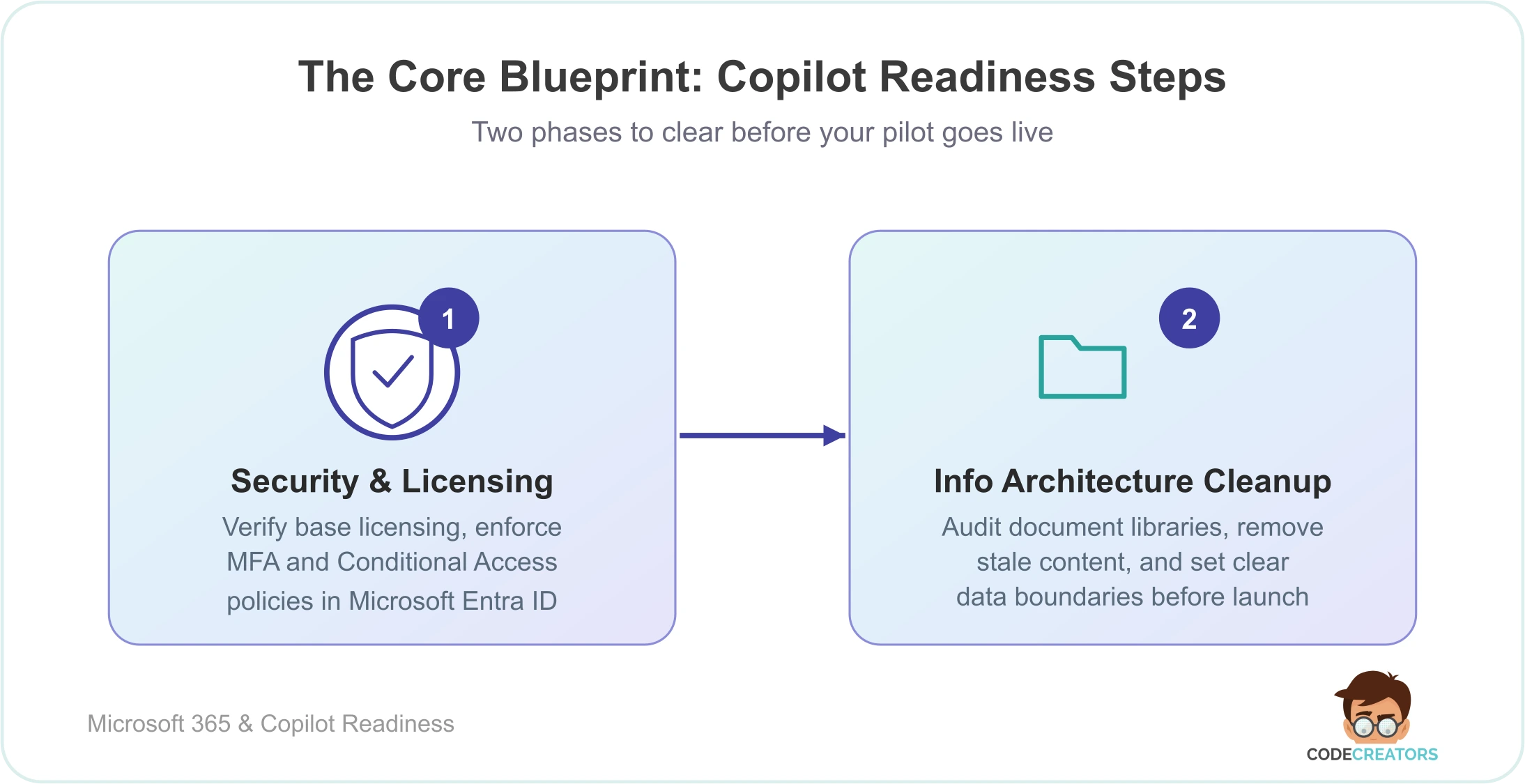
Treat your Copilot deployment as a phased project, not a one-time license purchase. Each phase below clears a specific category of technical debt before you give users access.
Phase 1: Security and Licensing Verification
Your users need active Microsoft 365 E3, E5, Business Standard, or Business Premium licensing as the foundation. Once that’s confirmed, enforce modern authentication. Require Multi-Factor Authentication (MFA), and set up Conditional Access policies in Microsoft Entra ID, Microsoft’s identity and access management service, formerly called Azure AD. Together, these ensure only verified devices can reach your data.
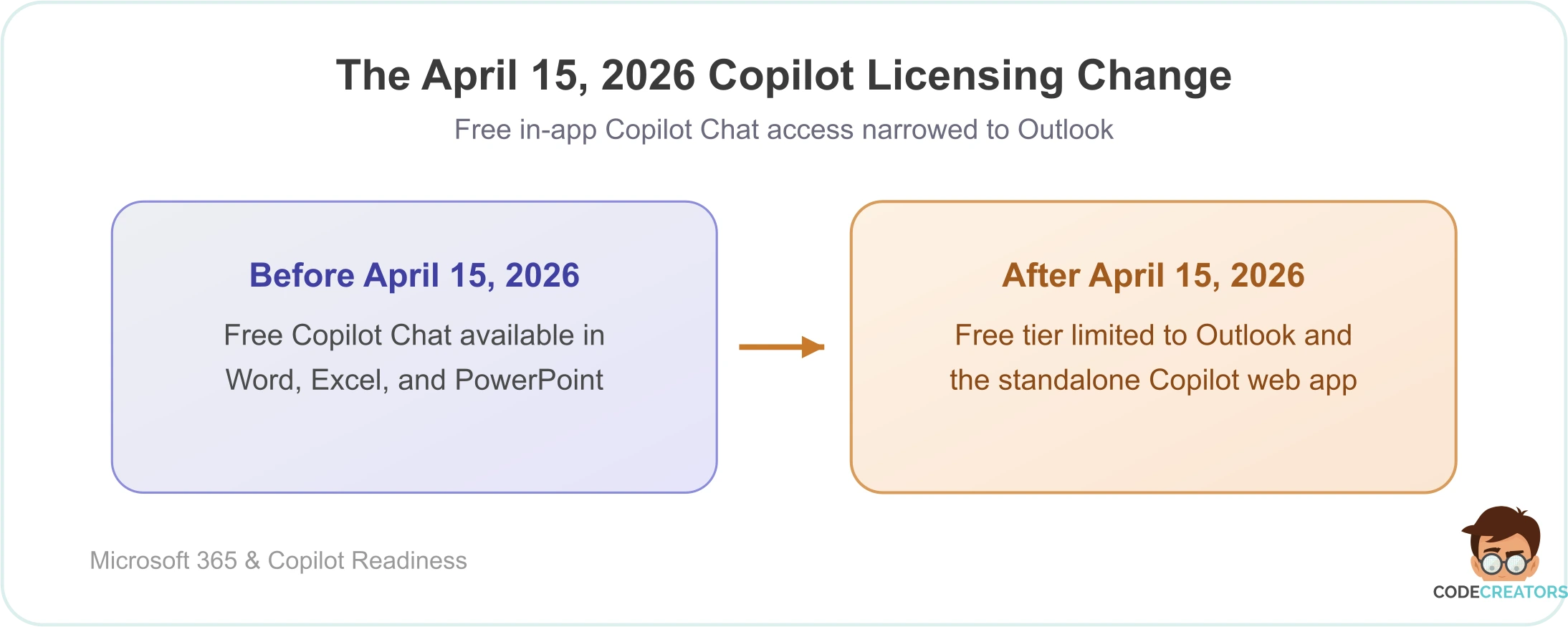
This step matters more than it used to. As of April 15, 2026, Microsoft removed free in-app Copilot Chat access from Word, Excel, PowerPoint, and OneNote for users without a paid Microsoft 365 Copilot add-on license. The no-cost tier now largely covers Outlook and the standalone Copilot web app. If your licensing plan predates that change, revisit it now – the free tier you may have budgeted for a pilot group no longer covers the in-app experience most employees expect.
Phase 2: Information Architecture Cleanup
Copilot only knows what your data tells it. Scattered folders, duplicate files, and outdated naming conventions will produce failed or inaccurate answers. You need to audit your document libraries, delete stale content, and set clear data boundaries before launch.
If your storage hubs need restructuring, our SharePoint Consulting Services team can help you build a secure data foundation from the ground up. Once that structure is clean, connecting those libraries into Microsoft Fabric and OneLake becomes a natural next step for teams doing deeper analytics.
Why Over-Permissioning Is the Biggest Deployment Risk
Over-permissioning is the single largest reason Copilot deployments surface data that was never meant to be seen. Copilot strictly respects each user’s existing access rights — if an employee can already open a document, Copilot can search it and quote from it.
For years, employees have clicked “Share with Everyone” in SharePoint to save time. Over time, that habit leaves standard employees with unintended read access to executive salary spreadsheets, HR files, or client lists.
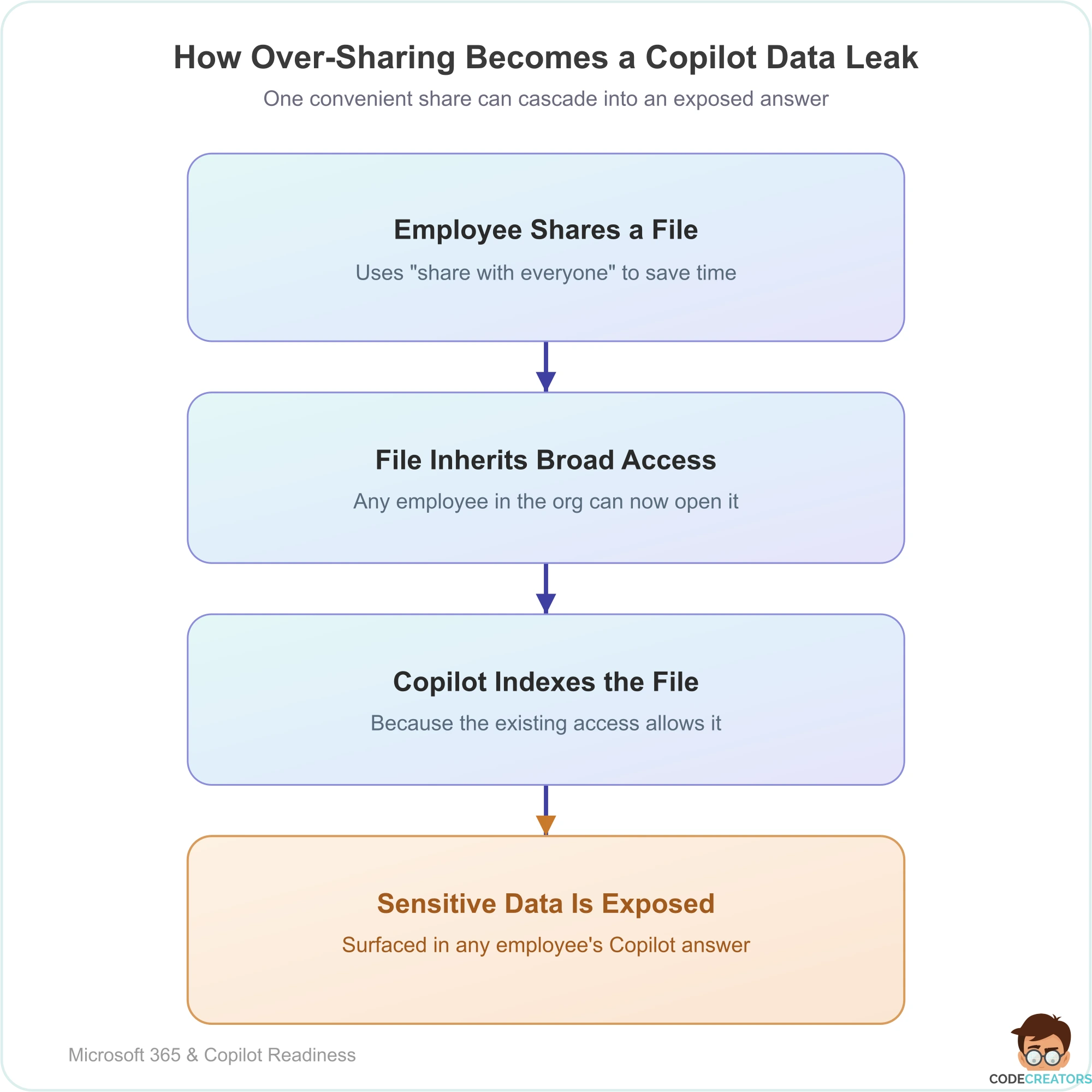
Once Copilot is active in an over-permissioned environment, a user could type “What are the highest executive salaries this year?” The tool would return a straight answer, pulled from a file they were never supposed to see. This is one of the first things we test for in our own tenant audits, and it’s almost never intentional, it’s the accumulated result of years of convenient sharing choices. Fixing it means running a full permissions audit and replacing broad sharing links with group-based permissions.
This is exactly the kind of gap a permissions audit catches early. If you want a second set of eyes on it, we run this as part of our readiness assessments – Request an Assessment.
Copilot Readiness Assessment Checklist
Use this checklist to track where your tenant stands before pilot:
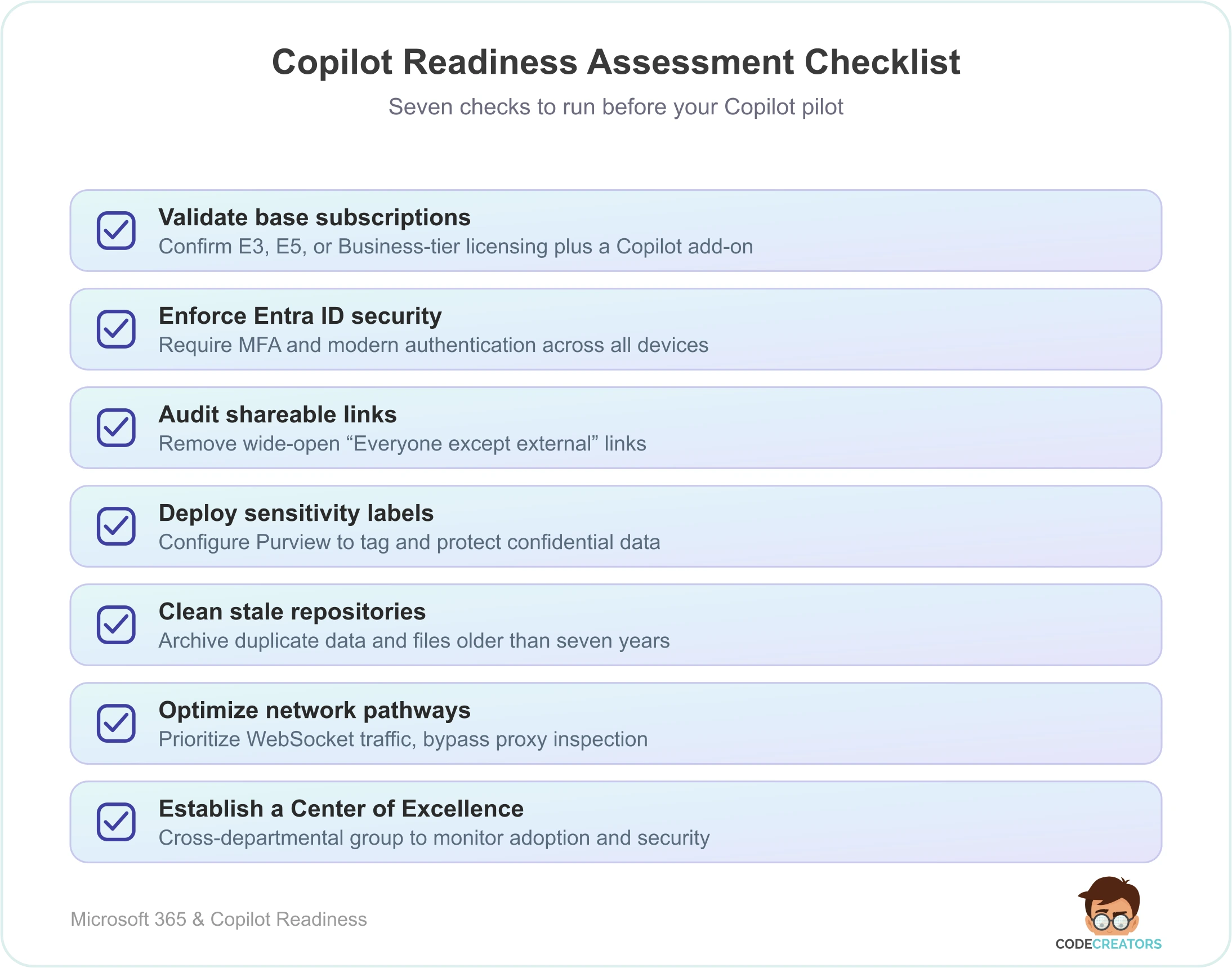
If you’re finding more red flags than green ones on this list, that’s normal. Most tenants we assess need real remediation work before a pilot – not just a checkbox review.
Why Configure Microsoft Purview Before Buying Licenses?
A readiness assessment requires you to set up Microsoft Purview beforehand because the AI assistant respects your data sensitivity labels. Purview lets your IT department tag documents as “Confidential” or “Highly Sensitive.” By configuring these labels early, you establish strict rules that prevent the AI engine from extracting, summarizing, or presenting restricted intellectual property to unauthorized users, protecting your data from day one rather than after an incident. We cover this process in more depth in securing data with Microsoft Purview, including how to structure your labeling taxonomy before you scope a pilot.
Rolling Out Copilot: User Adoption and Change Management
A technical setup means nothing if employees don’t know how to use Copilot well. Your rollout plan needs a real training and change management strategy, not just a licensing spreadsheet.
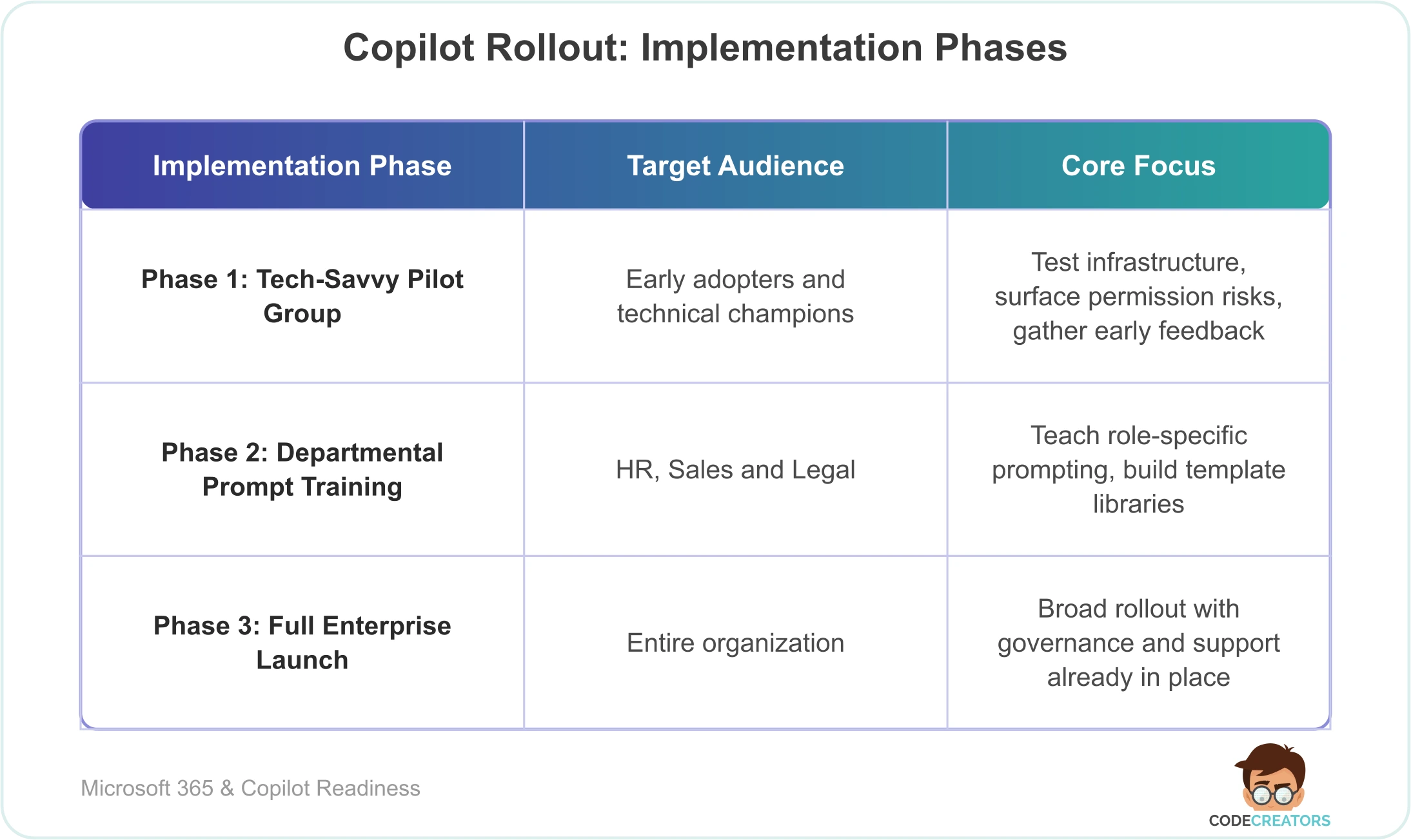
Start with a controlled pilot instead of a company-wide launch. We typically recommend pulling pilot users from a mix of departments, HR, sales, and legal support, so you’re testing Copilot against genuinely different workflows, not one narrow use case.
During the pilot, teach your team to write clear prompts that include the specific goal, the right context, the source file, and the desired output format. Feedback from this group becomes the foundation for a prompt template library you can hand to the rest of the company later.
If Teams is central to how your organization communicates, our Microsoft Teams Consulting Services team can help you keep those channels secure through the transition. If guest access is creating tenant-switching friction for outside collaborators, that’s worth fixing alongside your Copilot rollout, not after it.
How Code Creators Helps You Get Copilot-Ready
A Copilot readiness assessment gives your organization a real head start – your staff automate routine work while your sensitive data stays protected. Getting there takes a solid grasp of data governance, identity access management, and cloud architecture, which is exactly where our team at Code Creators focuses.
This is the part of the process we spend the most time on with clients. We’ve run readiness assessments across tenants of very different sizes and industries, and the pattern holds up every time: AI is rarely the problem, the underlying environment is. Our team audits licensing, permissions, and network configuration together, rather than treating them as separate checkboxes, because a gap in one area usually explains a symptom you’re seeing in another. That’s also why we build the remediation plan alongside the assessment itself, so you’re not left with a list of problems and no path to fixing them.
Ready to clean up your file permissions, run a full infrastructure check, and deploy Copilot with confidence? Schedule a Consultation with Code Creators to build a workspace engineered for your scale.