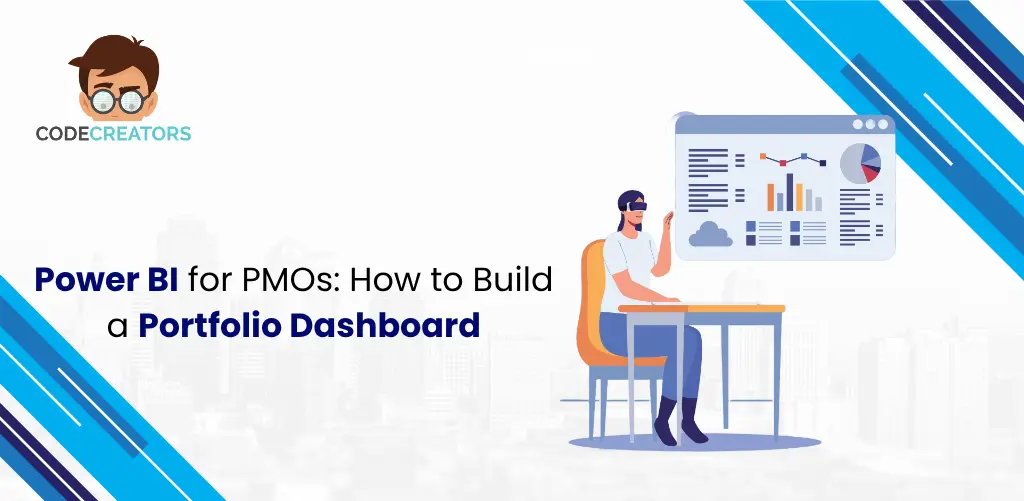
Managing multiple projects simultaneously is both an opportunity and a challenge. While individual project focus allows for dedicated attention, portfolio-level oversight requires a different approach. It needs to balance strategic visibility with operational clarity. PMO leaders don’t need more data, they just need the clear visibility that turns information into impact. When critical information remains trapped in separate spreadsheets, individual MS Project files, or disconnected Jira boards, you lose the ability to see the “big picture.”
A Power BI PMO dashboard changes this dynamic entirely. It acts as a central command center, pulling fragmented data from every corner of your organization into a single, live, and interactive view. This transformation allows you to stop chasing manual status updates and start making high-level strategic decisions. In this comprehensive guide, we will explore how to design and implement a portfolio management Power BI solution that provides the absolute clarity your leadership team requires.
Why PMOs Need Portfolio Dashboards: Beyond Individual Tracking
Upgrade to portfolio-level reporting to give your C-suite the strategic clarity they deserve. Project managers drive daily success while PMO directors lead strategic growth. High-level reporting ensures your executives stay focused on the most impactful insights. Clear, high-level reporting ensures you catch systemic risks early and keep your portfolio on track.
A Power BI PMO dashboard bridges this gap. Just as you appreciate the detail of a single tree, you’ll value the breathtaking perspective of seeing the entire forest. While individual dashboards track task completion, a portfolio dashboard empowers you to manage resource allocation, strategic alignment, and the overall financial health of your organization. It transforms “data points” into “business intelligence,” allowing leaders to pivot resources toward the most profitable initiatives.
Comparison: Portfolio View vs. Project View
| Feature | Project-Level Dashboard | Portfolio-Level Dashboard |
| Primary Audience | Project Managers & Teams | Executives & PMO Directors |
| Data Scope | Single project details | All projects across the organization |
| Key Metrics | Task status, sub-tasks, bugs | Portfolio-level KPIs, health, ROI |
| Decision Type | Execution (How do we finish?) | Strategic (Should we continue?) |
| Refresh Goal | Real-time task tracking | Trend analysis and oversight |
What PMOs Actually Need to See: Key Portfolio Metrics
The secret to a successful Power BI PMO dashboard is curation. Focusing on “vitals” allows you to highlight the most impactful information and provide instant clarity for your leadership team.
1. Leading vs. Lagging Indicators
By focusing on “vitals” rather than every detail, you can move beyond historical tracking toward a more proactive and insightful view of your portfolio’s success. By tracking leading indicators, you gain the power to stay ahead of the curve. These predictive metrics, such as “Resource Over-allocation” and “Upcoming Dependency Risks,” empower you to proactively guide your projects toward success. By spotting these early, you can ensure project success by addressing risks before they impact your goals.
2. Overall Portfolio Health Score
The high-level “Stoplight” indicator acts as the vibrant heartbeat of your dashboard, giving you instant confidence in your portfolio’s health. It summarizes the status of all active projects in one glance. Tracking these portfolio-level KPIs ensures you can identify at-risk projects early, before they turn into expensive disasters. A weighted score ensures your most critical, high-impact projects drive the overall portfolio health for maximum accuracy.
3. Cross-Project Resource Visibility
Imagine having total visibility so your lead experts are always where they’re needed most. Balanced resource allocation is the secret to a thriving, high-performance portfolio. Your dashboard should include a consolidated view of resource allocation. Visualizing capacity and demand helps you balance workloads across the entire portfolio to maintain steady progress.
4. Financial Health (Budget vs. Actual)
Advanced portfolio reports turn scattered financial data into a clear view of success. Comparing your aggregate spend to your forecast at a macro level empowers you to perform proactive budget tracking. If one program is under-spending, you can strategically reallocate those funds to ensure high-priority projects have the resources they need to succeed.
Data Modeling for Multi-Project Portfolio Dashboards
Building a strong data model is like creating a perfectly organized library, where every piece of information is exactly where you need it. Using a consistent folder structure across every project ensures you can find exactly what you need in seconds. A strong hierarchical data structure empowers you to build a dashboard that earns lasting stakeholder trust.
The Data Pipeline: ETL and Transformation
Connecting Jira, MS Project, and Excel into Power BI through a data pipeline creates a smooth, automated flow of information for your portfolio. The ETL process (Extract, Transform, Load) empowers you to seamlessly integrate your data for a unified and accurate view. You refine your data by standardizing “Status” names across all tools, seamlessly loading them into a master portfolio table for a unified and accurate view. Standardizing your terms creates a clear, unified language where “In Progress” in Jira and “Active” in MS Project both reflect the same successful momentum.
The Standardization Analogy: Standardizing your data is like using a universal adapter, it perfectly connects diverse information into one powerful, unified system. You need a “universal adapter”, this is your transformation layer, to make sure every project speaks the same language.
Data Relationships and Cardinality
When you connect your project lists to your resource tables, you’re defining data relationships. You’ll mostly use “one-to-many” relationships (one project has many tasks). Mastering cardinality ensures your totals remain precise and reliable, giving you complete confidence that your budget reflects exactly what’s happening in your portfolio.
Using DAX for Portfolio Metrics
Specific DAX calculations deliver the precise totals your portfolio deserves.
The DAX Analogy: Think of DAX like the “brain” of your dashboard. While a basic sum just adds numbers, DAX is like a smart accountant who knows that a $5 million project should have a bigger impact on your “Health Score” than a $50,000 project. It allows you to calculate complex time-intelligence metrics like Year-to-Date (YTD) spend or month-over-month variance with ease.
Building Your Portfolio Dashboard: Design Principles
A logical information architecture makes your portfolio health dashboard clear, professional, and easy to use. Start with high-level summaries to provide instant clarity, then easily dive into specifics whenever you need more detail.
1. The Executive Summary (Top Row)
Highlight your most important numbers by placing KPI Cards right at the top of your canvas. Highlight four vital metrics, active projects, budget, health, and risks, to drive proactive project success. This high-level summary gives busy executives clear, instant insights perfect for a quick 30-second mobile check.
2. Timeline and Dependency Visualization
PMOs need a high-level timeline visualization to see how various projects overlap across the fiscal year. This visualization highlights “peak productivity” windows, allowing you to celebrate and support your team as they reach multiple major milestones. Use a simplified Gantt chart that focuses on major phases rather than individual tasks to keep the view clean.
3. Visual Hierarchy and Layout
A clean and organized layout is the secret to a great dashboard. Follow dashboard design best practices by placing the most critical, actionable information in the top-left corner (the “Primary Zone”). A consistent color palette creates instant clarity; using the same colors across all visuals ensures your team can interpret the data quickly and with confidence.
4. Portfolio Budget Tracking at Scale
When visualizing budget tracking for an entire portfolio, use a bar-in-bar chart or a bullet visual to compare “Baseline Budget” against “Actual Spend.” This approach lets you easily celebrate top-performing departments while instantly identifying where to offer extra financial support without the need to scan through dense tables.
Enhancing Security with Role-Based Access
Effective role-based access ensures that every stakeholder consistently receives the most relevant and secure information for their specific needs. A Program Management dashboard often contains sensitive financial data, HR information, or project details that are restricted to certain leadership levels.
Power BI uses “Row-Level Security” (RLS) to manage this. Instead of building ten different reports for ten different managers, you build one single dashboard. Power BI then filters the data automatically based on who is logged in.
This ensures your executive dashboard Power BI stays secure and relevant, providing a “Single Source of Truth” that adapts to the user’s specific role.
Common Challenges and Pitfalls to Avoid
Power BI provides immense potential for PMO leaders to overcome challenges and achieve total portfolio visibility.
- Inconsistent Data Entry: Consistent update schedules ensure your dashboard remains a reliable and accurate source of truth for everyone. Establishing a data stewardship and governance policy ensures your team enjoys a perfectly synchronized and reliable source of truth.
- The “Kitchen Sink” Mistake: Focus on high-level milestones to keep your portfolio view clear and actionable. Streamlining your data keeps your dashboard fast, clear, and easy to navigate. Stick to high-level milestones for the portfolio view.
- Manual Data Cleaning: Automating your data flow saves your team 40 hours of manual work, giving them more time for high-level analysis. The goal should be a direct, automated connection to your source tools (Jira, SharePoint, etc.).
When to Seek Professional Expertise
Building a basic Power BI PMO dashboard is a fantastic first step for any department. However, as your portfolio grows, you may reach a point of “technical debt.” Integrating data from multiple enterprise systems with smart security logic creates a robust, high-performance model that supports your growing organization.
A robust architectural solution ensures your formulas stay strong, your data refreshes quickly, and your project tools integrate seamlessly. Professional BI architects understand the “under the hood” requirements, like data warehousing and optimized indexing, that keep dashboards running smoothly as you scale from 10 projects to 500.
FAQs
What’s the difference between a portfolio dashboard and a project dashboard?
The main difference is the scope of data and the intended audience. A project dashboard is for project managers, it tracks daily tasks, individual blockers, and specific deadlines. A portfolio dashboard is for executives and PMO directors, it tracks aggregate health, strategic alignment, and resource capacity across all projects. Think of it as the difference between looking at a single tree and looking at the entire forest.
How often should a portfolio dashboard refresh its data?
For most PMOs, a daily refresh is the ‘sweet spot’ for reporting cadence. Unlike project dashboards that might need real-time updates for task completion, portfolio decisions are usually made on a weekly or monthly basis. Refreshing once or twice a day ensures leadership has current information.
Can we build a portfolio dashboard without connecting all our tools?
Yes, but it requires a manual data entry standard. If you aren’t ready to connect Jira or MS Project directly, you can use a standardized Excel template or a SharePoint list as a “bridge.” Every project manager enters their high-level vitals into this central file, which Power BI then reads. While this isn’t fully automated, it still provides a single source of truth for the portfolio.
Do we need Power BI Premium for role-based access?
No. You can implement Row-Level Security (RLS) using a Power BI Pro license. RLS allows you to create one report that shows different data based on who is logged in. However, Power BI Premium might be necessary if your portfolio is extremely large, requires very frequent refreshes, or if you want to share reports with a large number of “view-only” users without giving them individual licenses.
How do we ensure accuracy when data comes from multiple sources?
Accuracy depends on data standardization. Before the data reaches the dashboard, it must pass through a “transformation” layer where naming conventions, date formats, and status categories are aligned. If one team uses “In Progress” and another uses “Active,” Power BI must be told they mean the same thing. Setting clear data entry rules for all project managers is the best way to prevent calculation errors at the portfolio level.
Conclusion: Driving Better Decisions with Data
Building a basic Power BI PMO dashboard is a fantastic first step. However, as you scale from 10 projects to 500, you’ll eventually hit “technical debt.” When your data comes from multiple enterprise systems with complex security logic, you need a robust architectural solution.
Professional BI architects understand the “under the hood” requirements, like data warehousing and optimized indexing, that keep dashboards running smoothly. They can help you implement advanced data pipelines that handle millions of rows without slowing down. While internal builds provide a solid start, specialized expertise ensures your mission-critical reporting achieves peak accuracy and performance.
At Code Creators, we help organizations turn “messy” project data into clear, actionable insights. Whether you’re looking to optimize your reporting or need a completely custom Power BI portfolio dashboard, our team is here to help. We design enterprise-grade solutions that align with your governance requirements. Ready to stop chasing status updates and start leading with data? Let’s discuss how we can build a portfolio solution that drives better decisions for your organization.