SharePoint AI Search vs. Native Search: Why the Upgrade Is Worth Every Penny
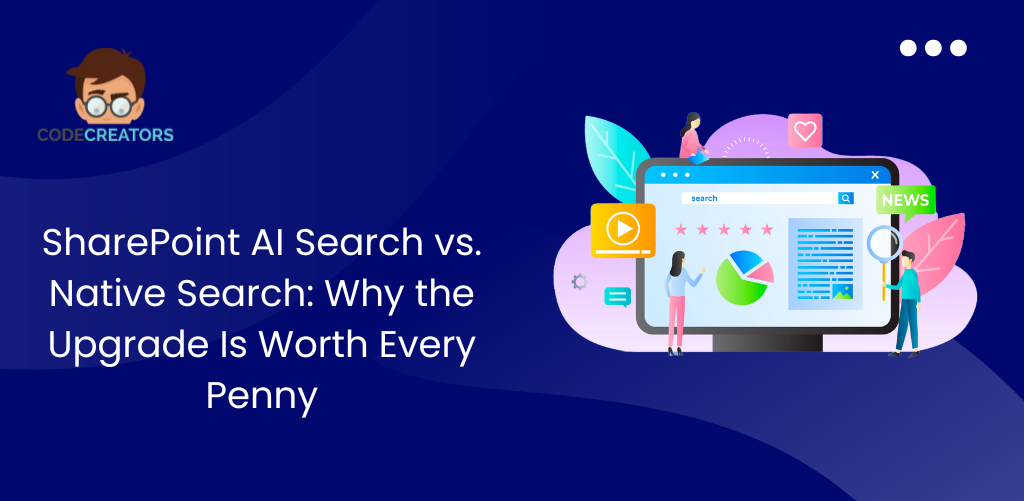
We have all been there. You are up against a tight deadline, and you need that one specific client agreement or product specification sheet. You head to your company portal, type a phrase into the search bar, and hit enter. Instead of the exact answer you need, you are greeted by a massive list of fifty blue links, half of which are outdated drafts or duplicate files hidden deep in a nested folder.
Traditional internal search has focused on exact keyword matching, requiring users to guess the exact filename to get clean results. However, workplace technology has experienced an incredible shift. With the introduction of advanced cloud infrastructure and natural language processing, companies are moving toward a highly intelligent solution: SharePoint AI Search.
If your organization already relies on standard SharePoint, you might be wondering: Is stepping up to AI-powered search capabilities actually worth the investment? The short answer is a resounding yes. Transitioning to an AI-driven search model is an incredibly positive upgrade that moves your team away from manual document hunting and launches them into instant, conversational knowledge discovery.
Why Traditional SharePoint Keyword Search Is Costing Your Team Hours Every Week
To understand why an upgrade is so rewarding, it helps to look at how traditional search operates. Native SharePoint search relies heavily on exact keywords. It scans your sites, libraries, and pages looking for the precise letters and phrases you type into the bar.
While this keyword matching works well if you know the exact name of a file, it falls short when you approach it with natural, human curiosity. Traditional engines struggle with context, synonyms, and intent. If an employee searches for “outstanding balances,” but the document is saved as “Q3_Unpaid_Invoices.pdf,” native search might miss the connection entirely.
This creates a hidden tax on daily productivity. Employees waste valuable hours scrolling through folders, opening multiple files just to check their contents, and recreating documents that already exist simply because they couldn’t find the original. This manual data entry and file digging can lead to adoption barriers, causing teams to abandon the intranet altogether out of frustration.
What Is SharePoint AI Search and How Does Semantic Search Change Everything?
Upgrading to SharePoint AI Search, powered by Azure AI and the latest Microsoft 365 Copilot integrations, feels less like using a search engine and more like talking directly to your company’s collective brain.
AI search introduces Semantic Search. Instead of just counting how many times a word appears in a text, semantic search understands the underlying intent and meaning behind your question. You can ask complex, conversational questions in plain English, the exact same way you would speak to a teammate, and receive an accurate response instantly.
How SharePoint AI Search Delivers Direct Answers Instead of Endless File Lists
When you query a native search bar, it hands you a document and expects you to do the reading. SharePoint AI Search does the heavy lifting for you. It delivers synthesized, context-rich answers right at the top of the page, complete with clear summaries of long reports.
Multi-Document AI Analysis: How SharePoint Summarizes Across Files Simultaneously
Imagine asking, “Summarize our vendor agreements for Q1 billing”. Instead of making you open ten different PDFs in ten separate browser tabs, the AI engine scans all relevant files simultaneously, compares the details, and formats the metrics into a single, comprehensive summary.
How SharePoint AI Search Builds Employee Trust With Transparent Source Citations
One of the most comforting aspects of modern AI integration is transparency. Every time the AI assistant provides an answer, it includes interactive citations linking back to the exact SharePoint documents and sections used. This allows your team to verify facts instantly, building immense trust and confidence in the system.
5 Core Elements of a Successful SharePoint AI Search Implementation Framework
Upgrading your search functionality isn’t just about turning on a switch, it’s an opportunity to optimize your entire information infrastructure. A successful transition blends technical depth with a human-centric approach.
Step 1: Build a Clean SharePoint Information Architecture Before Deploying AI Search
A successful AI strategy sits on a strong foundation. Before deploying advanced tools, it’s vital to follow information architecture best practices, such as shifting away from deep, nested folders toward flat site structures. A clean information architecture makes it much easier for both humans and AI models to map content relevance and deliver accurate results.
Step 2: Use SharePoint AI to Automate Metadata Tagging and Eliminate Digital Clutter
In the past, building a strong taxonomy required employees to spend hours manually tagging every single upload. SharePoint AI completely revolutionizes this process. Features like automated document processing and autofill columns automatically extract key details, like dates, names, or project codes, and tag the files for you. This eliminates digital clutter and ensures maximum content findability with zero manual effort.
Step 3: Build Custom SharePoint AI Agents for HR, Legal and Department-Specific Search
One of the most exciting innovations in the Microsoft ecosystem is the ability to build specialized SharePoint agents with just a few clicks. You can create a mini AI assistant trained exclusively on your HR onboarding site or your legal contract library. These custom agents act as instant subject matter experts, answering specific policy questions accurately without requiring advanced coding knowledge.
Step 4: Combine SharePoint Query Rules With AI Search to Surface Priority Resources
Even with the predictive power of generative AI, business leaders still need control over high-priority resources. By combining semantic search with custom query rules and promoted results, you can ensure that mandatory compliance guidelines, company calendars, or emergency updates always take precedence at the very top of the page when a user searches for related terms.
Step 5: Design a Frictionless SharePoint AI Search Experience That Drives Intranet Adoption
An upgrade to AI search completely modernizes your user interface. The results page becomes interactive and intuitive, featuring dynamic FAQ sections, clear charts, and conversational chat windows. This modern design methodology raises user engagement and makes finding information an enjoyable, frictionless experience.
SharePoint Native Search vs. AI Search: A Complete Side-by-Side Comparison
| Feature | Native SharePoint Search | SharePoint AI Search |
| Search Mechanism | Rigid keyword matching | Context-aware semantic understanding |
| Primary Output | A list of file links and documents | Direct answers, summaries, and tables |
| Data Extraction | Manual folder browsing and reading | Cross-document analysis and synthesis |
| Tagging & Metadata | Manual entry, leading to content gaps | Automated AI column extraction |
| User Interaction | One-off, static queries | Interactive, conversational chat threads |
Is SharePoint AI Search Secure? Why IT Leaders Can Trust Permission-Aware AI
When business leaders hear about AI scanning corporate documents, a common concern immediately arises: data exposure. Will a frontline employee accidentally see sensitive executive payroll data or confidential merger documents?
The answer is a reassuring no. SharePoint AI Search is completely permission-aware. It fully respects your existing security groups, sharing rules, and compliance policies by default. If an employee does not have permission to open a specific file under standard rules, the AI engine cannot see it either, and it will never surface in their conversational answers. Your existing security roles remain the absolute single source of truth, allowing you to enjoy massive productivity gains without compromising an ounce of corporate control.
How to Measure the ROI of Your SharePoint AI Search Upgrade
Upgrading to an intelligent search platform yields measurable, positive business outcomes across your entire cross-functional structure:
- Time-Saving Metrics: Reducing the time spent searching for files by just a few hours per week per employee translates into thousands of dollars returned to your bottom line annually.
- Faster Decision-Making: Executives and project managers can extract metrics from multi-page financial summaries in seconds, accelerating business velocity.
- Higher Intranet Adoption: When a platform respects a user’s time and provides direct answers, user satisfaction climbs, turning your intranet into a highly active collaboration hub.
Partner With SharePoint AI Search Experts to Build a Future-Ready Knowledge Ecosystem
The verdict is clear: upgrading from standard keyword matching to SharePoint AI Search is a transformative move that pays massive dividends in team morale, speed, and organizational efficiency. It turns a static document dump into a vibrant, future-ready knowledge ecosystem where answers find you.
While the advantages are clear, designing a robust, secure, and fully optimized AI search architecture requires deep platform knowledge and a clear understanding of Microsoft’s evolving AI tools. Implementing an expert-designed framework eliminates implementation uncertainty and ensures your content is fully primed for AI reasoning.
At Code Creators, our dedicated intranet design team specializes in advanced search optimization, automated metadata strategies, and seamless AI integrations. To unlock the full potential of your corporate data and maximize your search ROI, visit our SharePoint Intranet Design service page today to schedule a consultative conversation. Let’s stop hunting for files and start discovering answers together.
FAQs
Q: What exactly is semantic search in SharePoint AI?
Unlike traditional search, which looks for exact matching letters and words, semantic search uses artificial intelligence to interpret the intent, context, and meaning behind a user’s natural language query, delivering highly accurate results even if the exact filename isn’t typed.
Q: Do we have to re-tag all our old documents for AI search to work?
No. Advanced AI features within the SharePoint ecosystem include automated document processing. The system can scan your existing files, identify key data fields automatically, and suggest or fill metadata columns for you, saving your team from tedious manual data entry.
Q: How do custom SharePoint agents help our day-to-day operations?
Custom agents allow you to build specialized, no-code AI helpers assigned to specific sites or document libraries. For example, you can create a dedicated HR agent that only pulls answers from official policy files, giving employees fast, trusted answers to specific questions without distracting human resource teams.
Q: Does upgrading to AI search require a separate security model?
Not at all. SharePoint AI search inherits your native enterprise security, compliance, and governance rules by default. It is entirely permission-aware, meaning users will only receive answers drawn from files they are already explicitly authorized to view.
Q: How can we track if our search upgrade is successful?
You can utilize AI-enhanced analytics dashboards built directly into the platform. These tools track query behavior insights, such as top queries, “no-result” searches, and engagement patterns, allowing you to easily pinpoint where content is performing beautifully and where minor updates might be needed.