In the engineering world, managing data is just as critical as the design itself. For decades, firms relied on Product Data Management (PDM) systems to act as a vault for CAD files and version control. However, as teams become more global and cloud-focused, many are realizing that these legacy systems often create silos and slow down production. This guide analyzes the choice between SharePoint vs. traditional PDM for engineering to help you determine which system delivers the highest return on investment for your firm.
Choosing an engineering document management system is no longer just about storage; it is about speed, accessibility, and total cost of ownership. While one tool offers deep technical locking, many firms are adopting Microsoft’s cloud security standards to ensure their data meets global ISO compliance while offering unmatched flexibility and enterprise-wide integration.
The Structural Differences in Data Handling
Traditional PDM systems are built specifically for the engineering department. They function by “checking out” files to a local drive, allowing an engineer to work in isolation before “checking in” the finished part. This is designed for complex 3D assemblies where one small change impacts thousands of related components.
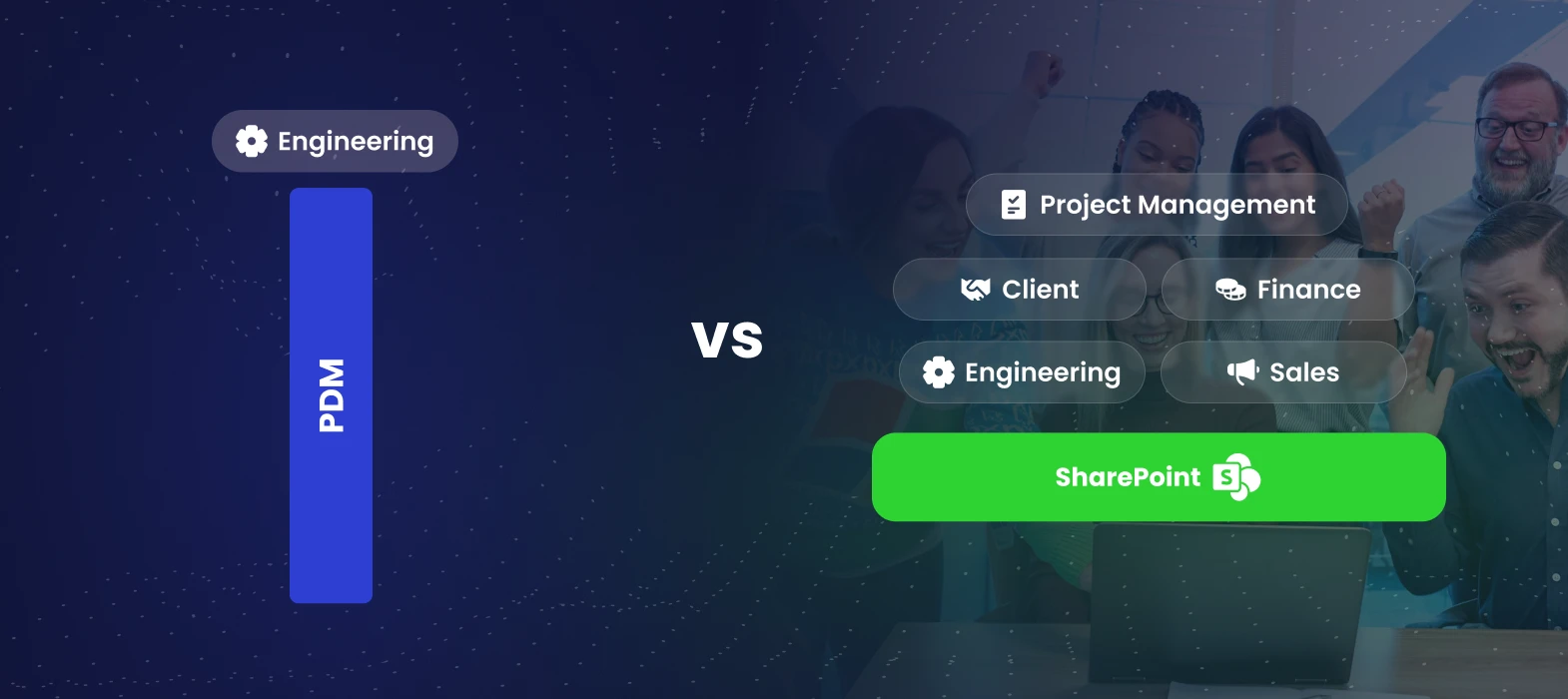
In contrast, SharePoint is a platform that spans the entire organization. It excels at managing project data, office documents, and team communication. When evaluating SharePoint engineering vs PDM for engineering, the primary difference lies in the architecture. PDM is a vertical tool for one department; SharePoint is a horizontal tool that connects the entire project lifecycle from the initial bid to the final delivery.
Why Modern Firms Are Seeking PDM Alternatives
Many engineering leads are frustrated with the hidden costs of legacy software. This has led to a surge in firms looking for PDM alternatives. Traditional systems often require expensive on-site servers, dedicated IT maintenance, and high per-user licensing fees that make it cost-prohibitive to share data with clients or external partners.
Modern teams need to access drawings from a job site, a tablet, or a home office. Legacy systems often struggle with this mobility, requiring slow VPNs that frustrate users. By moving toward a cloud-native environment, firms find they can collaborate in real-time without technical bottlenecks.
Engineering Feature Showdown: SharePoint vs. PDM
To choose the right system, you must look at how each handles the specific demands of a technical environment. Below is a head-to-head comparison of their core capabilities:
| Feature | Traditional PDM | SharePoint Online |
| Primary Focus | Deep CAD file relationship management | Enterprise-wide collaboration & M365 integration |
| Accessibility | Limited (Often requires VPN/Local Client) | High (Cloud-native, Mobile, & Web) |
| Cast Structure | High per-seat licensing & server costs | Included in existing M365 subscriptions |
| External Sharing | Complex/Costly guest access | Secure, simplified external sharing |
| Automation | Basic workflow triggers | Advanced automation via Power Automate |
| Reporting | Static built-in reports | Real-time dashboards via Power BI |
Can You Effectively Use SharePoint for CAD?
A common question for growing firms is whether they can successfully use SharePoint for CAD data. The answer depends on the complexity of your file relationships. If your team builds massive, interlinked 3D assemblies in tools like SolidWorks, a dedicated PDM is often necessary to manage the “parent-child” file links.
However, for firms focused on 2D drawings, AEC (Architecture, Engineering, and Construction) workflows, or less complex 3D models, SharePoint is highly effective. It provides robust version history, metadata tagging, and secure external sharing that outclasses most legacy systems.
Maximizing the Engineering Document Lifecycle
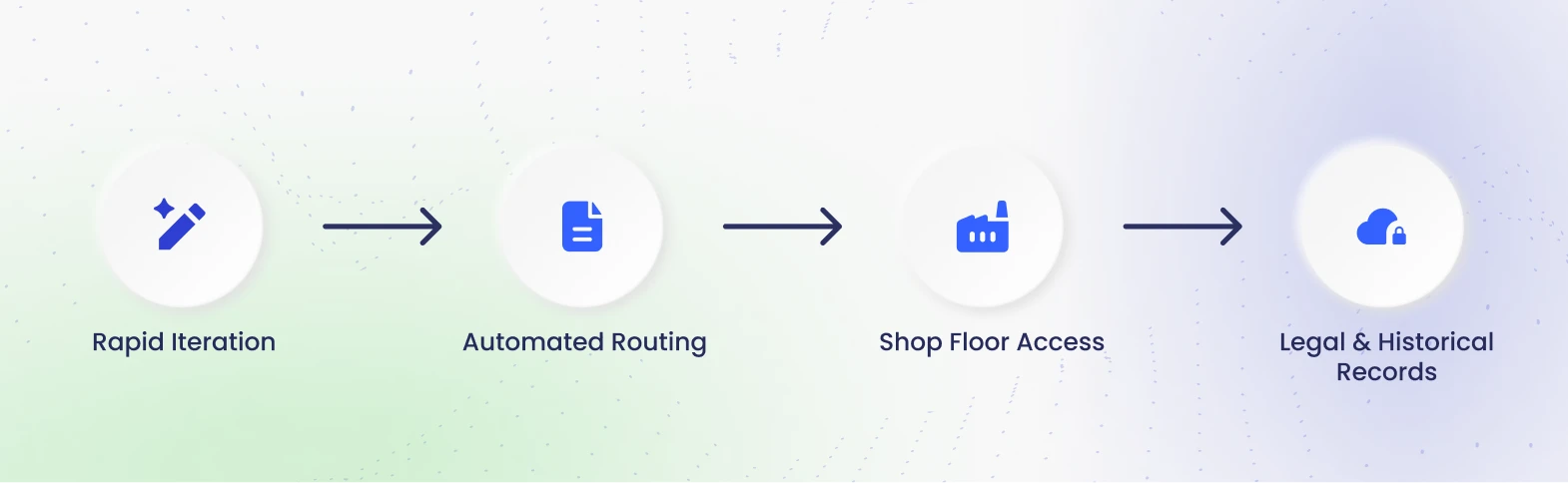
A professional engineering office requires a system that understands the journey of a drawing. SharePoint manages this through automated triggers:
- The Draft Phase: Rapid iteration within the design team.
- The Review Phase: Automated routing for manager approval.
- The Release Phase: Instant access for the shop floor or construction site.
- The Archive Phase: Secure, long-term storage for legal records.
Cost Efficiency and Scalability
In the SharePoint vs. PDM for engineering debate, the ROI is often found in the budget. PDM systems carry high upfront costs. Since most firms already utilize Microsoft 365, SharePoint is essentially an existing asset. You can scale from 10 users to 500 without a massive jump in licensing costs, removing the “tax” on collaboration.
Security, Compliance, and Audit Trails
Protecting intellectual property is non-negotiable. Microsoft’s cloud environment provides world-class security where you can apply “Sensitivity Labels” to drawings, ensuring they cannot be downloaded by unauthorized parties. SharePoint also provides a perfect, automated audit trail, simplifying ISO 9001 certifications.
Understanding PLM vs SharePoint
As your organization scales, the conversation often moves toward Product Lifecycle Management (PLM). While PLM focuses on the Bill of Materials (BOM) and manufacturing processes, SharePoint acts as the “connective tissue” for the project. Successful firms use SharePoint as the primary project interface, keeping the PLM for specialized manufacturing data.
The Hybrid Model: The Best of Both Worlds
For many large-scale firms, the most profitable path is a hybrid approach. You keep high-end 3D assemblies in a lean, local PDM for performance but move all project management and client-facing documents to SharePoint.
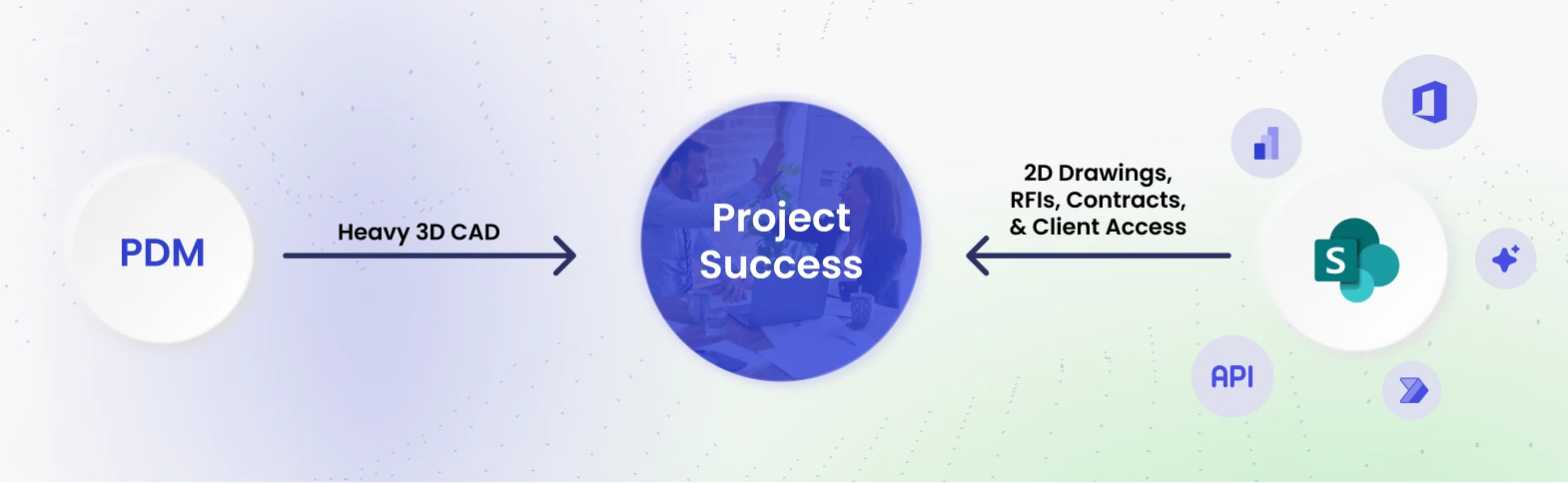
This creates a “Custom SharePoint Advantage” by integrating the wider M365 ecosystem. You can use Power Automate to handle complex ECO (Engineering Change Order) workflows and Power BI to provide real-time project reporting and resource tracking. This ensures that while engineers have technical tools, the rest of the business stays informed and agile.
Final Evaluation Factors
Before deciding on your system, evaluate these three key factors:
- File Complexity: Do you have thousands of interlinked 3D parts? If so, keep those in a PDM.
- User Access: If stakeholders outside of engineering need access, SharePoint is essential.
- Total Cost of Ownership: If you want to eliminate “per-seat” licenses and server maintenance, the cloud is your best move.
Conclusion: Driving ROI Through Modern Data Management
The decision between SharePoint vs. PDM for engineering is about how much “friction” you are willing to tolerate. While PDM serves a specific technical niche, SharePoint provides the modern, connected environment that today’s competitive market demands.
At Code Creators, we specialize in SharePoint Consulting, Power BI Consulting, and SharePoint Migration Services tailored for engineering firms. We don’t just move files, we build efficient systems using SharePoint Workflows and Microsoft PowerApps that match your team’s actual work habits. Whether you need to Hire a SharePoint Developer for custom tools or want a more collaborative SharePoint Online environment, we turn your document management into a high-ROI asset.