Dataverse vs. SharePoint Lists: Choosing the Right Backend for Power Apps
Building powerful, user-friendly apps in Microsoft Power Apps starts with one critical decision: choosing the right backend. For most business users, that decision comes down to Dataverse vs. SharePoint Lists. Both are deeply integrated with the Microsoft ecosystem—but they serve different purposes, have different capabilities, and suit different app scenarios.
So, which one is right for your next app?
In this blog, we’ll compare Dataverse and SharePoint Lists across key features like data modeling, relational support, security, licensing, and integration to help you decide.
What Is Microsoft Dataverse?
Microsoft Dataverse is a cloud-based data platform that allows users to securely store and manage data used by business applications. It’s the backbone of many Dynamics 365 apps but is also available to Power Platform users.
- Built on Azure SQL, it offers a structured and scalable environment.
- Supports advanced features like relationships, calculated fields, rollups, and business rules.
- Offers rich security controls and role-based access.
Dataverse is designed for complex, enterprise-level apps and deeply integrated with Power Apps, Power Automate, and Power BI.
What Are SharePoint Lists?
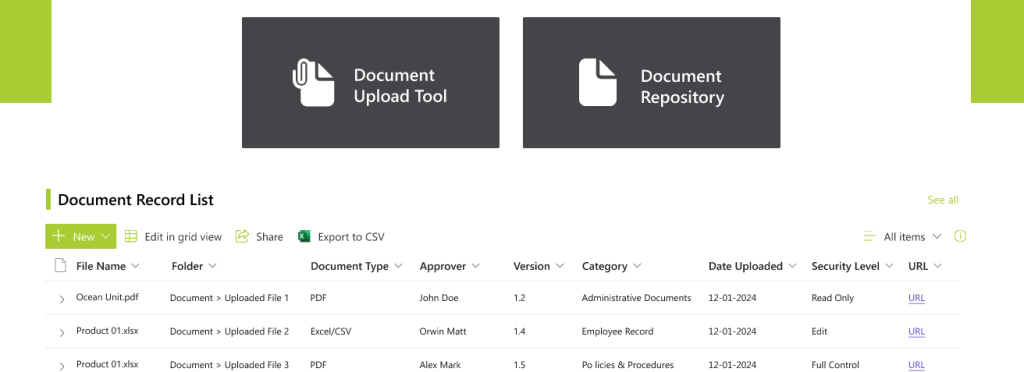
SharePoint Lists are lightweight data containers built into SharePoint Online. They provide an easy way to store, organize, and share structured data such as contacts, tasks, or inventory.
- Commonly used for team collaboration and basic apps.
- Easy to set up with no code required.
- Works well for document management and lightweight workflows.
While SharePoint is excellent for file and content management, its capabilities as a relational data backend are limited.
Data Modeling: Tables vs. Lists
One of the biggest differences between Dataverse and SharePoint Lists is how they handle data structures.
Dataverse
- Uses tables with rich data types (choice, lookup, date/time, currency, etc.).
- Supports one-to-many and many-to-many relationships.
- Enables advanced features like calculated fields, rollup fields, business rules, and automated data validation.
Dataverse is ideal when you need normalized data with relationships across multiple tables.
SharePoint Lists
- Uses flat lists that can store multiple columns (text, number, date, etc.).
- Supports lookup columns but only in one direction and limited to one-to-many.
- No native support for rollups or calculated fields across lists.
SharePoint Lists are sufficient for simple or flat data structures, like tracking events, storing contact info, or listing inventory.
Relational Capabilities: True RDBMS vs. Workarounds
Apps with multiple related data types—like customers, orders, and products—require a relational backend.
Dataverse
- Natively supports relational data modeling.
- Enables complex joins, filters, and lookups between tables.
- Offers referential integrity, cascading deletes, and data consistency.
This makes Dataverse a robust choice for enterprise-grade, data-centric apps.
SharePoint Lists
- Supports lookup columns to create basic one-way relations.
- No referential integrity, and data inconsistencies are more common.
- Can’t easily filter or aggregate data across related lists.
While workarounds exist using Power Automate or calculated columns, the result is more maintenance heavy.
Licensing and Cost: A Crucial Factor
Your choice may also depend on licensing costs – especially if your organization is building many apps.
Dataverse Licensing
- Requires a Power Apps per app or per user plan.
- Can increase costs if building multiple apps or extending capacity.
- Provides premium connectors, custom APIs, and higher limits.
Ideal for businesses already using Power Apps premium plans or Dynamics 365.
SharePoint Licensing
- Comes bundled with most Microsoft 365 plans (E1/E3/E5).
- No additional cost for using Lists as your data source.
- Does not include premium features like Dataverse.
Perfect for teams looking to build apps on a budget without premium licensing.
Connectors and Integration in Power Apps
When building canvas or model-driven apps, both Dataverse and SharePoint Lists work well with Power Apps connectors—but the experience is different.
Dataverse Integration
- Acts as a native data source—no connector required.
- Supports delegation, which means better performance with large datasets.
- Fully integrated with Power Automate, Power BI, and AI Builder.
- Enables creation of model-driven apps (which are only supported by Dataverse).
Ideal for building scalable, high-performance apps with consistent performance.
SharePoint Lists Integration
- Uses the SharePoint connector in Power Apps.
- Some functions are non-delegable, causing limitations when working with large datasets.
- Works well for document libraries and apps that need document management.
Fine for smaller apps or those tied to team sites or internal collaboration portals.
Learn more about connectors in Power Apps
Security & Governance
Security is another major area where Dataverse and SharePoint Lists differ.
Dataverse
- Provides row-level and field-level security.
- Supports role-based access control (RBAC) and audit logs.
- Ideal for enterprise governance, data protection, and compliance.
Admins can control access granularly – ensuring users only see what they’re allowed to.
SharePoint Lists
- Provides list-level and item-level permissions, but no field-level security.
- More challenging to manage when apps grow in size or scope.
- Lacks audit capabilities and structured compliance tools.
While adequate for team-level control, SharePoint is not built for enterprise-grade data governance.
Use Cases: When to Use What
Dataverse When:
- Your app involves complex relationships and multiple tables.
- You need enterprise-level security and auditing.
- You are building model-driven apps or apps that scale.
- Your organization has Power Apps premium licenses or uses Dynamics 365.
Use SharePoint Lists When:
- Your app is simple, task-focused, or team-based.
- You want to build apps quickly at a low cost.
- You are managing documents, checklists, or content-centric data.
- Your users already work heavily within SharePoint Online.
Performance and Delegation Limits
Performance can make or break your app—especially when dealing with large datasets.
Dataverse
- Supports delegation-friendly queries, so filtering, sorting, and paging is processed server-side.
- Handles hundreds of thousands of records efficiently.
- Supports batch operations and advanced filtering.
SharePoint Lists
- Delegation limits are stricter. Queries over 500–2000 records may not return complete results.
- Users may encounter errors if filters aren’t delegation friendly.
- Better suited for small to medium datasets.
Summary Table: Dataverse vs. SharePoint Lists
| Feature | Dataverse | SharePoint Lists |
| Data Modeling | Relational, normalized | Flat, limited lookup support |
| Relational Support | Full, multi-level | Basic, one-way lookups |
| Security | Row & field level | Item-level only |
| Integration | Native Power Platform, BI, AI | Works with SharePoint & Power Apps |
| Licensing | Premium plan needed | Included in Microsoft 365 |
| Performance | Delegation-friendly | Limited delegation |
| Ideal For | Complex, scalable apps | Simple, content-based apps |
Final Thoughts
Both Dataverse and SharePoint Lists are capable tools for building Power Apps, but their strengths lie in different areas. If you’re building an app that needs advanced data structure, security, and enterprise integration – Dataverse is the clear choice. On the other hand, if you’re creating a lightweight app for quick deployment using existing Microsoft 365 tools, SharePoint Lists are more than enough.
Choosing the right backend is about matching the tool to your business needs, budget, and technical complexity. Consider your app’s purpose, data size, relationships, and governance needs before making a decision.
Which backend will power your next app?
Looking for best SharePoint Development Service? Let us know!