Managing projects with clear data is like driving on a sunlit highway. You move forward with total confidence, seeing every opportunity and milestone perfectly positioned on the horizon. For many business leaders, the solution is clear: a custom Power BI project management dashboard. However, before diving in, the most common question we hear is: “What is the custom Power BI project management dashboard cost?”
Transparency is a core value at Code Creators. In this guide, we will break down Power BI dashboard pricing, the factors that move the needle on cost, and why a full business intelligence implementation often pays for itself within the first few months of use.
Why Custom Power BI Dashboards Require Different Investment Levels
If you buy a pre-made template, you might pay a low one-time fee. While templates provide a helpful start, a custom solution truly shines by perfectly aligning with your unique workflow and supporting your specific goals. A “custom” solution means the dashboard is built specifically for your data, your team, and your goals.
Because every business has different data sources and performance monitoring needs, dashboard development pricing varies. Generally, you can expect costs to be influenced by how much data you have, where it lives, and how much automation you require to generate real-time insights.
4 Major Factors That Influence Custom Power BI Dashboard Price
When we calculate a quote for a custom Power BI dashboard price, we look at four main “cost drivers.”
1. The Number and Complexity of Data Sources
Where does your project information live?
- Simple: If all your data is in a single, clean Excel file, the cost is lower.
- Complex: Connecting data from Jira, Asana, SQL, and SharePoint integration is a high-value investment that delivers a comprehensive, powerful view of your project’s success. Connecting multiple sources requires “data plumbing” to make sure all systems talk to each other correctly.
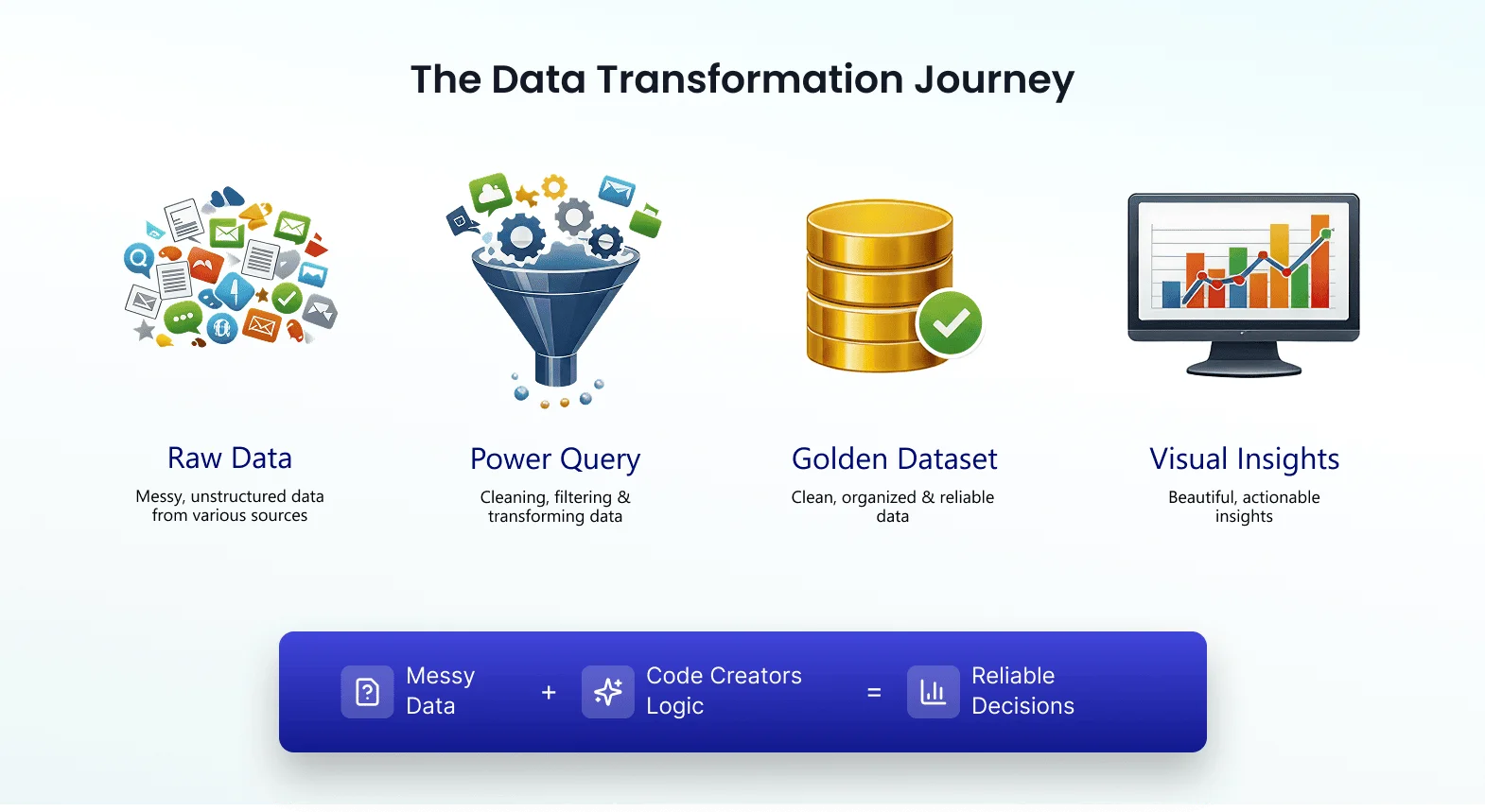
2. Data Cleaning and Transformation
Refining your data is a rewarding step, as it allows us to organize diverse formats into a high-quality, polished dataset that ensures your dashboard is both accurate and brilliant. A significant part of the power bi implementation cost goes into “Data Engineering.” This is the process of cleaning your data so that the numbers on your screen are 100% accurate.
3. The Number of Custom Visuals and Pages
Do you need a single-page overview or a deep-dive system with ten different tabs?
- Executive View: High-level charts showing overall project health.
- Project Manager View: Detailed project management KPIs like task completion rates and budget burn.
- Resource View: Tracking team member availability and workload.
Adding specialized views is an excellent way to deepen your project’s transparency, ensuring every team member has a perfectly designed and thoroughly tested tool for their specific needs.
4. Advanced Features and Automation
Basic dashboards show what happened yesterday. Advanced dashboards provide real-time insights and use “Predictive Analytics” to show what might happen next month. Investing in automated reporting features like scheduled refreshes, automated alerts, and powerful DAX formulas adds incredible value by creating a high-performance tool that maximizes project success.
Estimating the Investment: Pricing Brackets
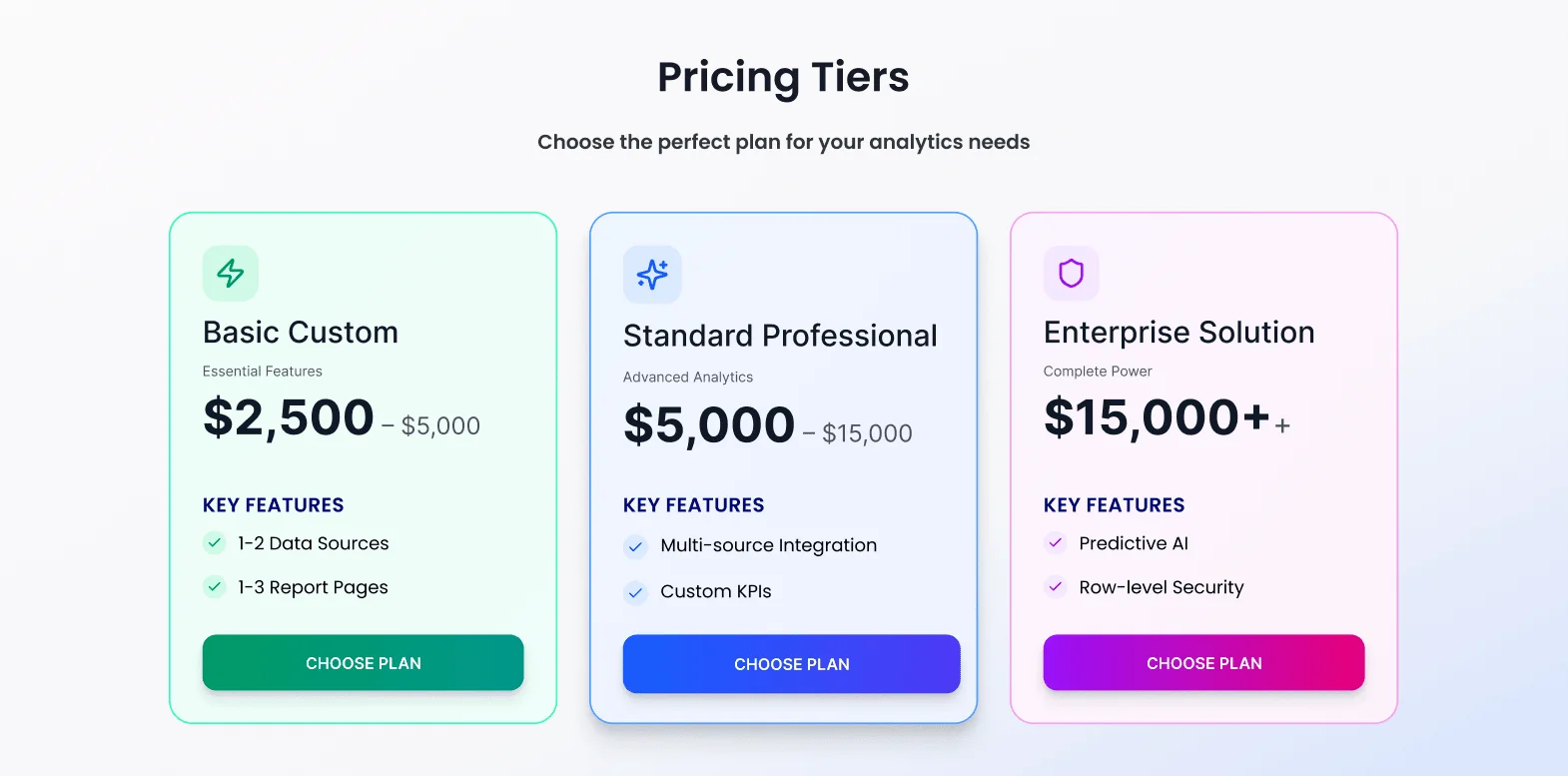
While every project is unique, most custom Power BI projects fall into three general categories:
| Category | Features | Price |
| Basic Custom | Small teams using 1-2 data sources (like Excel/SharePoint). | $2,500 – $5,000 |
| Standard Professional | Mid-sized firms needing multi-source integration and custom KPIs. | $5,000 – $15,000 |
| Enterprise Solution | Large orgs with complex data, high security needs, and predictive AI. | $15,000+ |
Note: These are estimates. The final cost depends on your specific technical requirements.
The Hidden Costs: Licensing and Maintenance
When budgeting for your custom Power BI project management dashboard cost, don’t forget the ongoing costs from Microsoft:
- Power BI Desktop: Free (used to build a Power BI dashboard).
- Power BI Pro: Roughly $10 per user/month. This is required for your team to view and share reports.
- Maintenance: Like a car, dashboards need occasional tune-ups. As your business grows or your data sources change, you may want to budget for a small monthly support fee to keep everything running smoothly.
Understanding the ROI: Is It Worth It?
Instead of just looking at the “price tag,” think of the incredible value and savings you gain by having a high-performance dashboard at your fingertips.
1. Saving Time
The average project manager spends 4 to 8 hours a week manually creating reports. At a professional salary rate, that is thousands of dollars a year wasted on “busy work.” A custom dashboard automates this, saving you that cost instantly.
2. Preventing Budget Overruns
A custom dashboard can alert you the moment a project goes 5% over budget. With this visibility, even a single early “catch” ensures your dashboard pays for itself by keeping your project perfectly on track and profitable.
3. Faster Decision Making
In business, speed is money. When you can see real-time data, you make decisions in minutes that used to take days of meetings.
How Code Creators Simplifies the Process
We don’t believe in “black box” pricing. When you work with us, we follow a clear path to ensure you get the best value for your investment:
- Discovery: We look at your current data and your “wish list.”
- Strategy: We define the project management KPIs that will actually move the needle for your business.
- Development: Our experts build a Power BI dashboard that is clean, fast, and easy to use.
- Training: We make sure your team knows how to use the tool to make better decisions.
Every project has its own unique problems, whether it’s messy spreadsheets or disconnected teams. If you’re feeling overwhelmed by the technical details, we’re here to help. Schedule a brief discovery call to discuss your specific project needs and see how we can turn your data “fog” into total clarity.
FAQs
How long does it typically take to build?
For most organizations, a custom dashboard takes between 3 and 8 weeks to move from the first meeting to a live, polished report.
- Small Projects (3-4 weeks): Best for single data sources (like one Excel file or a few SharePoint lists).
- Medium/Large Projects (6-10 weeks): Required when we need to perform complex data integration across multiple platforms (Jira, SQL, and Finance tools) and build advanced project management KPIs.
Do we need special licenses?
You do not need a special “Custom” license, but you will need standard Microsoft licenses to share the work:
- To Build: The developer uses Power BI Desktop, which is free.
- To View & Share: Every team member who needs to see the dashboard online generally needs a Power BI Pro license (included in many Microsoft 365 E5 plans or available for about $10/user per month).
- Enterprise: If you have thousands of users, Power BI Premium might be more cost-effective, but for most project teams, Pro is perfect.
Can you connect to our existing tools (SharePoint, Jira, etc.)?
Yes. Power BI is designed to be the “glue” between your tools. We frequently set up SharePoint integration to pull live task lists. We can also connect Power BI to Jira, Asana, Trello, and even custom internal databases. This ensures your dashboard provides real-time project monitoring without your team having to enter data twice.
Can we update or expand the dashboard later?
Absolutely. One of the best things about Power BI is its scalability. You don’t have to build everything on Day 1.
- Phase 1: Build a core “Project Health” view.
- Phase 2: Add a “Resource Allocation” tab once your team is comfortable.
- Phase 3: Integrate financial data for “Budget vs. Actual” tracking. Since the dashboard is custom-built, we can easily add new columns, charts, or data sources as your business grows.
Conclusion: Take the Next Step Toward Data Clarity
Investing in a custom Power BI project management dashboard is about more than just pretty charts. It is about gaining control over your business, protecting your margins, and giving your team the tools they need to succeed.
While the Power BI implementation cost varies based on your needs, the return on investment in terms of time saved and mistakes avoided is undeniable.
Step into the light of clear data with a custom solution designed to lead you straight to success.
Ready to see exactly what your project will cost? Get a Personalized Quote today, and let’s turn your data into your greatest competitive advantage.